Introdução

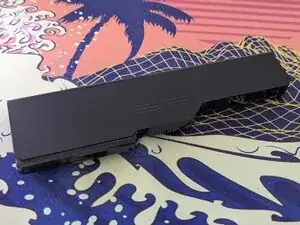
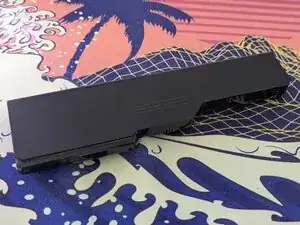
Use this guide to remove the battery of the Lenovo G570. This replacement is extremely easy and doesn't require any tools. Please make sure the computer is off and unplugged before starting the guide.

  1. Nl3VEyjNUPNHCoyo
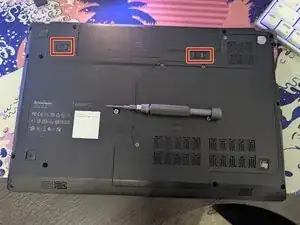
    • Flip your laptop to its back side.

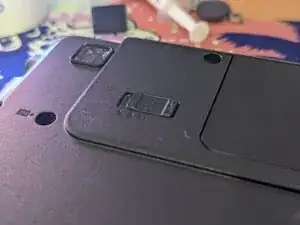
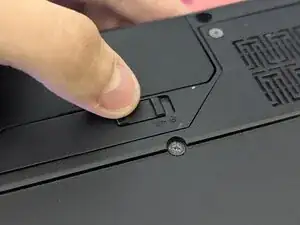
    • At the top of the laptop you will see two switches, keeping the battery in place.

  2. awTQBaNHV1tlDjmo
    awTQBaNHV1tlDjmo
    eOodDXlIW2XZrbg4
    y3pK3NQ5XgtlNfkr
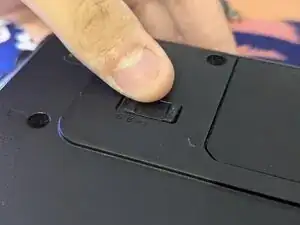
    • Pull the left switch outwards with your thumb, towards the unlocked lock.

  3. V4bHQLnxwiwNGnmx
    V4bHQLnxwiwNGnmx
    WbRjSNKynCLwxam6
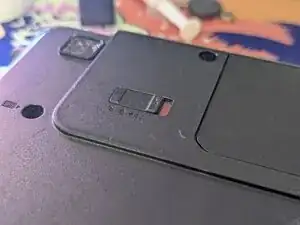
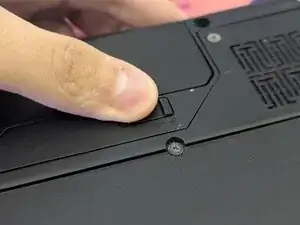
    • Do the same thing for the right one. Do not remove your thumb now though, as this switch is spring-loaded.

  4. PEgTgHDopiJnhdeb
    PEgTgHDopiJnhdeb
    TEWQl3vDrKpNrTOn
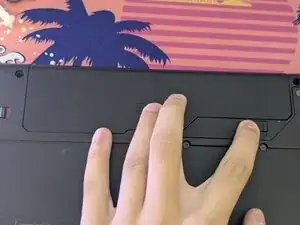
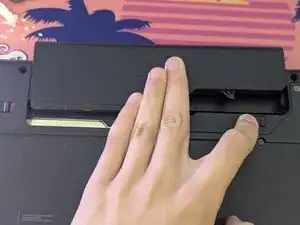
    • While holding the right switch at the unlocked position, slide the battery out.

  5. bDYOFCwamALhfd4a
    • And you're done! You can now replace the old battery with a new one if you need to.

Conclusão

To reassemble your device, follow these instructions in reverse order.

mineisstupid

Membro desde: 22/09/24

428 Reputação

0 comentários