Introdução
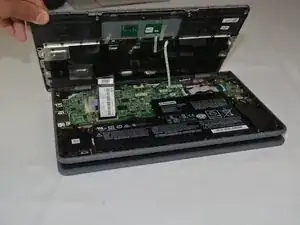
Use this guide to replace the palmrest and keyboard assembly on a Lenovo Flex 11 Chromebook.
Ferramentas


-
-
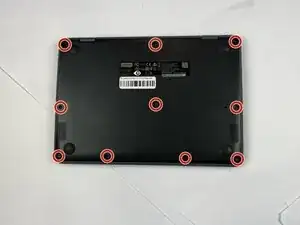
Close the lid and turn the laptop over so the underside is facing up.
-
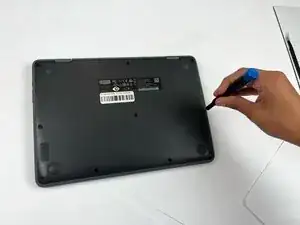
Use a Phillips #00 screwdriver to remove the ten 7 mm-long screws on the lower case.
-
-
-
Flip the Chromebook over again.
-
Open the lid 180 degrees, folding the Chromebook in half like a tablet.
-
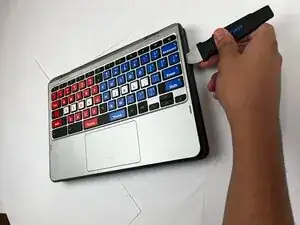
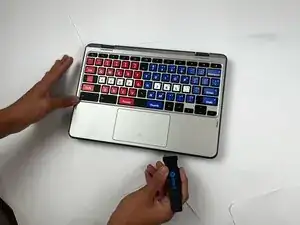
Insert an opening pick between the palmrest and keyboard assembly and the chassis.
-
Slide the pick around the perimeter until the assembly releases.
-
-
-
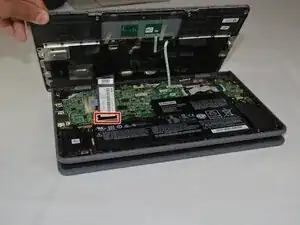
Slowly lift the palmrest and keyboard assembly, with care not to strain the connected ribbon cables.
-
Flip up the locking flap securing the keyboard ribbon cable.
-
Disconnect the keyboard ribbon cable.
-
-
-
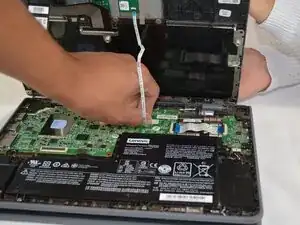
Flip up the locking flap securing the touchpad ribbon cable.
-
Disconnect the touchpad ribbon cable.
-
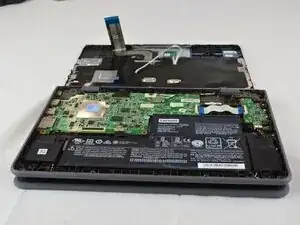
Remove the palmrest and keyboard assembly.
-
To reassemble your device, follow the above steps in reverse order.
Take your e-waste to an R2 or e-Stewards certified recycler.
Repair didn’t go as planned? Try some basic troubleshooting or ask our Answers community for help.