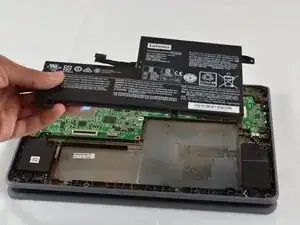
Introdução
Use this guide to replace a broken or malfunctioning battery in the Lenovo Flex 11 Chromebook za27 Model. The battery component is the primary power source, allowing the device to run as a portable computer. Signs a Chromebook battery needs replacement are rapid battery discharge, frequent shutdowns, or overheating.
Make sure to power off the Chromebook and disconnect from any external power source before beginning this guide to prevent electrical harm.
After following this replacement guide, ensure to properly dispose of the unused battery. Batteries and electronic equipment with a symbol of a crossed-out wheeled bin may NOT be disposed as unsorted municipal waste. Lenovo offers a variety of recycling programs and services to assist equipment owners in recycling their IT products.
For more information about which programs are around your area, please visit:
No special tool or skills are needed to complete this repair procedure.
Ferramentas


-
-
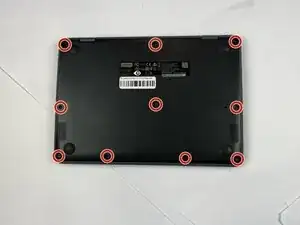
Close the lid and turn the laptop over so the underside is facing up.
-
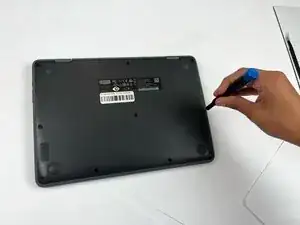
Use a Phillips #00 screwdriver to remove the ten 7 mm-long screws on the lower case.
-
-
-
Flip the Chromebook over again.
-
Open the lid 180 degrees, folding the Chromebook in half like a tablet.
-
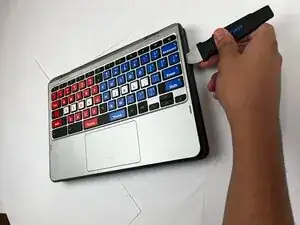
Insert an opening pick between the palmrest and keyboard assembly and the chassis.
-
Slide the pick around the perimeter until the assembly releases.
-
-
-
Slowly lift the palmrest and keyboard assembly, with care not to strain the connected ribbon cables.
-
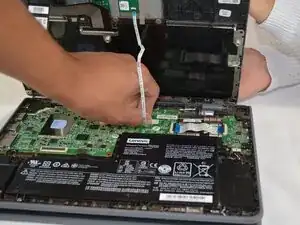
Flip up the locking flap securing the keyboard ribbon cable.
-
Disconnect the keyboard ribbon cable.
-
-
-
Flip up the locking flap securing the touchpad ribbon cable.
-
Disconnect the touchpad ribbon cable.
-
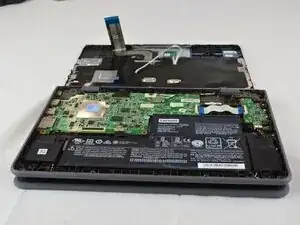
Remove the palmrest and keyboard assembly.
-
-
-
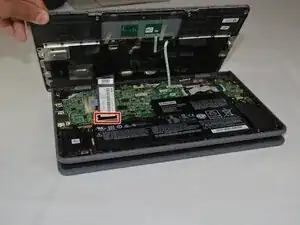
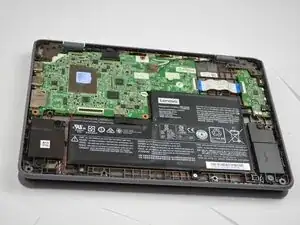
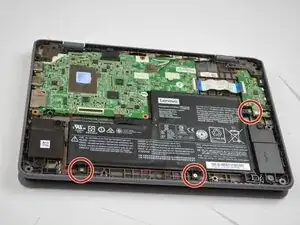
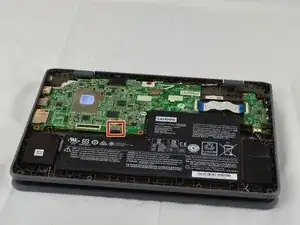
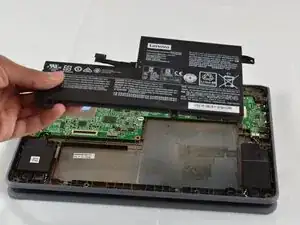
Use your fingernails to gently "walk" the battery connector directly out of its motherboard socket.
-
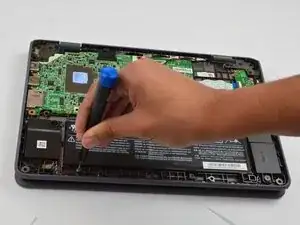
Remove the battery.
-
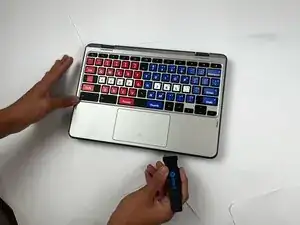
To reassemble your device, follow the above steps in reverse order.
For optimal performance, after completing this guide, calibrate your newly installed battery.
Take your e-waste to an R2 or e-Stewards certified recycler.
Repair didn’t go as planned? Try some basic troubleshooting or ask our Answers community for help.
