Introdução
Is the battery for your Lenovo 14e Chromebook draining quickly, getting too hot, swelling, or just in general need of replacement? Within this guide you will find the steps required to replace the battery in your Lenovo 14e Chromebook.
It is recommended that you check the troubleshooting page for the Chromebook battery to confirm that the device does in fact require a battery replacement.
Before following along with this guide, ensure to power off the Chromebook, and unplug it from the charger and any other devices.
Ferramentas


-
-
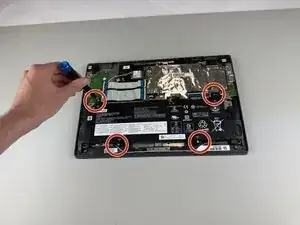
Use a Phillips #0 screwdriver to remove the four 5.5 mm screws holding the battery in place.
-
-
-
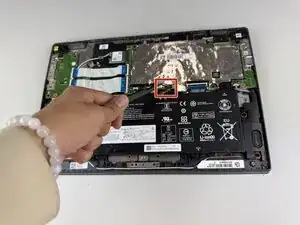
Gently disconnect the power interface using a pair of tweezers.
-
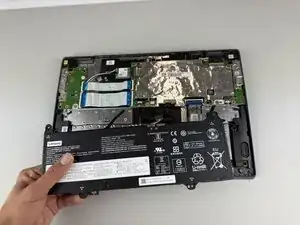
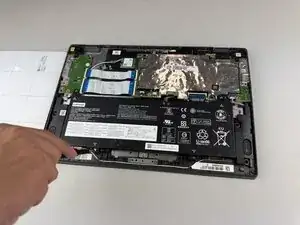
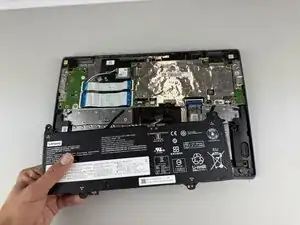
Lift the battery out of the Chromebook.
-
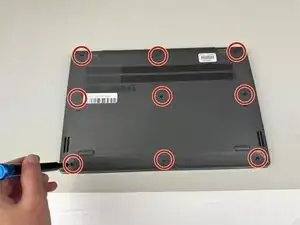
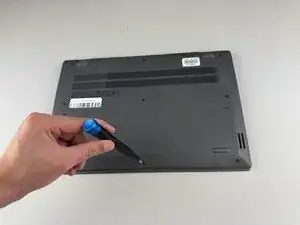
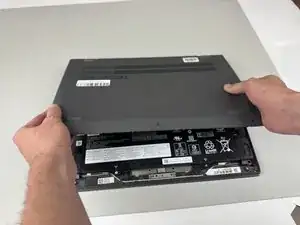
To reassemble your device, follow these instructions in reverse order.
