Introdução

  1. BjnrHLtRJL63iOYL
    BjnrHLtRJL63iOYL
    eSewRhRIKijTfeCI
    TB6C6ZwuyuWap5pv
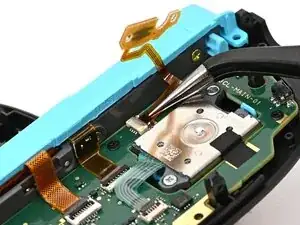
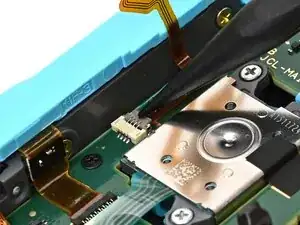
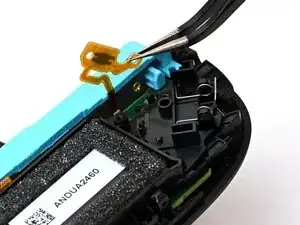
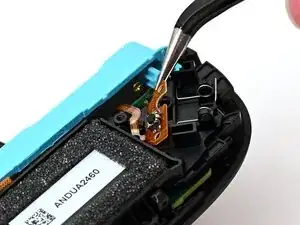
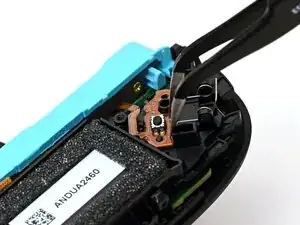
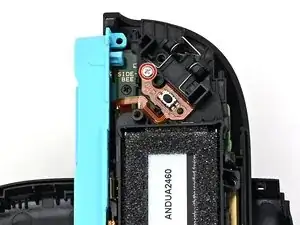
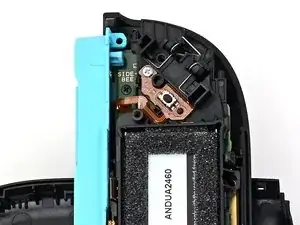
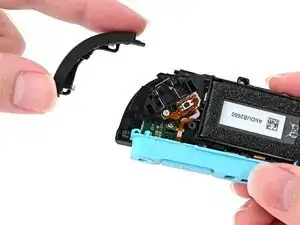
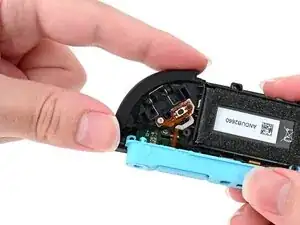
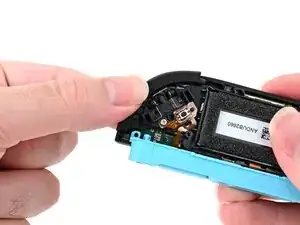
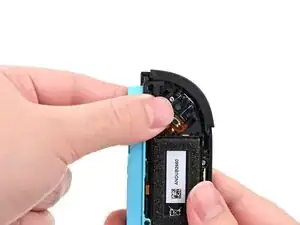
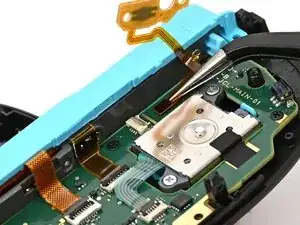
    • Make sure the locking flap is flipped up on the trigger cable's ZIF connector.

    • Position the trigger button board so its ribbon cable is aligned with its ZIF connector on the board.

    • Use tweezers or your fingers to gently slide the ribbon cable into its ZIF connector.

    • Flip the locking flap down to secure the cable.

    It might not be obvious, but the ribbon goes in with the copper facing down. That's why the images above show the solid-color other side of the ribbon. This makes the "flat" ribbon, with no twists, travel outside the board. If you put the ribbon in the wrong way, the ZL button will not work. Everything else about the instructions is correct!

    MrCab -

  2. VKsRDSCkoTLwvwY3
    VKsRDSCkoTLwvwY3
    nCWRqo5ZOIQBxiJK
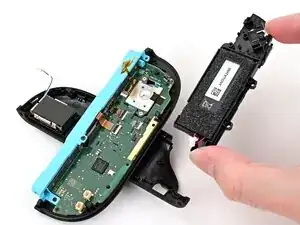
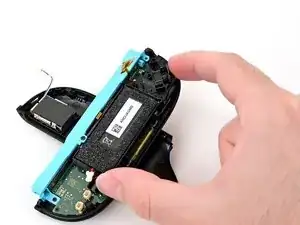
    • Align the midframe with its screw holes on the outer edge of the controller.

  3. pMhP34kY1vYAmvHx
    pMhP34kY1vYAmvHx
    umRbwMogauweEBRH
    5omVI2DOMNArGqAg
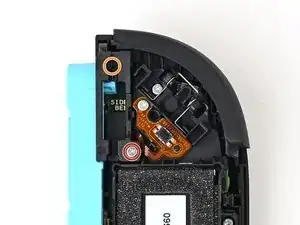
    • Use tweezers or your fingers to set the bottom edge of the trigger button board underneath the tab on the midframe.

    • Press the board into place so the black peg on the midframe protrudes through the hole on the bottom corner of the board.

  4. AdJCiOhToiIYcpXT
    AdJCiOhToiIYcpXT
    MvRrU3wqfGeiXnyx
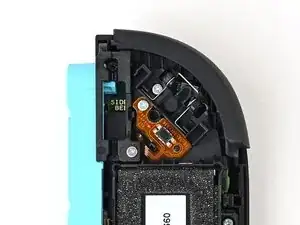
    • Use a JIS 00 driver to install the 3.9 mm‑long silver screw securing the trigger button board.

  5. KOiBNDufxRJla2yE
    KOiBNDufxRJla2yE
    5l2gAwRulSDKCAgg
    2OvUTXTF3oN23qRU
    • Align the two springs on the bumper with their two posts on the midframe, and press it into place.

    • The bumper is held in place by the front shell of the controller. If it falls out, ensure it's fully seated in the shell.

  6. U5p6iQWUuoowiYrR
    U5p6iQWUuoowiYrR
    PxiGGkRkCghDR2UZ
    • Use a JIS 00 driver to install the three 3.9 mm‑long silver screws securing the midframe.

  7. MNnnyO4ltkPifTZm
    MNnnyO4ltkPifTZm
    2eiYDdUytR5Hycv4
    VXCJKIdLhWpW66yR
    • Align the release button bracket with its screw holes and set it in the frame so it snaps into place.

    • The corner with the protruding square should be facing the battery.

  8. fZCPPDstfxYQUPXE
    fZCPPDstfxYQUPXE
    u3QTM5D4drPJhPfx
    • Use a JIS 00 driver to install the two screws securing the release button bracket:

    • One 3.9 mm‑long silver screw

    • One 6.2 mm‑long black screw

  9. xfMpS6NPKDcBq4Tx
    xfMpS6NPKDcBq4Tx
    tWcO6akB6EBCmwcn
    lEeVXBNingcYLB3o
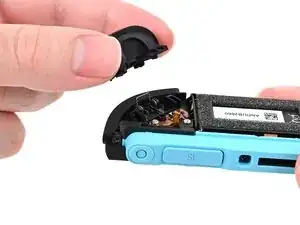
    • Align the trigger button with the top of the controller, with the ZL engraving facing out.

    • Set the trigger button onto its metal spring. Ensure the legs of the metal spring are seated properly in their channels on the midframe.

    • Press firmly on the trigger button to snap it into place.

    • Check that the metal stabilizer didn't fall out of position. If it did, remove the trigger, place it back into position, and try again.

  10. FVZMo4pcLsNOfhQ6
    FVZMo4pcLsNOfhQ6
    hud3AjksMFUi5Jg1
    TmTP5VDhtZZMthO2
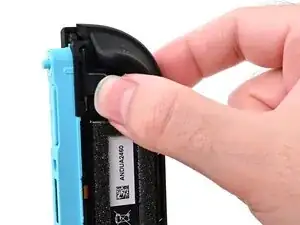
    • Insert the release button into its bracket.

    • If the release pin doesn't stick out of the controller when the button is pressed, the button isn't installed correctly. Re-insert or flip the button and try again.

Conclusão

To reassemble your device, follow these instructions in reverse order.

Nick Schultz

Membro desde: 24/03/24

45909 Reputação

0 comentários