Introdução
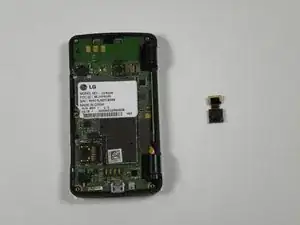
In this guide you will be removing the back panel to access the motherboard. Once you have reached the motherboard you will remove the camera lens from the motherboard.
Ferramentas


-
-
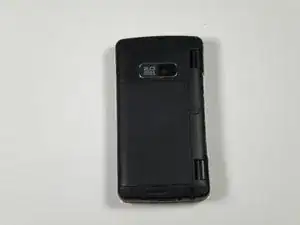
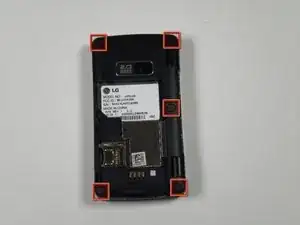
Place the phone face down on the table.
-
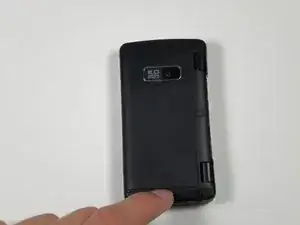
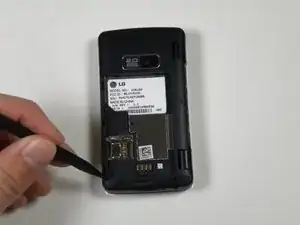
Pull down the tab below the battery with your fingernail or an opening tool.
-
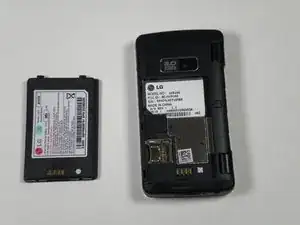
Lift the battery out.
-
-
-
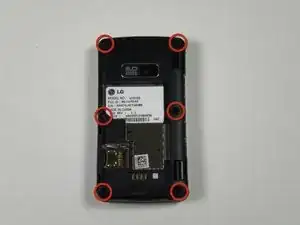
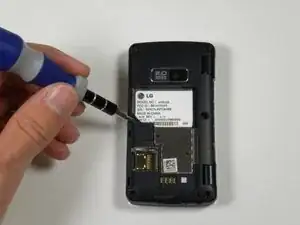
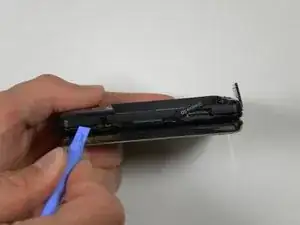
Insert a plastic opening tool into the seam and gently pry to release the tabs.
-
Work around the phone until all tabs are released.
-
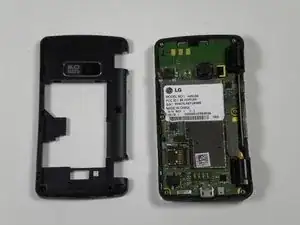
Remove the back panel.
-
-
-
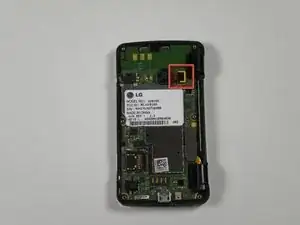
Locate the ribbon attached to the lens of the camera.
-
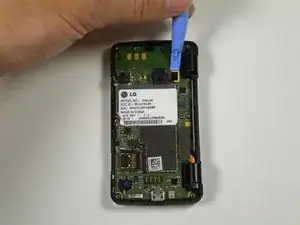
Place the plastic opening tool in between the logic board and ribbon.
-
Lift up the plastic opening to detach the ribbon from the logic board.
-
-
-
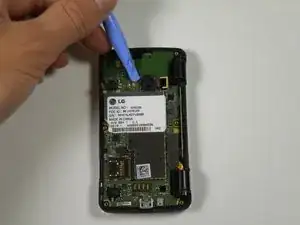
Place the plastic opening tool in between the lens and the logic board.
-
Detach the lens from the logic board using the plastic opening tool by popping it out.
-
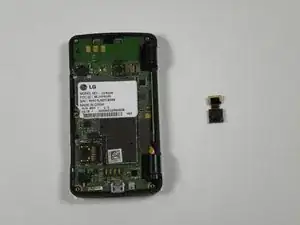
Take the entire lens and ribbon off of the logic board.
-
To reassemble your device, follow these instructions in reverse order.
