Introdução

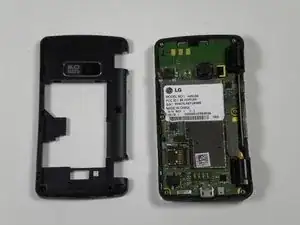
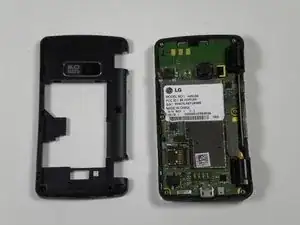
In this guide you will be removing the back panel from the rest of the phone.

  1. FDNQgTXsc2rg4SqX
    FDNQgTXsc2rg4SqX
    HmIshFJKhLHZkoK3
    bHI3bcbXeAadIBkH
    • Power off the phone before disassembly to avoid electric shock or fire.

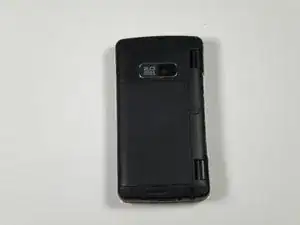
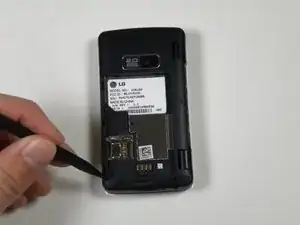
    • Place the phone face down on the table.

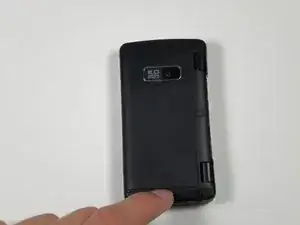
    • Pull down the tab below the battery with your fingernail or an opening tool.

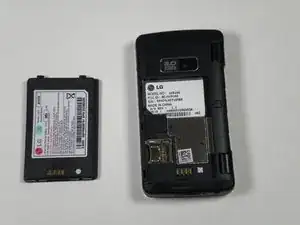
    • Lift the battery out.

  2. wTAu3hi3iFZQY2Mp
    wTAu3hi3iFZQY2Mp
    UYXeBgMIaYnMyh2y
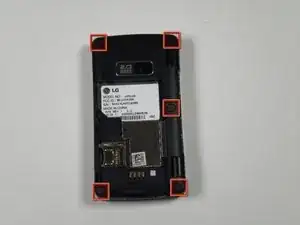
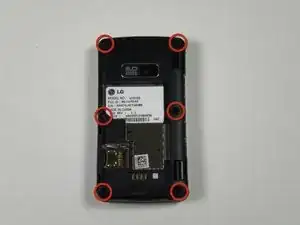
    • Use a metal spudger to remove the five rubber covers and expose the screws underneath.

  3. iAbokJEanyQkewnD
    iAbokJEanyQkewnD
    eRMtiQmIN5m6Kqtf
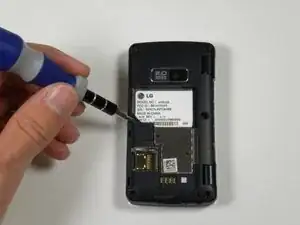
    • Remove all six 2.5 mm screws with a Phillips #00 screwdriver.

  4. UpDV4DW2BwZu2eSE
    UpDV4DW2BwZu2eSE
    cIDbSIawhUfGoBrm
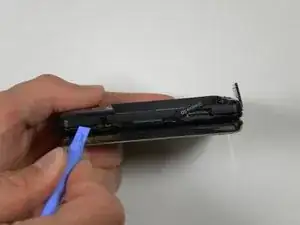
    • Insert a plastic opening tool into the seam and gently pry to release the tabs.

    • Work around the phone until all tabs are released.

    • Remove the back panel.

Conclusão

To reassemble your device, follow these instructions in reverse order.

Reed Williston

Membro desde: 26/09/12

34 Reputação

0 comentários