Introdução
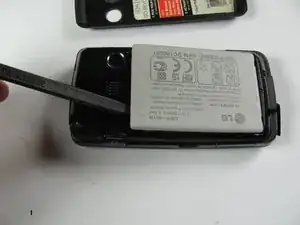
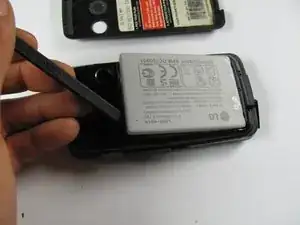
This is a prerequisite guide in order to help you replace the battery of your LG Rumor Touch phone. People often need to replace their battery if their phone is not charging or if their phone is dying too quickly/shutting down altogether. It requires minimal disassembly by lifting up the back cover and prying out the battery, shown to you in this step-by-step guide.
Ferramentas

-
-
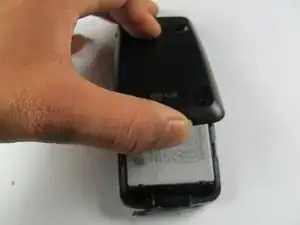
Remove the phone's back cover by placing your thumb the above charging port, located at the bottom of the phone, and sliding the back cover upward.
-
To reassemble your device, follow these instructions in reverse order.

Um comentário
Don’t need a spudger.
There is a half-moon indentation, near the camera lens. (Top left in second photo.) A finger(nail) in this notch can easily pry / pop out tge battery.