Introdução
Ferramentas


-
-
Before you begin, be sure to unplug the device from the outlet.
-
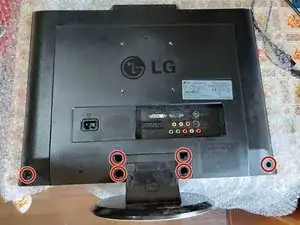
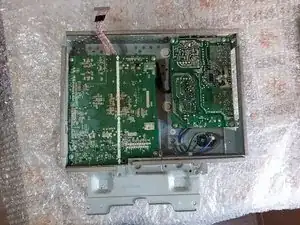
First of all, you need to unscrew the 4 screws holding the stand. After that the screws holding the back panel, they are located in the corners of the device).
-
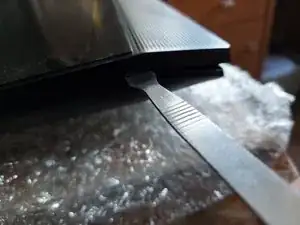
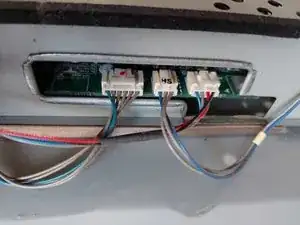
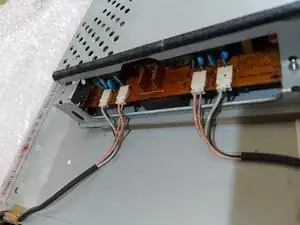
Second, you need to pry the plastic basel. There are several clips holding everything together.
-
-
-
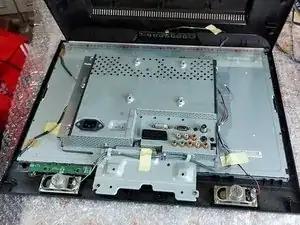
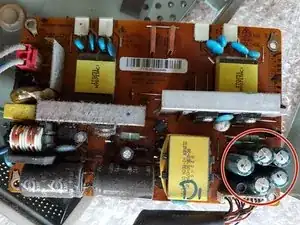
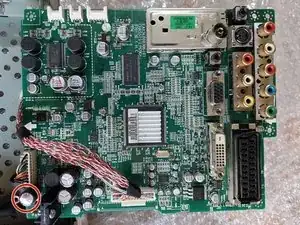
In my case I had to change the 6 capacitors marked in red.
-
You can always put higher voltage (V) rated capacitors (if you have the space), but dont change the farad (F) rating.
-
After putting everything back together, the monitor was working once again.
-
If fixing the capacitors didnt resolve your problem, please leave a comment.
-
Conclusão
To reassemble your device, follow these instructions in reverse order.