Introdução

Use this guide to replace the motherboard of the LG Chocolate 3. Be prepared to handle small screws and delicate electronic connections. Be sure to pay attention to what shouldn't be disconnected. Some parts may be viable to fall out during this process; it is important to reassemble them during the motherboard replacement process.

  1. bRko1e2NUtVLswkr
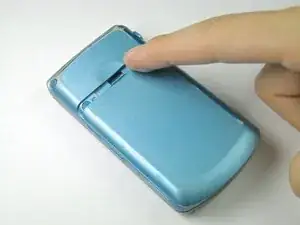
    • Turn the phone off before starting the replacement process.

    • Place the phone face down.

    • Press your finger down on the indentation and slide the back plate off.

  2. 4ZVsmHTpXGyUFRoD
    4ZVsmHTpXGyUFRoD
    tnRZMWysLnDCGpgL
    GoWWxjlupaCLh5In
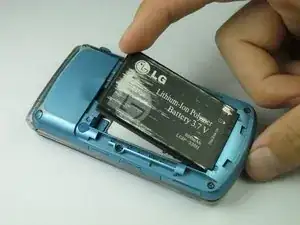
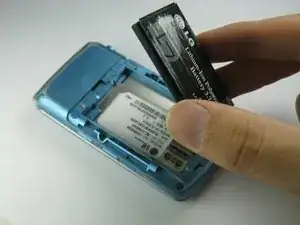
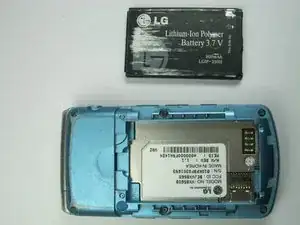
    • Using your index finger lift and remove the battery from the phone.

  3. TReSicEsOZmJXw3q
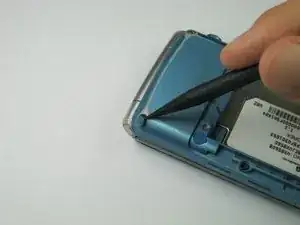
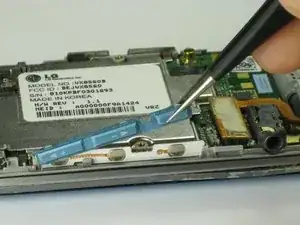
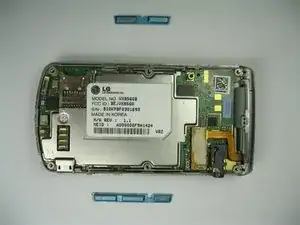
    • Use the pointed end of the spudger to pull out the plastic inserts that are located on the left and right-hand corners.

    • If needed, use the tip of a push pin instead of the spudger to remove the plastic inserts.

  4. R1FMWXS4gNqFmQeQ
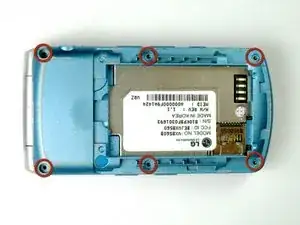
    • Using a Phillips #00 screwdriver, remove the six 3mm long screws found along the edges of the phone.

    • If needed, use tweezers to remove loose screws from the recessed holes.

    • Screws are small, therefore, they should be placed in a secure location to prevent misplacement.

  5. LurUKvMDMEY6TogQ
    LurUKvMDMEY6TogQ
    hsjCyylNQaNM1hD4
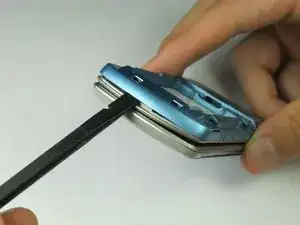
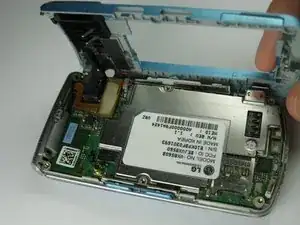
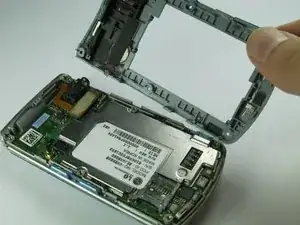
    • Pull the rear case up using the spudger.

    • The rear case is connected to the right side of the phone via red and blue cables, be careful not to pull these cables out.

    • The volume control buttons on the side might fall out of their sockets. Carefully replace them with a pair of tweezers before you reassemble the rear case.

  6. HUb2dK1HronukiJx
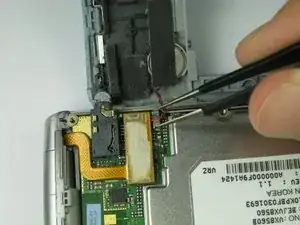
    • Use tweezers to pull the clear end of the red and blue speaker cables away from motherboard.

  7. JLiN5rKiYng23BuE
    JLiN5rKiYng23BuE
    CluUThgiNwPnbuLO
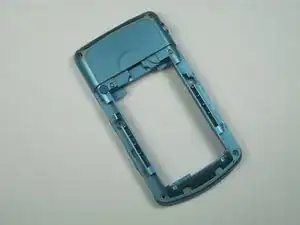
    • Carefully remove the rear case from the phone.

  8. uvQ31A3EmPAQjQKO
    • Use tweezers to remove the music button found on the side of the phone.

  9. YaLlqXTMkkaYHeZ6
    YaLlqXTMkkaYHeZ6
    CeFn5jdgDM64ViHw
    • Use tweezers to remove the volume control buttons on the opposite side of the phone.

  10. yQIEyWgknWI3pYNl
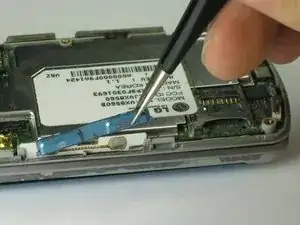
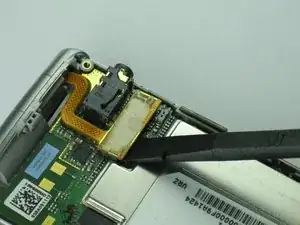
    • Use the flat end of the spudger to lift the orange display data cable.

  11. tMU43vfjgkAD1RDd
    tMU43vfjgkAD1RDd
    RLZmQPkwTgNB5ZXi
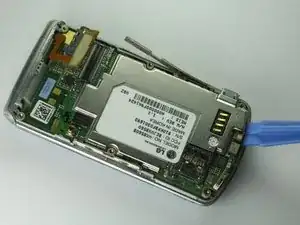
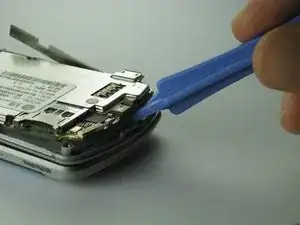
    • Carefully insert the plastic opening tool between the motherboard and the back of the phone.

  12. eU6GVZy5vqjpWKfO
    eU6GVZy5vqjpWKfO
    qKE1C2J6VC2aHEUx
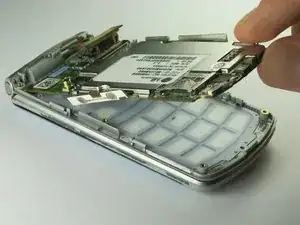
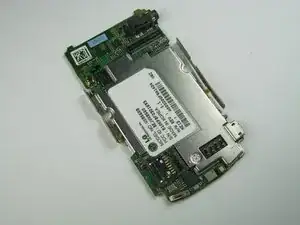
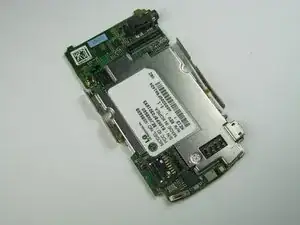
    • Use your thumb and index finger to carefully lift and separate the motherboard from the back of the phone.

    • Be cautious of the orange display data cable, it may stick to the motherboard.

    • To avoid this, lift the data cable away from the motherboard before removal.

Conclusão

To reassemble your device, follow these instructions in reverse order.

Brenna Yagade

Membro desde: 15/04/13

40 Reputação

0 comentários