Introdução
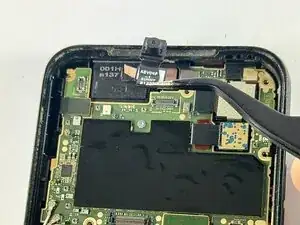
This guide will show you how to replace the front-facing camera in a Kyocera DuraSport 5G. A damaged or broken front camera could also result in further damages to the device if not handled soon enough. If you are in need of removing and replacing the front camera, this guide can make it easier by walking you through the individual steps.
To prepare, ensure your Kyocera Durasport is properly turned off by holding the power button for 10-15 seconds. Also ensure that it is not currently plugged in to prevent any unnecessary damage to the phone or charger. You will need to use a precision Toolkit as well as a plastic prying tool or straight edge to access the inside of the device.


-
-
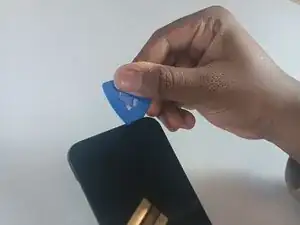
Insert an opening pick into the seam between the screen and the frame of the phone.
-
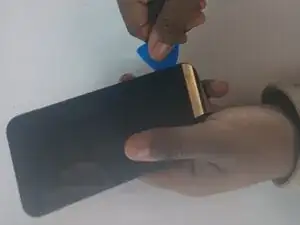
Gently pry the screen from the phone frame to separate them.
-
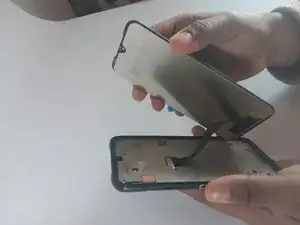
Once a corner starts to lift, slowly slide the tool along the edge to loosen more of the screen.
-
-
-
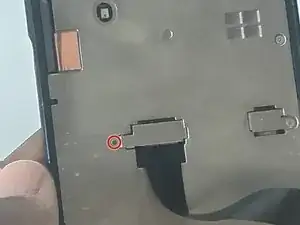
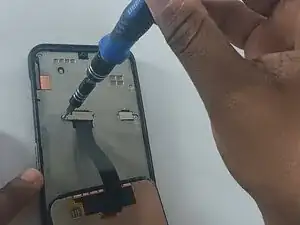
Remove the screw from the small silver bracket covering the cable connector.
-
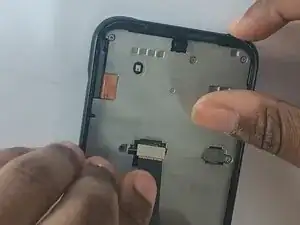
Remove the bracket.
-
-
-
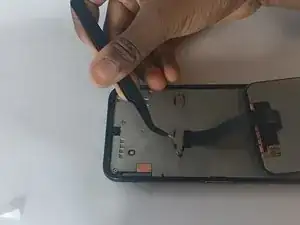
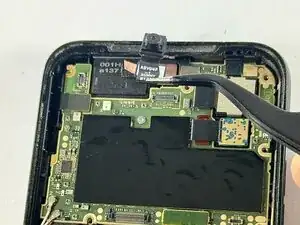
Use a pair of tweezers to detach the camera cable from the motherboard.
-
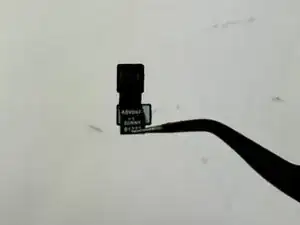
Remove the camera from the phone.
-
To reassemble your device, follow these instructions in reverse order. Take your e-waste to an R2 or e-Stewards certified recycler.