Introdução
While the Kyocera DuraSport 5G is built rugged and sturdy to withstand falls and the elements, the screen can still easily face damages depending on the right circumstances. Large cracks or chips in the screen of the device can make using the device much more difficult and can result in cuts if not handled properly.
In this guide, we’ll show you how to safely remove the screen from your Kyocera DuraSport 5G. Removing the screen lets you access the phone's internal parts.
Before going through the steps, make sure the phone is off and not on the charger so that it won’t negatively affect the process.
Ferramentas


-
-
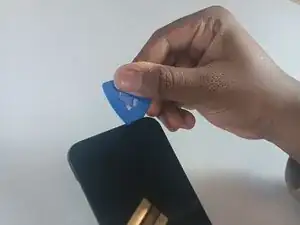
Insert an opening pick into the seam between the screen and the frame of the phone.
-
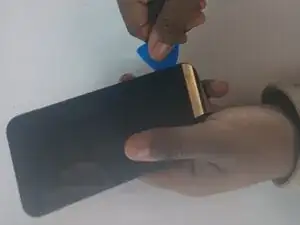
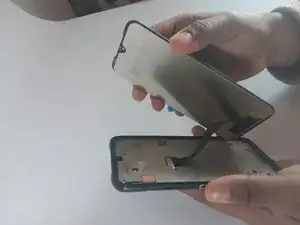
Gently pry the screen from the phone frame to separate them.
-
Once a corner starts to lift, slowly slide the tool along the edge to loosen more of the screen.
-
-
-
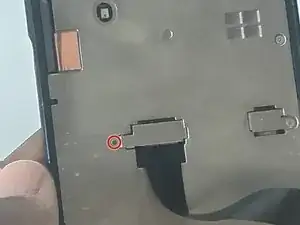
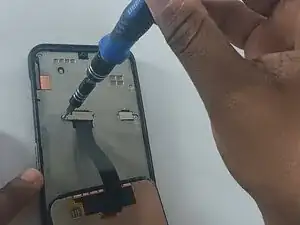
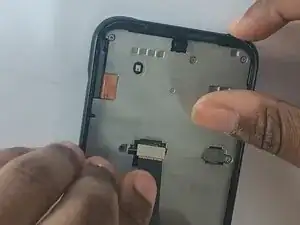
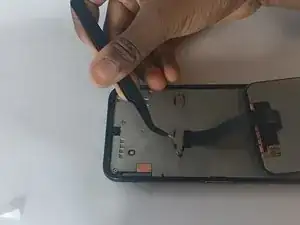
Remove the screw from the small silver bracket covering the cable connector.
-
Remove the bracket.
-
To reassemble your device, follow these instructions in reverse order.