Introdução

An SD card is a removable flash memory card used in cameras to store photos and videos.

Before You Start:

Correct Card Types:  Either use a microSD or microSDHC make sure not to use a microSDXC or standard SD.

Max Size Allowed: 32 GB.

Power Off: Make sure to turn the camera OFF before removing or inserting any sort of card to avoid damage.

  1. 6QqGrSJUd5mcUbli
    6QqGrSJUd5mcUbli
    ZZc5VLSxevBM5UbH
    W44dLsSq31SOjVUd
    • Make sure to turn the camera OFF before removing or inserting the SD card to avoid damage.

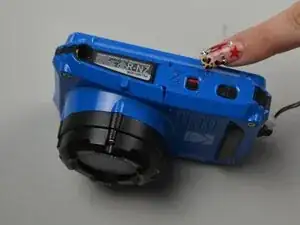
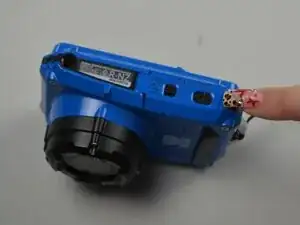
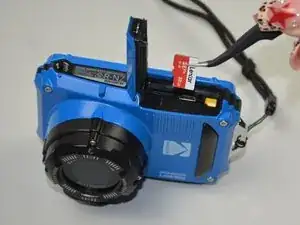
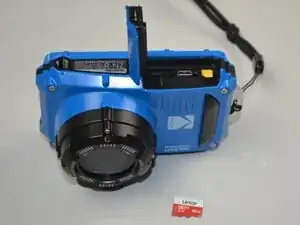
    • Flip the camera so the bottom is facing up.

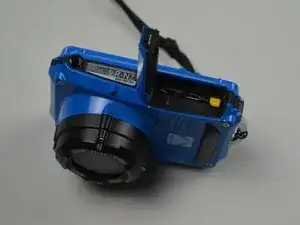
    • Slide the lock switch on the battery/memory card door to the unlocked position.

    • The latch door should pop open once the lock is released.

  2. ZFgTv4TIXTGR6xLU
    ZFgTv4TIXTGR6xLU
    JQe3eaxeratBmrBp
    Wad6cpjjSQ6T14Ih
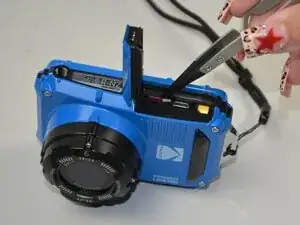
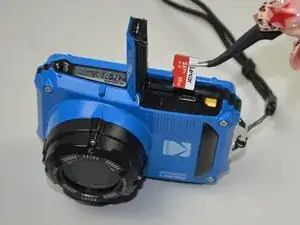
    • Gently push down on the microSD card until you feel a click.

    • The card should release from its socket and pop up a couple of millimeters.

    • Pull the microSD out.

    • Check the camera to ensure there are no error messages. If the card is correctly inserted and compatible, you should not see one. Take one test picture to make sure the card is saving your new images.

Conclusão

To reassemble your device, follow these instructions in reverse order. Take your e-waste to an R2 or e-Stewards certified recycler.

Victor Pleva

Membro desde: 25/09/25

85 Reputação

0 comentários