Introdução

  1. qDqdFNgg5XeQQK1J
    qDqdFNgg5XeQQK1J
    bAWAQCY3oBYgvUcM
    jJB3faFHerPtXYsP
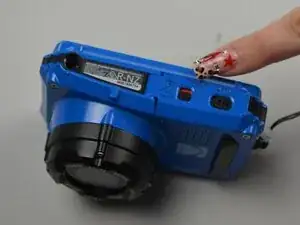
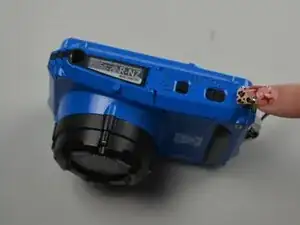
    • Turn the camera upside down to locate the battery compartment.

    • Slide the battery door latch to the unlock position.

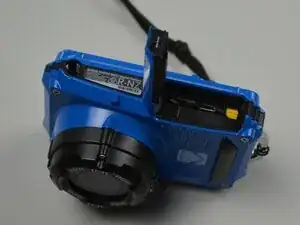
    • The door should spring open.

    • Lift the door open to access the battery compartment.

  2. ctEoL2TXQYA5dv2s
    • Push the yellow release lever beside the battery compartment to the side.

    • The battery will spring up slightly.

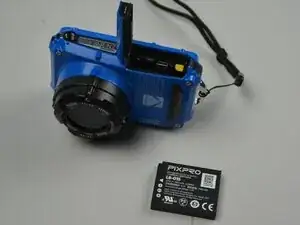
    • Pull the battery from the compartment.

    • Place the new battery into the compartment with the metal contacts facing the metal connectors inside. Push the battery down until it clicks under the release lever. Close the battery door and slide the latch to lock it.

  3. uQAgsMTRMyvXJ4fB
    uQAgsMTRMyvXJ4fB
    hZW1mlywoJBR1i2b
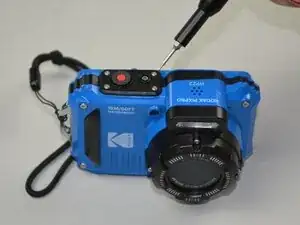
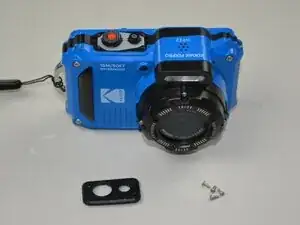
    • Use a Torx T5 screwdriver to remove the four screws securing the button panel.

    • Use a spudger to gently pry the button panel off the camera.

  4. phOCkKfuTIbQxlre
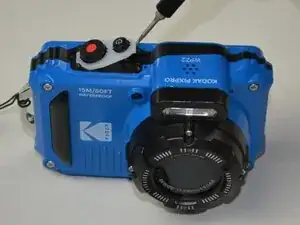
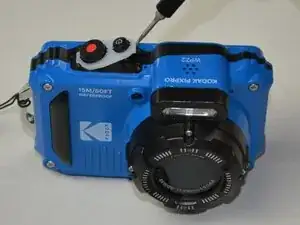
    • Lift the silicone pad to remove the power and shutter buttons.

Conclusão

To reassemble your device, follow these instructions in reverse order. Take your e-waste to an R2 or e-Stewards certified recycler.

Addison Anderson

Membro desde: 25/09/25

285 Reputação

0 comentários