Introdução
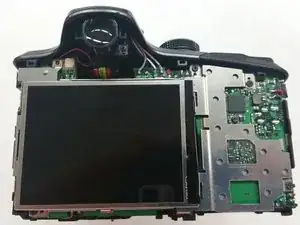
Is the screen on your Kodak Easyshare Z981 camera malfunctioning, or not working at all? Need to replace the LCD screen entirely? LCD screens often need replacing when they contain visible cracks, exhibit display issues, or are generally unresponsive. Utilize this guide to save the trouble of a repair shop or new camera altogether, no special skills required.
Ferramentas


Peças
-
-
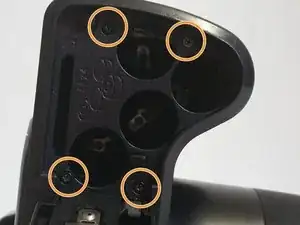
Use a 00 Phillips-Head screwdriver to remove screws:
-
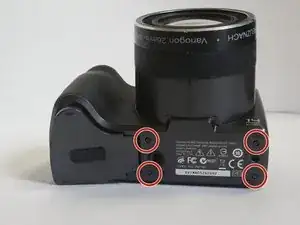
Remove the 3 mm screws from the camera
-
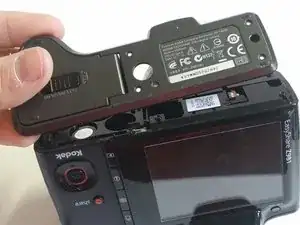
Four (4) screws are in the bottom of the device
-
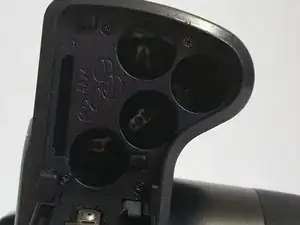
Four (4) screws are inside the battery cover
-
-
-
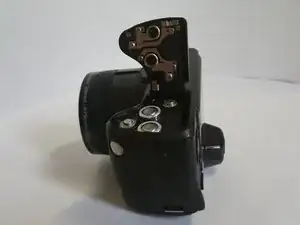
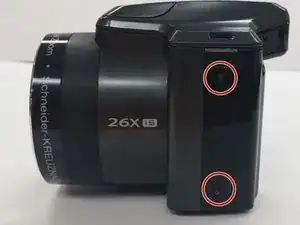
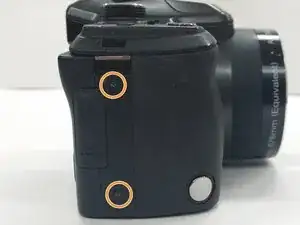
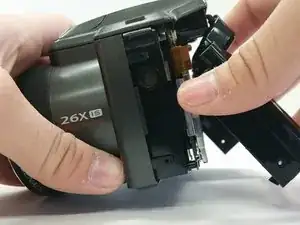
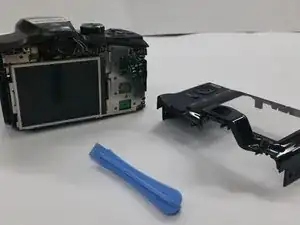
Use a Phillips #00 Screwdriver to remove the 4 mm screws from each side of the back cover of the camera.
-
Two (2) screws are located in the left side of the device
-
Two (2) screws are locatecd in the right side of the device
-
-
-
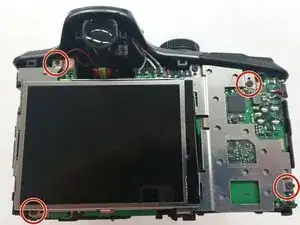
Once the back cover is removed locate the four 3mm screws holding the screen and the metal brace to the circuit board
-
-
-
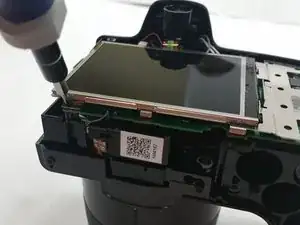
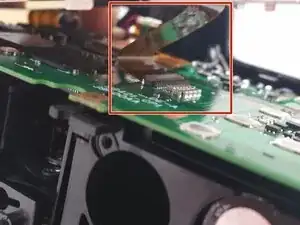
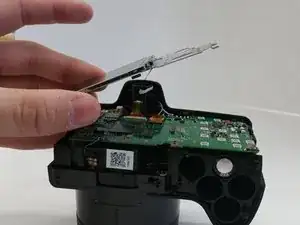
Gently lift up the metal brace and use a pair of tweezers to disconnect the ribbon cable connector.
-
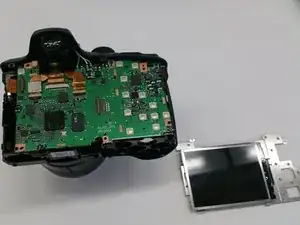
Remove the screen brace from the circuit board.
-
To reassemble your device, follow these instructions in reverse order.
