Introdução

How to remove the buttons.

  1. HTMAhkS4RfXfLBgS
    HTMAhkS4RfXfLBgS
    EuF4iL5paOFigtmt
    GlpgkGRXcwJi2xun
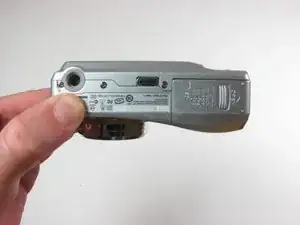
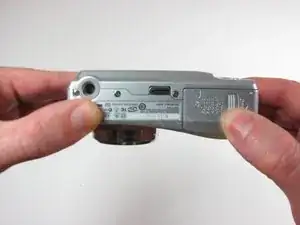
    • Position the camera with the bottom facing up.

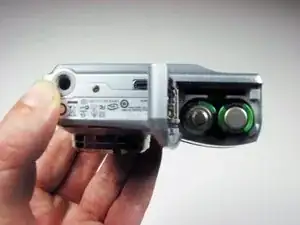
    • Slide the battery cover in the direction of the arrow with your finger gently.

    • Remove the batteries

  2. 6LIqgUDboJnmEo3R
    6LIqgUDboJnmEo3R
    bOorRJgxPHvXRgQB
    bvMAJHIgMl5dMXKH
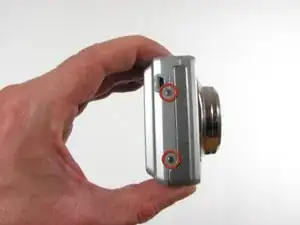
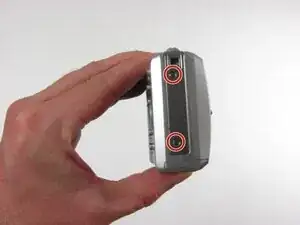
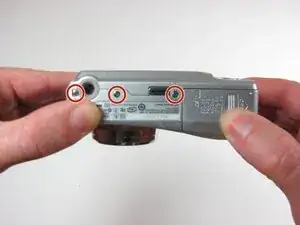
    • Remove the seven 4.5mm screws with a Phillips #00 screwdriver.

    • 2 screws on the left, 2 screws on the right, 3 screws on the bottom

  3. SxXyAH3qX2WtCWhh
    SxXyAH3qX2WtCWhh
    IaStNm4kjUjDwxvo
    2VuA5FPQnlSRtrRp
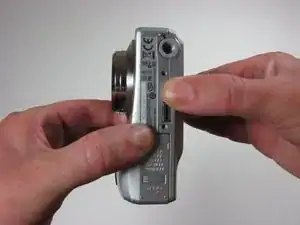
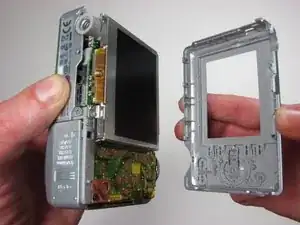
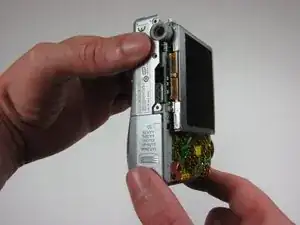
    • Firmly grasp the back of the camera and pull the casing away.

  4. iZpRq3JNWRoEMtDl
    iZpRq3JNWRoEMtDl
    6oxTXGqoqveNyrgm
    AGgKUOACxCfCXdvc
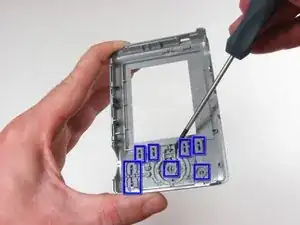
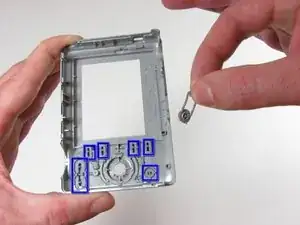
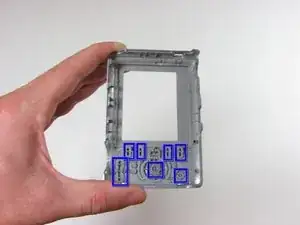
    • Use #00 screwdriver to pry off buttons.

Conclusão

To reassemble your device, follow these instructions in reverse order.

Alan Galarza

Membro desde: 03/10/10

84 Reputação

Um comentário

Thank you this was very helpful!

carolnelson -