Introdução

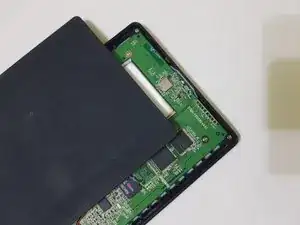
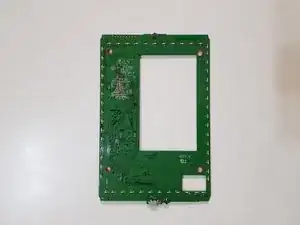
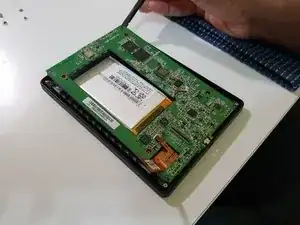
This guide shows how to remove/replace the mainboard on a Kobo Glo HD.

This guide applies to the Kobo Glo HD (model N437), but may also apply to the Kobo Touch 2.0 (model N587).

This guide does not apply to the regular Kobo Glo and Touch models.

  1. Ny2U4cPrWjFWj5DV
    Ny2U4cPrWjFWj5DV
    pCHPnOLfv1ZBj5Pl
    1YcRpO3cDHrcOYiu
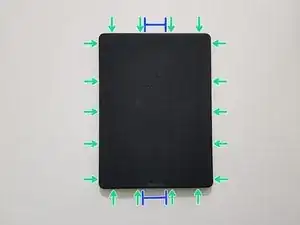
    • If you haven't done so already, power off your eReader by holding down the power button for 3 seconds until the display refreshes to indicate that it has powered off.

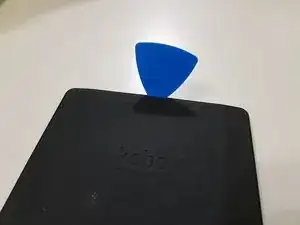
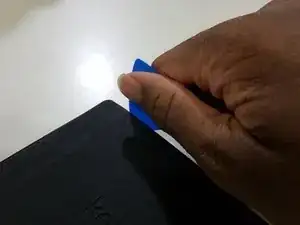
    • Opening picks are required for this step as opening tools can be too wide to get into the gap between the rear cover and the side/front.

    • Start by inserting the pick into the area around the power button or Micro USB port.

    • Don't insert it too far, as that could result in damage to the power button, status indicator, and/or Micro USB port.

    • Then, slide the pick around to undo these clips.

  2. kL4cxIGeODQyNykg
    kL4cxIGeODQyNykg
    rSXQnZQGXwKWnBRM
    HdyHvLQJukhVZROM
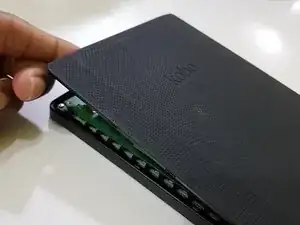
    • The rear cover should then pop off.

  3. cIT5pMMg6tQECwwO
    cIT5pMMg6tQECwwO
    j3tDBlxwX6beSe3w
    y2jnsy2rkZQo3IT1
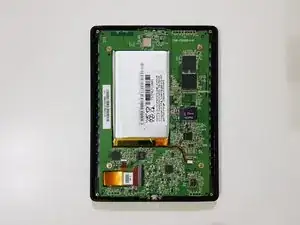
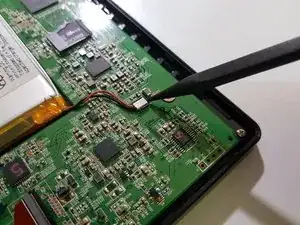
    • Using the pointed end of your spudger, while holding your eReader using your other hand or a weight, disconnect the battery.

    The battery unplugs by pulling straight up. There is no extra latch.

    Dancog -

  4. Zw22Lq4QgdZcp3ys
    Zw22Lq4QgdZcp3ys
    rLHITYVOZiHT6LCD
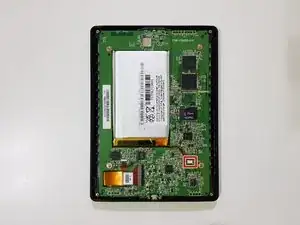
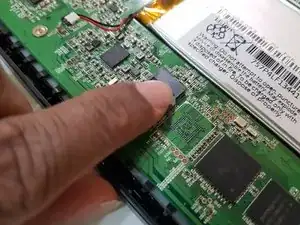
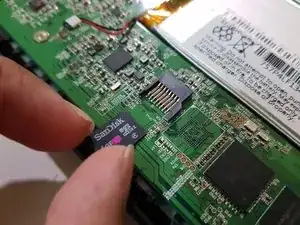
    • If your eReader has a memory card instead of a storage chip, remove the memory card.

    • Don't lose, misplace, or damage this memory card, as it not only contains any books and any other data you downloaded or copied over, but it also contains the firmware, as well as the serial number and important files required for your eReader to be able to start up.

    • Image needed in position 1: innards after disconnecting the battery

    what is the black thing called that you lift up from the connector? mine is broken and looking for replacement

    aline van vlodrop -

  5. ZBM26FhNRN6V4FGV
    ZBM26FhNRN6V4FGV
    dWr5MExaPMR1XK3w
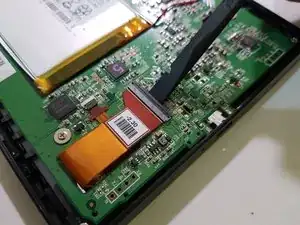
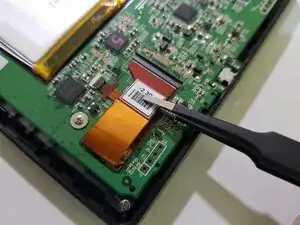
    • Using the flat end of your spudger and a pair of flat-bladed tweezers, disconnect the display.

    • Image needed: innards after disconnecting the battery and removing the start-up memory card

    This ribbon cable is held in place by a clamp. You have to first lift up the wide black strip with your fingernail or a flat tool, and then slide the ribbon cable out of the connection

    Dancog -

  6. 1SGYME2qGOVO4tHR
    1SGYME2qGOVO4tHR
    4gluLsNKNqSXAmLg
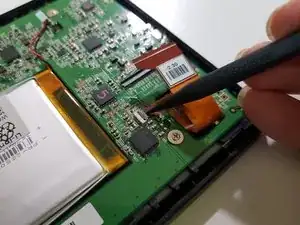
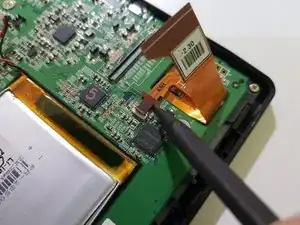
    • Using the pointed end of your spudger, disconnect the frontlight.

    • Image needed: innards after disconnecting the battery, removing the start-up memory card, and disconnecting the display

    Similarly to the display connector, there is a small latch, in this case white, which you have to flip up before sliding the ribbon cable out.

    Dancog -

  7. J6XLqGTGnESIpjAX
    J6XLqGTGnESIpjAX
    COJWqRG2ErXWZVSZ
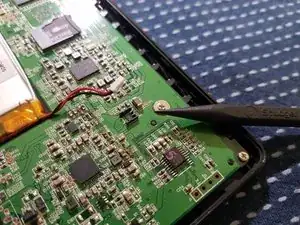
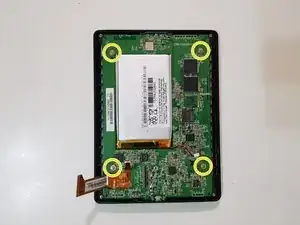
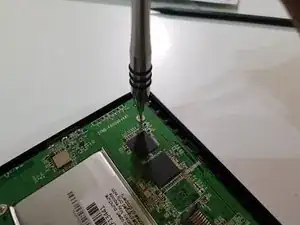
    • Using your screwdriver with a PH00 tip, remove these screws and set them aside.

  8. pju16NSIA5mdeUbW
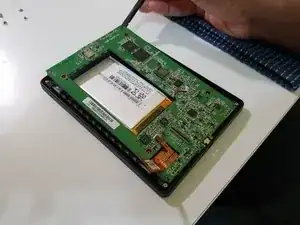
    • Use the flat end of your spudger to lift the top of the mainboard, and your fingers to slowly pull out the bottom.

    • Image needed: me pulling out the mainboard

  9. ynD5jl1qqAriCki5
    ynD5jl1qqAriCki5
    SaPLQaSkMyW3sPaR
    ugvD5FHChNGHHVIq
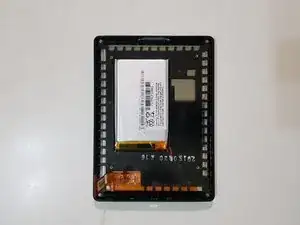
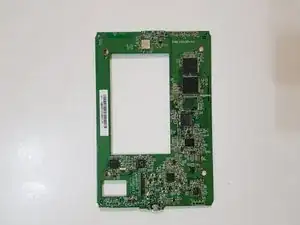
    • The mainboard has been removed.

Conclusão

To reassemble your device, follow these instructions in reverse order.

Kevin Bhasi

Membro desde: 26/12/14

1355 Reputação

2 comentários

hello, where can I buy a motherboard for the KOBO GLO HD MODEL N437 ?

lamia.kharchach -

tell me what the component is near the display loop marked "F"

Дмитрий Дигтярь -