Introdução
Ferramentas

-
-
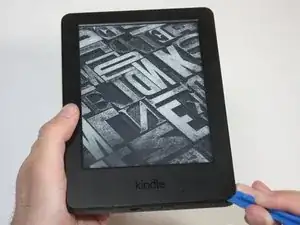
At each corner, use the blue plastic opening tool to unhook and separate the front panel from the adhesive.
-
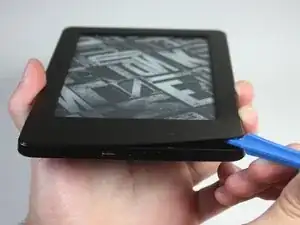
Run the tool along the seams to pry open the front panel.
-
-
-
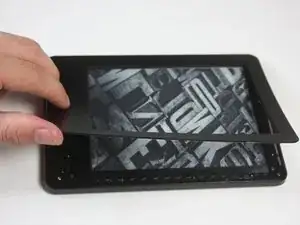
Peel the front panel off to remove it from the Kindle.
-
To prevent damaging the front panel, peel the panel from the corners towards the middle of the Kindle.
-
Conclusão
To reassemble your device, follow these instructions in reverse order.

i had a battery that wouldn't even last a full day in the end. by accident i let the battery fall below 10% charge and when turned on it only showed the battery icon. I fully charged it and now i am having no problems with it. what i think happened is it reset the batteries memory and that was the problem. worth trying anyway before buying a new battery.
soupamanx -
I have no idea if my kindle is off. Holding in the button for a minute does nothing.
Manfred Knorr -
!!! Avoid prying near the bottom left corner of the screen!!! My touch screen is unresponsive because I accidentally pried some something off of the circuit board when trying to take off the front panel. Don't make the same mistake!
Andrew L -