Introdução

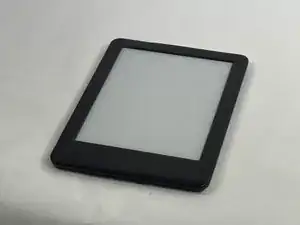
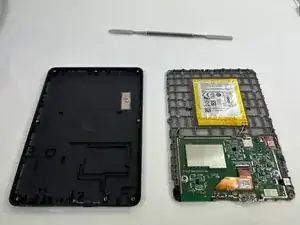
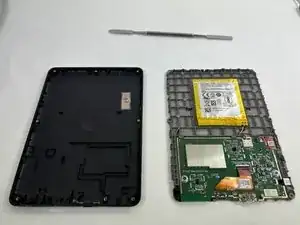
When the screen is broken and needs to be replaced, online retailers will often sell the display and frame as a unit rather than just the e-ink screen alone. This guide will show how to disassemble the Kindle 10 so that the display unit can be replaced.

  1. g5EHpkpWjMtahOSE
    g5EHpkpWjMtahOSE
    XEBBaPDIRAvefUSk
    F6skxKopIa3F6KMW
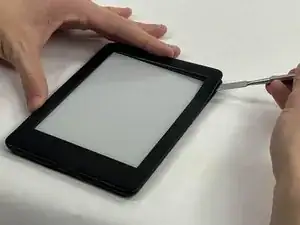
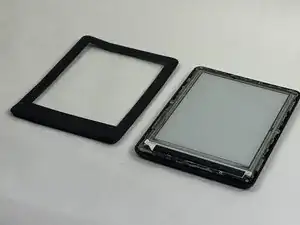
    • Gently use a metal spudger to pry, twist, and lift the bezel away from the display.

  2. T1nKoNdvUCfAuBfv
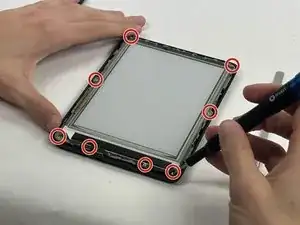
    • Remove the eight 2.6 mm screws using a T5 Torx screwdriver.

  3. eVa4IJwLZpUoIsMJ
    • Remove the display assembly from the device.

    I have disassembled it based on above guide but while this guide is titled display assembly replacement, there is actually no information on how to remove the LCD screen to replace it - any pointers on how to do that?

    Model is Kindle e-reader 10th gen model # J9G29R.

    thank you!

    Dr Squash -

Conclusão

To reassemble your device, follow these instructions in reverse order.

hzheng2

Membro desde: 21/10/24

537 Reputação

0 comentários