
Introdução
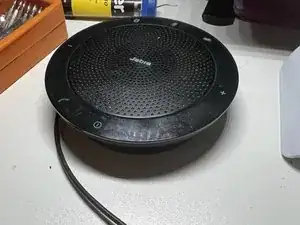
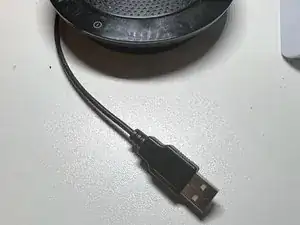
I have been a heavy user of a Jabra Speak 510 (model PH5002W) for almost 10 years, and a couple of days ago it simply stopped working. I browsed through the internet looking for how-to-fix-it videos, but could not find a single one with the same symptoms (apparently, something as simple as a broken cable that needs to replaced).
Ferramentas

Peças
-
-
I then decided to assume the risk and fix it myself. Before doing that, I purchased the smallest pack I could find of USB connectors to use in the repair, and I ended up with 5 connectors (which was good, as I would see a little down the road).
-
-
-
I took a leap of faith when I CUT the cable (ugh! No way back now!). I then started to peel the cable and strip the tiny-and-extremely-delicate wires that were inside it (4 wires and a cable mesh, together with some fabric stripes).
-
-
-
With a soldering iron, I spread some soldering tin at the end of each wire (as well as over the cable mesh), and then did the same with the terminals of the USB connector.
-
-
-
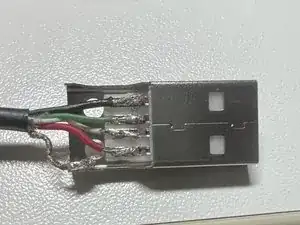
I then welded each wire to the appropriate terminal (as I thought, and this is the plot twist!), according to Googled images of USB connectors, that indicated the sequence of wires as Ground/Data+/Data-/VCC (+5V). In all diagrams Google spit back on me, that sequence was represented by black/green/gray/red.
-
-
-
I closed the connector, plugged it into the USB port on my laptop, opened a track and... nothing. Instead of throwing music through the Jabra speaker, the laptop was playing the track through its own speakers, COMPLETELY ignoring my precious Jabra Speak(!!!!).
-
-
-
A few seconds later, a message appeared, stating that the USB device was not recognized by Windows and therefore was [logically] disconnected. Tried again. Nothing. Again. Nothing...
-
-
-
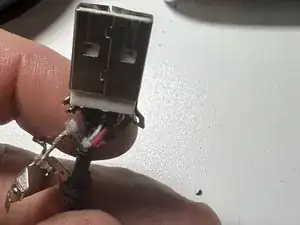
On my way to despair (very close to it, quite frankly), I teared the original Jabra connector (the one that was cut loose as part of my baptism of fire in this process), and found out that the color sequence was a little different...
-
-
-
... instead of black/green/gray/red, Jabra decided to use black/grey/green/red -- which means I switched green and gray (data+ and data-), and apparently that's why the device was not recognized by Windows.
-
-
-
I pick another connector (only three left, after that!), peeled the wires again, welded them into the terminals in the new sequence (black/green/gray/red), plugged my Jabra Speak into the USB port of my laptop, open a track and... voilà! Coltrane almost brought tears to my eyes (this time for a mix of emotional and technical reasons).
-
-
-
Questions, after this [more than repairing] learning process: Why on Earth Jabra uses a different color sequence (not just different colors, but simply the same colors but on a different sequence, other than the standard) for their wiring? I don't know the answer to this.
-
-
-
I just want to share this experience with those who love Jabra speakers but hate the way some providers (like Jabra, if I am not mistaken) try to confuse those who dare to repair their products at home, instead of taking them to a [very] expensive repair shop or even dumping such products in a garbage can. Hope you like it.
-
To reassemble your device, follow these instructions in reverse order.

2 comentários
Thank you. I fixed my Jabra 510 thanks to this guide!
Luca -
Great to know it was useful!!
Hi All there are specific USB connector that we need to buy or any USB connector would do for this one
Hari Prakash -