Introdução

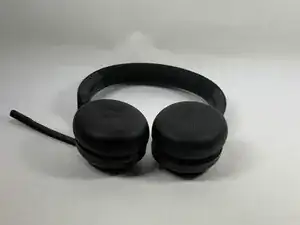
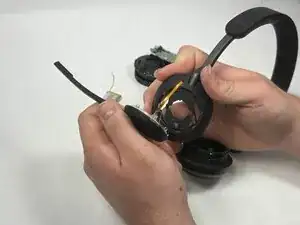
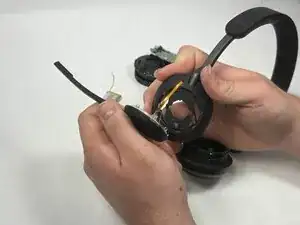
The microphone is vital to the functionality of the Jabra Evolve2 65, turning them from a simple pair of headphones into a device that can help you get work done. If your microphone is giving you issues and the troubleshooting guides don't fix your issues, you may need to replace it.

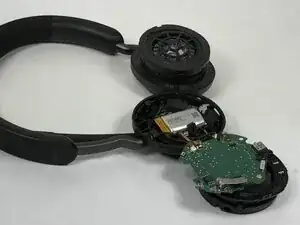
This guide covers the step by step process of disassembling your Jabra Evolve2 65 so you can access the microphone. By the end of this guide, you will be able to repair your Jabra Evolve2 65 headphones.

  1. ElqxvX5QYxWN1jPd
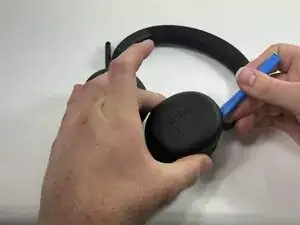
    • Lay your headphones down on a flat, solid surface.

  2. 3lRnIQJnMGsGDtqR
    3lRnIQJnMGsGDtqR
    tfIgv23Am3CY6Quk
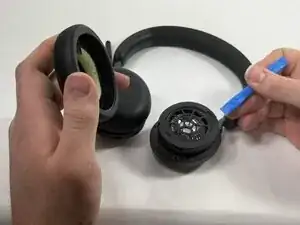
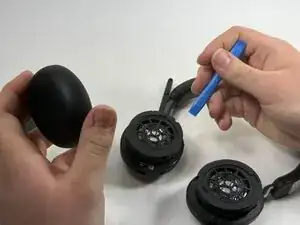
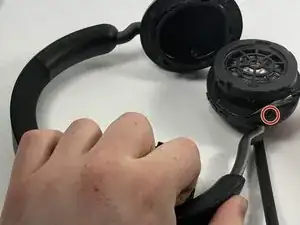
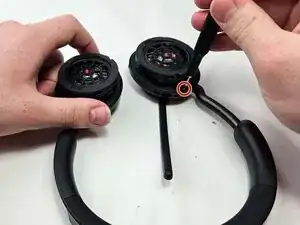
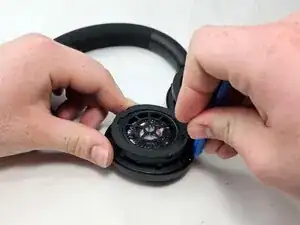
    • Insert an opening tool into the seam between the ear pad and driver housing, near the hinge.

    • Gently pry the ear pad away from the driver housing until it releases.

  3. cvoeLhWGZSpm6xkY
    cvoeLhWGZSpm6xkY
    a2TAJZluqVBZrZJn
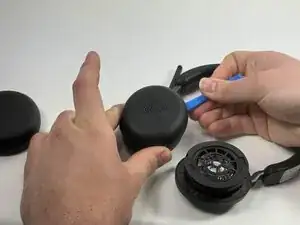
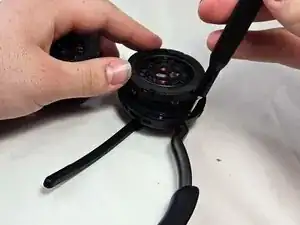
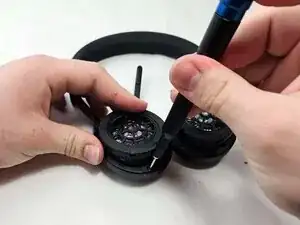
    • Pry off the other ear pad in the same manner.

  4. HPn6GKXlYKYwJEhE
    HPn6GKXlYKYwJEhE
    221E3CFCOCIEcLYA
    • Peel back the tape where the microphone's base connects to the headband.

    • Use a T6 Torx screwdriver to remove the single 2 mm screw.

  5. RFSrNkeOZwJnNUSC
    • Go about a third of the way around the first screw and peel back the tape to locate the second screw.

    • Use T6 Torx screwdriver to remove the single 2 mm screw.

  6. ryHdeF6qtDbRVMpV
    • Locate the third screw after peeling the tape off entirely after removing the second screw.

    • Use a T6 Torx screwdriver to remove the final 2 mm screw.

  7. GmXKOpHIJXy2VqRK
    GmXKOpHIJXy2VqRK
    YKCcMXNyShMsjwUl
    5t3fAOIcqSa6Vbgy
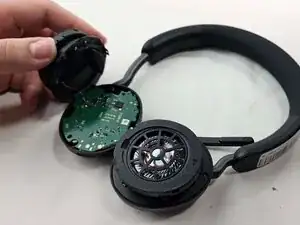
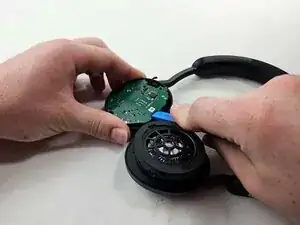
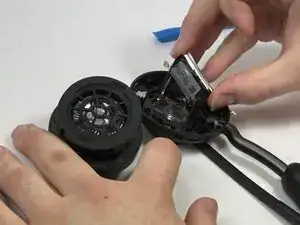
    • Use an opening tool to pry up and set aside the driver housing.

    • Gently remove the motherboard from the housing..

  8. sWyjsVu2HLHtWVhM
    sWyjsVu2HLHtWVhM
    UUqWOpbDOsUXmZBA
    KgY6IbissCRZ1G15
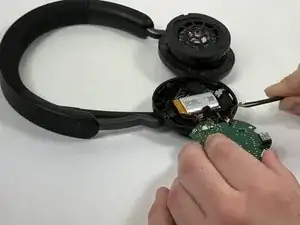
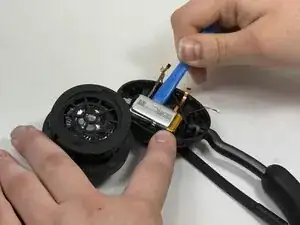
    • After locating the battery underneath, use a pair of tweezers to disconnect all connected cables.

    • Using tweezers, gently wiggle out the connector that joins the battery to the motherboard. The correct connector will be labeled on the motherboard and is the one that contains 2 wires, one black and one red.

  9. nYfVl3NlPfZrmSRP
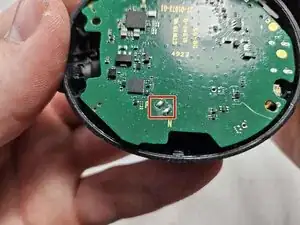
    • Using a soldering iron, desolder the driver connections from the motherboard.

    • When reinstalling the driver to the motherboard, make sure you solder the driver connections to the correct terminals. The red wire goes to the "P" and the black wire goes to the "N."

    How to battery solve

    Samir Lonely -

  10. o3TVCpdcrwdN3lDc
    o3TVCpdcrwdN3lDc
    iky1CtEtPeSILJwi
    uNvrWTHerYRWlHFv
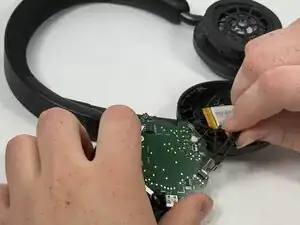
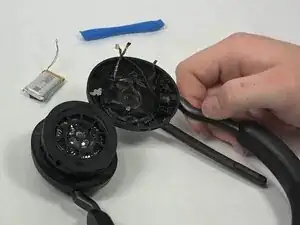
    • Using an opening tool, gently pry out the battery.

    Be careful not to rip the two ribbon cables which are connected to the frame and battery by glue. (The black glue residue can be removed by just pulling the glue to the side instead of up.)

    Joni -

  11. fXFrJhlBCcPLqR6J
    fXFrJhlBCcPLqR6J
    OiDvpYR2uLTvu2MC
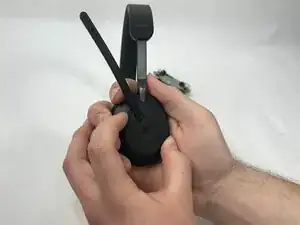
    • Hold the microphone arm in place tightly.

    • Twist the arm downwards and pull gently, but firmly until it comes off.

    • If microphone does not disconnect right away, wiggle the microphone arm slightly up and down until it pops out of place.

    Hi there,

    Any idea on where can we buy that mic??

    Iordanis

    Iordanis Papagavriil -

    If the microphone assembly doesn’t come loose you need to pay special attention to a bent down tab on the right side of the hinge. The microphone assembly can be twisted to remove it. The retention mechanism for the assembly is based on this bent tab interacting with a little transparent tab on the microphone assembly. You can use a small flathead driver to bend up the tab a little while rotating the assembly clockwise via the two transparent triangle looking tabs. After that you need to bend the two clips holding in the inner part.

    Joni -

Conclusão

To reassemble your device, follow the above steps in reverse order.
Take your e-waste to an R2 or e-Stewards certified recycler.
Repair didn’t go as planned? Try some basic troubleshooting or ask our Answers community for help.
Lance Fernandes

Membro desde: 19/03/25

132 Reputação

Um comentário

Hi, could you recommand me, where can I purchase microphone to replace damaged one?

Thank you

Tarik BENMOHAMED -