Introdução

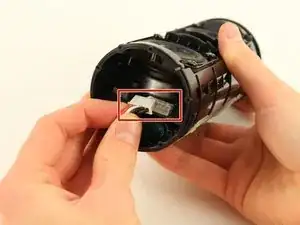
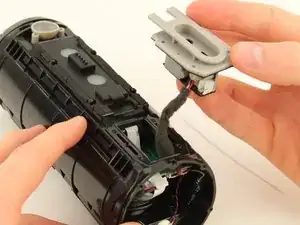
I damaged the internal cables to the buttons, while replacing the Battery.

  1. sIIGQrXtTta2ttNc
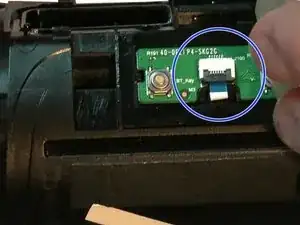
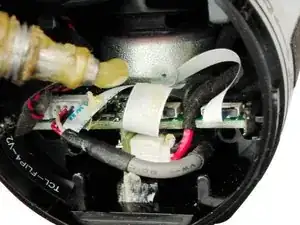
    • remove all adhesive tapes / sticker inside (above the cables).

    • Take care of other sensitive cables.

  2. rMvjHwZgIXtUZseu
    rMvjHwZgIXtUZseu
    CidibETFQc41Qsrf
    yhPxfqRaZV2X3gAe
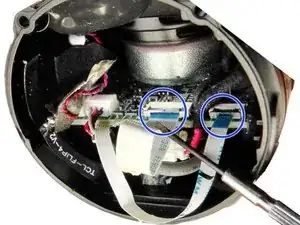
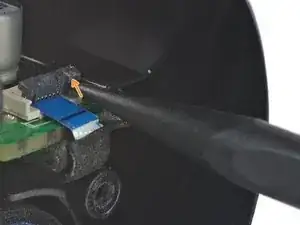
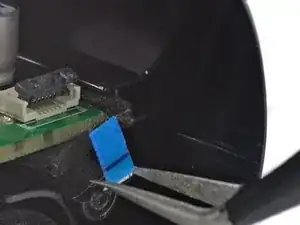
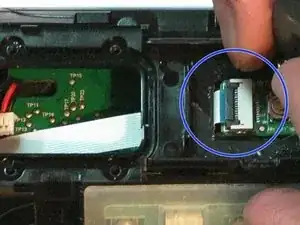
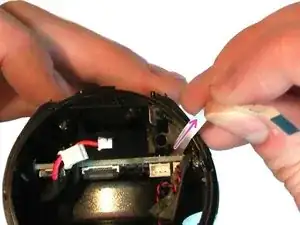
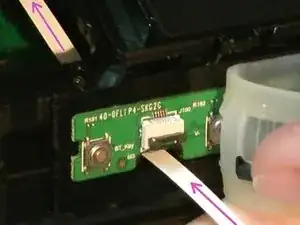
    • Flip open the top flap on the ZIF connectors (the grey clip):

    • Use the tip of a spudger or your fingernail to flip up the small, hinged locking flap on the cable ZIF connectors.

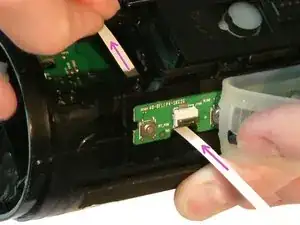
    • Use a pair of tweezers to pull the cable out of the ZIF connectors.

  3. iJEG2CnXjWPpT2na
    iJEG2CnXjWPpT2na
    SsOHeYmonkEQRbIF
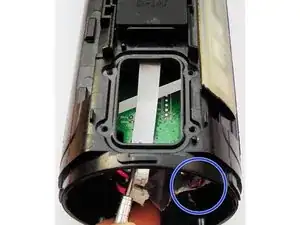
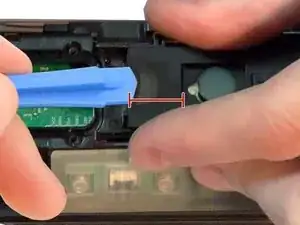
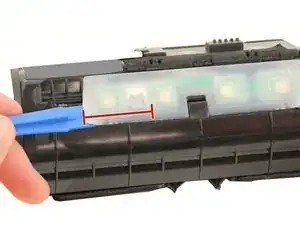
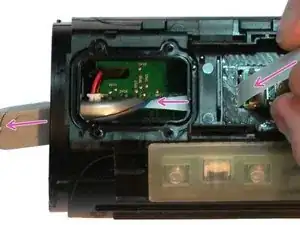
    • Insert the plastic opening tool under the clear rubber cover over the button control board.

    • Pry up the cover using the opening tool.

    • Only open a bit (until cable).

    • The cover is glued on so it will take some force to pry up.

  4. c2YV2RRvmEoCKCQM
    c2YV2RRvmEoCKCQM
    fPeOThjvZtHpPYXr
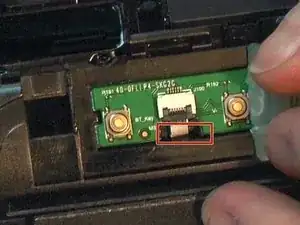
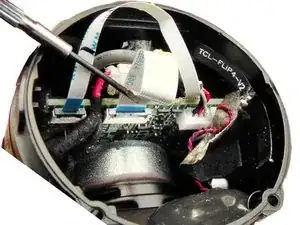
    • Flip open the top flap on the ZIF connectors (the grew part).

  5. cuohtKIap4i3BR4f
    • The 6 Pin cable have some glue here.

    • Pull the cables out.

  6. cXPt1JuERPF1LENG
    cXPt1JuERPF1LENG
    s6CV2j1E2EWlbeO3
    IEiX5FbG3yK4NHrc
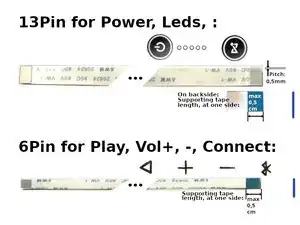
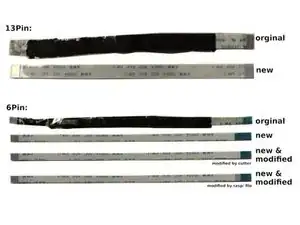
    • Buy new cables. These cables are called FFC or FPC flex cable. The distance between the contacts ( called Pitch ) is 0.5mm. Cable length is origin 12 cm (10 cm or 15 cm fits also). Details:

    • Buttons power, led, : 13 Pin - Type A

    • Buttons play, + , - , connect : 6 Pin - Type B (=reverse) (=the connectors are reversed to each other)

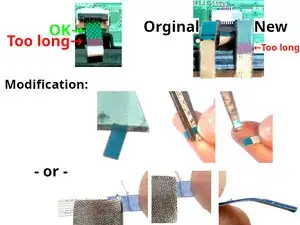
    • Modification at one side / end:

    • The (blue) inflexible cable-end, is called supporting tape. It is import for a fixed connection. It will latch in the connector clip.

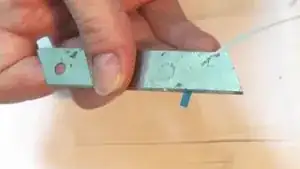
    • This part should be maximal 0.5 cm long. This part is often too long, at the 6 Pin-cable. You must modify it (one time in total):

    • Use tools like cutter & scissors ( see video in next step ),

    • or use a mini rasp / file

    Today I finally finished the repair of a Flip 4 (Akku and cable for power button pcb).

    I can confirm that a length of 100 mm for the 13 pin 0,5 mm pitch type A cable is fine.

    According to the manual above I removed the blue supporting tape (power button pcb side) but taped it back

    because the connector clip would not latch otherwise.

    Thank you for publishing the manual with parts needed, it helped a lot.

    Jann -

    There was an Error in Guide / Image. Is corrected now. Thank you for this important feedback.
    ( I wrote the wrong unit (cm != mm), for the supporting tape part. Sorry... I also improved the text.)
    Happy to hear you fixed you device and this guide helped you :-)

    Joe Musters -

    Thanks for the cable spec details. May be able to salvage this thing after all!

    Bill Mahoney -

  7. Read the step before.
    • Read the step before.

  8. qyACvCP4dhjKcoKK
    qyACvCP4dhjKcoKK
    nrlpK1iLq5Bww4Z2
    raJ15EiMOBovtGLe
  9. OKI5QYGu5YnZXoG5
    OKI5QYGu5YnZXoG5
    5vXdmIiorBwi45Li
    • Test it: Reconnect the battery. Check if all buttons are working. Disconnect the battery again.

    • Final: Rolling in cable. Fixing the cable with tape and glue it. ( Put upright for a day, while drying glue (due to glue solvent) )

Conclusão

To reassemble your device, follow these instructions in reverse order.
Joe Musters

Membro desde: 02/07/20

1923 Reputação

0 comentários