
Ferramentas


-
-
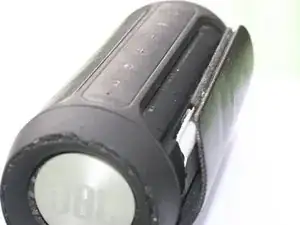
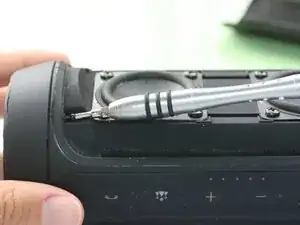
Utilisez une spatule en plastique ou une carte de crédit pour ouvrir les grilles
-
Vous devriez pas avoir à exercer trop de force sur les grilles. Il y a un petit peu de colle dessus.
-
-
-
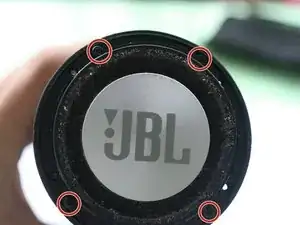
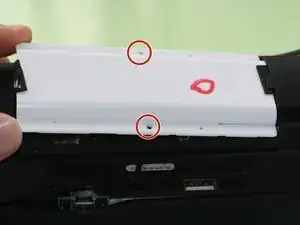
Enlevez les 4 premières vis
-
Faites sauter le rond de plastique puis occupez-vous des 4 vis restantes.
-
-
-
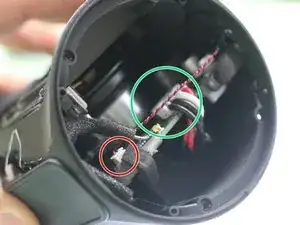
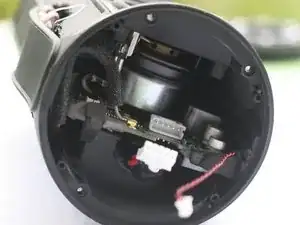
Vous pouvez maintenant accéder à la carte mère
-
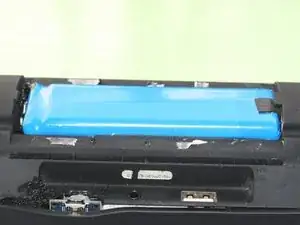
Pour déconnecter la batterie, déconnectez d'abord le micro pour vous faciliter la tâche
-
Pour réassembler votre appareil, suivez les instructions dans l'ordre inverse.

13 comentários
About to try this, will give feedback
This is the charge2 + not the charge2
there aren,t any screws in the cap
I have the same problem. I think this is a TL model, but I have not been able to find any information on how to correctly remove the end caps. I don’t want to scratch or break anything trying to pop the end caps off.
Bobcov -