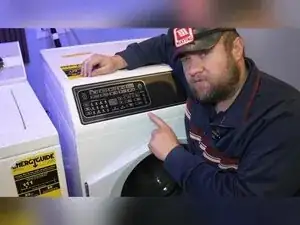
Introdução
Use this guide to enter diagnostic (self-test) mode on Speed Queen FF7 and TR7 series washers, run built-in component checks, and access the internal tech sheet for error code and test references. It also shows how to access and adjust the hidden DIP switches, including the extra-water setting on FF7 models.
Ferramentas


-
-
Wait for the washer to finish booting, and leave it on the last mode it used.
-
Enter diagnostic commands by pressing two specific keys at the same time.
-
-
-
Start the factory test within five minutes of plugging the washer back in.
-
Press the Temperature key and the Whites key at the same time.
-
Confirm the display shows "FL" to indicate factory test mode has started.
-
-
-
When the display shows the "P" keypad test, press every key on the control panel at least once.
-
Watch the display and indicator lights to confirm each key press is detected.
-
Press the Start key after you’ve pressed every key to conclude the keypad test.
-
-
-
Use the door closed or door open checks by opening and closing the door to change the sensed state.
-
Use the Start/Pause key to cycle certain checks when the test allows it.
-
Press the Start key to advance through many factory test stages.
-
-
-
Let the washer run the fill stage that stops only when the pressure sensor reaches its target level.
-
Don’t expect the Start key to stop this fill stage while it’s filling to the pressure-sensor target.
-
-
-
Let the washer drain, and allow it to advance into spin automatically after draining completes.
-
Read the RPM value as tens on the display until you advance to the following stage.
-
Use the breakaway agitate stage by opening the door when prompted, since this stage unlocks the door and uses a door-open action to advance.
-
Unplug the washer to exit the final factory test screen, since the controls won’t exit normally at the end of the sequence.
-
-
-
Use a 5/16 inch nut driver to remove the two screws at the rear of the top cover.
-
Slide the top cover toward the rear of the washer, and lift it off.
-
Locate the internal paperwork and schematics inside the cabinet, and use them for error code and diagnostic references.
-
-
-
Use a 5/16 inch nut driver to remove the four screws along the top of the control panel.
-
Use a long 5/16 inch nut driver from the rear to remove the two hidden screws securing the bottom of the interface to the chassis.
-
Lift the panel up and away from the front of the washer.
-
-
-
Find the bank of eight DIP switches on the interface board, located around the middle upper area of the board.
-
Set DIP switch 2 to ON to turn off energy-saving water and fill levels.
-
Set DIP switch 3 to ON to allow extra-water programming, which still requires a separate programming step at the UI.
-
-
-
Reinstall the control panel enough to use the controls safely, and plug the washer back in.
-
Press key 8 and key 14 at the same time to enter extra-water programming mode.
-
Press key 3 to increase the extra-water setting shown on the display.
-
Choose from 00, 05, 10, 15, or 20, and stop when the desired value is displayed.
-
-
-
Unplug the TR7, wait about 30 seconds, plug it back in, and start factory test within five minutes of booting.
-
Enter factory test using the same “press two keys at once” method used on the FF7.
-
Lift the lid, rather than opening a door outward, when a stage requires a lid or door change to advance.
-
-
-
Locate the TR7 DIP switches on the interface board, since the board layout and DIP switch placement are described as similar to the FF7.
-
Look for three or four Torx screws along the top of the TR7 control panel, remove them, and roll the panel forward to access the interface.
-
Use DIP switch 2 and DIP switch 3 as the key feature switches referenced for TR7 programming.
-
-
-
If the washer won’t enter factory test, unplug it for about 30 seconds, plug it in, and try again within five minutes of booting.
-
If a test won’t advance, watch for conditions like a required door or lid change, or a stage that must run until a sensor target is reached.
-
If the washer appears stuck at the end of factory test, unplug it to exit the mode.
-
If extra-water programming won’t appear, confirm DIP switch 3 is ON and use the internal key-number chart to verify you’re pressing the correct keys.
-
Diagnostics can run fills, drains, spin, and agitation, so stay close to the washer and be ready to unplug it if the test sequence requires it to exit. Keep the internal tech sheet handy for the key-number chart, test sequencing, and model-specific error code information, and always document DIP switch positions before changing advanced settings.
