Introdução
The control panel on your Frigidaire refrigerator hides several service shortcuts that let you force a defrost, enable store demo or Sabbath modes, and run built-in diagnostic tests. Learning these keypad sequences helps you clear ice faster, identify failed components, read error codes, and prove repairs without removing any panels.
-
-
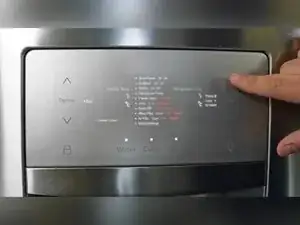
Identify the up and down arrow buttons on the left display and the plus and minus buttons on the right display.
-
-
-
Press and hold the plus and minus buttons for 10 seconds.
-
Confirm DF appears on the display indicating forced defrost is active.
-
Press and hold plus and minus again for 10 seconds to cancel forced defrost and resume cooling.
-
-
-
Press and hold the up arrow and the minus button for 10 seconds.
-
Verify both displays show 77 to confirm demo mode.
-
-
-
Hold the down arrow and plus button again for 10 seconds until SB disappears to leave Sabbath mode.
-
-
-
Hold both up and down arrows on the left side for 10 seconds to enter service mode.
-
All LED segments illuminate confirming service mode entry.
-
Use the plus button to advance through each diagnostic test screen.
-
-
-
Press and hold the plus button for 10 seconds to exit service mode and restore normal operation.
-
-
-
Pull the toe-kick grille forward and look under the right front corner for a folded paper tech sheet.
-
-
-
Hold the up arrow and plus button for 10 seconds to enter the dedicated ice maker diagnostic mode if available.
-
Advance through ice maker tests with the plus button, following the tech sheet instructions for cube rake, fill valve, or harvest checks.
-
These keypad shortcuts give you quick access to defrost, Sabbath, demo, and diagnostic functions without removing a single screw. Always refer to the model-specific tech sheet for precise test descriptions and remember to exit any special mode before returning the refrigerator to daily service.
