Introdução
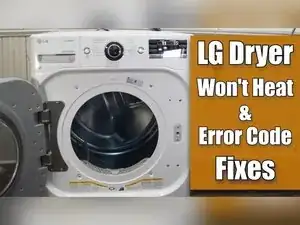
If an LG dryer runs but doesn’t heat, the problem is often the incoming power, the heater assembly, a thermal cutoff or fuse, the thermostat, or the thermistor. This guide shows how to open a common LG dryer design (including a steam-dry style), test the heating components with a multimeter, replace the heater canister assembly if needed, and reassemble the dryer. Some models have different screw locations and retention tabs, but the testing logic is the same.
Ferramentas


Peças
-
-
Use a Phillips screwdriver to remove the rear plate that covers the power cord terminal block.
-
Set a multimeter to AC voltage.
-
Measure voltage between the middle and left terminal screws, the middle and right terminal screws, and the left and right terminal screws.
-
Look for about 120 V AC between middle-left and middle-right, and about 240 V AC between left-right.
-
-
-
Visually inspect the terminal block, the terminal screws, and the power cord where it connects to the terminal block.
-
Inspect the power cord where it plugs into the wall outlet.
-
Replace any burnt, singed, or damaged parts you find, including damaged wires, the terminal block, or the power cord.
-
-
-
Turn the dryer breaker fully off, and then fully on, to reset it.
-
Call an electrician if you still can’t get correct voltage at the terminal block after resetting the breaker.
-
Continue with disassembly if the incoming voltage tests correctly.
-
-
-
Remove the three screws at the bottom of the metal bracket near the top front of the dryer.
-
Remove the top panel to expose the drum and internal housing.
-
If the dryer has a steam tray, remove the water tray, and pull up the hidden tab at the bottom of the plastic housing to release and remove the tray housing.
-
-
-
Unplug the wire harnesses that run from the control interface to the main electronic board at the back of the dryer.
-
Disconnect the three harnesses on this model, with two on the left side and one on the right.
-
Remove the two Phillips screws from the front of the steam tray area on this model.
-
Lift the top of the interface panel, and roll it away from the dryer bulkhead.
-
-
-
Unplug the white door switch harness and the red light harness that were hidden by the interface panel.
-
Move these wires away from the bulkhead, typically toward the rear of the dryer.
-
-
-
Remove the two screws at the top of the door area.
-
Remove the four screws inside the door opening, with one in each corner.
-
Slide the top of the door cover forward, and lift it up off the metal feet at the bottom.
-
-
-
Remove the four screws holding the metal plate that supported the interface panel.
-
Remove the two screws behind the top area, and remove the front-left and front-right screws on this model.
-
Remove the extra single screw from each crossbar that holds the circuit board area in place on this steam model.
-
Lift the plate off the dryer.
-
-
-
Remove the two screws holding the control board in place.
-
Remove the ground screw that connects the steam system to the crossbar.
-
Remove the screws at the back that secure each crossbar to the rear of the dryer.
-
Detach the rubber hose going to the steam system from the dryer.
-
Slide the steam system plastic arms toward the rear to release the housing, and remove the steam system assembly.
-
-
-
Remove the four Phillips screws, with one in each corner of the bulkhead.
-
Remove the screw at the very bottom of the blower housing.
-
Unclip the moisture sensor in the lower-right corner of the dryer.
-
Lift the bulkhead up to dislodge it from its tabs, and remove it from the drum.
-
-
-
Reach between the drum and blower housing, and find the idler pulley by feel.
-
Push the idler pulley to release belt tension, and slip the belt off the motor spindle.
-
Use the belt as a handle to lift and remove the drum from the dryer.
-
Inspect the drum for visual damage, and vacuum lint from inside the cabinet while it’s open.
-
-
-
Use needle-nose pliers to remove at least two of the three wires from the heating element to isolate it for testing.
-
Set the multimeter to ohms, and test resistance between the element terminals in all three combinations.
-
Check red-to-blue for about 20 Ω, blue-to-yellow for about 40 Ω, and red-to-yellow for about 20 Ω.
-
Replace the heater housing assembly if readings are far outside these values.
-
Test for a grounded heater by touching one meter lead to a terminal and the other lead to the heater canister.
-
-
-
Remove a wire from the thermal cutoff sensor with needle-nose pliers.
-
Set the multimeter to ohms resistance or continuity, and probe the sensor terminals.
-
Replace the sensor if the meter reads OL, and treat a reading near 0.00 as good.
-
Remove the red wire from the rear thermostat, and test it the same way.
-
Replace the thermostat if it reads OL, and treat a reading near 0.00 as good.
-
-
-
Inspect wires at all heater and sensor spade connectors for heat damage, burn marks, or scorch marks.
-
Cut wires back until clean copper is exposed, and splice in a new harness connection if you find burnt damage.
-
Unclip the thermistor harness on the blower housing, and measure resistance from the wires going into the harness.
-
Compare the reading to an LG thermistor temperature chart, and expect about 11,000 Ω at typical room temperature.
-
Replace the thermistor if the value is off by more than about 5% to 10%, and remove it with a Phillips screwdriver.
-
Test the blower housing fuse on ohms resistance, and replace it if it reads OL instead of near 0.00.
-
-
-
Remove the two screws on the front mounting bracket that hold the heater canister assembly in place.
-
Release the wires from the small retainers at the bottom, and lift the assembly up and out.
-
Slot the rear of the canister into the metal slot at the back of the bulkhead during installation.
-
Fit the front tab into the bracket slot while pivoting the canister into place, and reinstall the two screws.
-
Reconnect the element wires in order, with red at the top, blue in the middle, and yellow at the bottom.
-
Reconnect the other red wire at the rear thermostat connection point.
-
-
-
Set the multimeter to ohms resistance, and insert the probes into the moisture sensor plug.
-
Touch a damp cloth or wet finger to both moisture sensor metal strips to create a path for resistance.
-
Slide along the strips and watch for a resistance value across the full length of the bars.
-
Clean the strips with a wet rag and cleaning solution, or replace the bars, if the meter only reads in certain spots.
-
-
-
Lower the drum back into the dryer with the belt still around the drum.
-
Shift the drum until it slots between the bulkhead area and the roller wheel assemblies.
-
Rotate the drum by hand, and make sure it turns smoothly before continuing.
-
-
-
Reach between the drum and blower housing and thread the belt onto the motor pulley by feel.
-
Thread the belt onto the idler pulley to apply tension to the belt.
-
Rotate the drum and confirm the belt drives the motor, idler, and blower fan without major noise or binding.
-
Align the belt to the same imprint marker on the top of the drum.
-
-
-
Slot the bulkhead onto the four fingers that rest on the dryer frame.
-
Roll the drum while gently pushing the bulkhead toward it so the drum front rests between the rollers and the bulkhead frame.
-
Reconnect the moisture sensor in the lower-right corner of the bulkhead.
-
Reinstall the four Phillips screws to secure the bulkhead to the dryer frame.
-
-
-
Reinstall the crossbars, and loosely install the rear screws that secure them at the back of the dryer.
-
Fit the interface mounting bracket into its two metal slots, and reinstall the four bracket screws.
-
Slot the steam system housing into the sidewall and push it forward to lock it into place.
-
Reposition the control board, reconnect the steam hose, reinstall screws, and confirm the ground strap is in the correct slot.
-
Route the wire harnesses to the front through the metal bracket, and reconnect the light switch harness.
-
-
-
Hang the front cover on the two large fingers at the bottom of the dryer, and pivot the cover toward the dryer to seat it.
-
Reconnect the door switch harness before installing the screws.
-
Reinstall the six Phillips screws that secure the cover, with two at the top and four around the door opening.
-
-
-
Seat the control interface into the metal bracket and press it fully into place.
-
Route the three interface wire harnesses through the bracket, and reconnect them at the rear of the dryer.
-
Adjust the control board position slightly if needed so there’s enough room to connect the harnesses.
-
Reinstall the screws that secure the control interface to the metal bracket.
-
-
-
Run a test cycle to verify the dryer heats, even if the steam tray and top panel are still removed.
-
Check the vent for lint obstructions if the dryer still doesn’t heat after electrical and sensor tests.
-
Consider checking power output from the main board to the heating element, or call a technician for advanced diagnosis.
-
If incoming power is correct and the heater, fuses, thermostat, and thermistor all test good, a blocked vent or a control board output issue can still prevent proper heating. Recheck wiring connections you unplugged during disassembly, and get professional help if you need to diagnose live board output.
