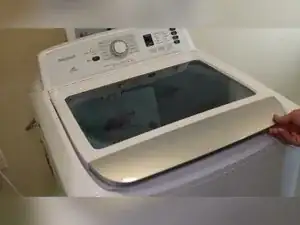
Introdução
If the washer won’t spin at all, or it spins but leaves clothes soaking wet, the problem is often something simple like leveling, an out-of-balance condition, or a failed impact switch or shift actuator. This guide walks through common checks on Insignia-branded washers built on the Midea platform (also sold under Criterion and Frigidaire), including basic multimeter tests for spin-related faults.
Ferramentas


Peças
-
-
Unplug the washer from the wall outlet before opening panels or disconnecting any wiring.
-
Turn off the water supply valves if you’ll move or tip the washer.
-
-
-
Write down any displayed error code before unplugging the washer.
-
An E4 code is an out-of-balance condition that can limit or stop spinning.
-
An E5 code can point to an impact switch problem that can prevent proper spinning.
-
An FD code is a lid lock error that can stop a spin cycle for safety.
-
-
-
Place a bubble level on the washer and check level front-to-back and side-to-side.
-
Adjust the leveling feet under the washer until the bubble is centered.
-
Use a wrench to turn the feet, or turn them by hand if they’re loose enough.
-
Make sure the washer sits on a solid surface that isn’t soft or compromised.
-
-
-
Use a Phillips screwdriver to remove the three screws at the back of the console top.
-
Remove the right screw, the left screw, and the middle screw between the water valves.
-
Roll the console top forward to expose the components inside.
-
-
-
Locate the impact switch on the right side of the console area.
-
Use a Phillips screwdriver to remove the two screws holding the impact switch.
-
Lift out the impact switch and check that it pivots freely.
-
Check that the switch isn’t jammed against the tub due to the tub sitting in a strange position.
-
-
-
Use needle-nose pliers to pull the wire connectors off the impact switch terminals.
-
Set a multimeter to resistance (ohms).
-
Touch a multimeter lead to each prong on the impact switch.
-
Press the switch and watch for the reading to change between OL and a very low ohm value, often with a beep.
-
Replace the impact switch if the reading doesn’t change when you press the switch.
-
-
-
Slot the impact switch back into position and reinstall the two Phillips screws.
-
Roll the console back into place and engage the small pivot tabs that lock it in.
-
Use a Phillips screwdriver to reinstall the three rear console screws.
-
-
-
Push the tub to each side and feel for unusual wobble or play.
-
Inspect for signs that the washplate or its threading is damaged and throwing clothes to one side.
-
-
-
Pry up the small center cap using a very thin flathead screwdriver.
-
Remove the center bolt to release the washplate.
-
-
-
Pull the washplate up and out once the center bolt is removed.
-
Use a trampoline spring tool to hook into the two small access areas under the washplate cap and pull upward.
-
Soak and break up buildup if the washplate won’t release.
-
-
-
Inspect the bolts under the washplate and the washplate housing for damage that could cause imbalance or poor spinning.
-
Tighten any loose bolts using a 10 mm socket or 10 mm driver.
-
Replace the washplate if it is stripped or damaged.
-
-
-
Drain or elevate the drain hose if it is too short to stay in the drain pipe while the washer is moved.
-
Tape the lid closed, or keep it controlled while tilting the washer.
-
Tilt the washer onto its side to about 90 degrees to access the bottom and the rear plate area.
-
-
-
Look for anything obstructing or degrading the belt system under the washer.
-
Remove the cover plate to better view the transmission and clutch system.
-
Use the appropriate driver to remove the four screws holding the cover plate.
-
Check that the plastic clutch arm can move freely so the transmission can engage the spin system.
-
-
-
Locate the shift actuator and check that its small wire to the transmission is attached and not displaced.
-
Use a 10 mm socket or a Phillips screwdriver to remove the two screws holding the shift actuator.
-
Follow the actuator wiring into the wire bag and free the harness so it can be tested.
-
-
-
Set the multimeter to resistance (ohms).
-
Set the range to 200–2000 ohms if the meter is not auto-ranging.
-
Press the multimeter leads into the shift actuator harness terminals and read the resistance.
-
Expect about 1500 ohms, plus or minus 10%.
-
Replace the shift actuator if the reading is far outside that range.
-
-
-
Route the actuator harness back into the wire cluster and reconnect it in the same position as before.
-
Mount the wire bag back onto the side of the washer using its metal wire tie.
-
Slide the wire retainer into the transmission shifter and align the actuator with its mounting holes.
-
Use a 10 mm socket to reinstall the two actuator screws.
-
-
-
Reinstall any removed cover plates and set the washer upright.
-
Run a spin cycle test to confirm proper engagement and water extraction.
-
If the washer still won’t spin properly, inspect for damaged wiring, and consider that the control board (PCB) may need replacement.
-
If leveling, the impact switch test, washplate inspection, belt and clutch checks, and the shift actuator resistance test don’t resolve the spin issue, the remaining likely causes are a wiring fault or a failed control board. Because these Midea-built variants can differ in layouts and wiring colors across Insignia, Criterion, and Frigidaire models, match connectors and routing carefully during reassembly and use the model-specific tech sheet when diagnosing codes like E3.
