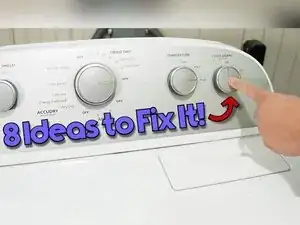
Introdução
If a Whirlpool dryer won’t start, the problem is often something simple like the timer setting, a failed door switch, or a power supply issue at the terminal block. This guide walks through practical checks and multimeter tests for the door switch, start switch, thermal fuse, motor, and incoming power so you can identify what’s stopping the dryer from running. This procedure was written with a Whirlpool-style dryer that has a top lint filter, and other Whirlpool models may look slightly different.


-
-
Open the door and check whether the drum light turns on if the dryer has a light.
-
Press the door switch button to cycle the light on and off.
-
-
-
Tape the door switch closed to trick the dryer into running with the door open.
-
Set the timer to run and spin the drum by hand counterclockwise while pressing the Start button.
-
-
-
Inspect the terminal block area at the back of the dryer where the power cord connects.
-
Look for visible damage on the cord or terminal block.
-
-
-
Set a multimeter to AC voltage and test the middle terminal to the left terminal for about 120 V.
-
Test the middle terminal to the right terminal for about 120 V.
-
Test the left terminal to the right terminal for a total between 208 V and 240 V.
-
-
-
Unplug the dryer.
-
Use a 1/4 inch hex-head screwdriver to remove the screws holding the rear panel on.
-
Remove the plastic cap if it’s present.
-
-
-
Locate the heating components on the right side of the rear opening.
-
Locate the blower housing, thermal fuse, and cycling thermostat on the left side of the rear opening.
-
-
-
Pull off one of the two connectors from the thermal fuse.
-
Use pliers if the connector won’t pull off by hand.
-
Set a multimeter to continuity and touch the probes to the two thermal fuse terminals.
-
Remove the screw holding the fuse and slide the fuse up and to the left to remove it.
-
-
-
Clean the vent housing behind the dryer leading to the home vent outlet.
-
Clean the blower housing to the left of the thermal fuse and clean the lint filter area on top of the dryer.
-
Clean the blower wheel when the blower housing is removed.
-
-
-
Use a 1/4 inch screwdriver to remove the screws from the back of the top console panel.
-
Locate the schematic sheet on the right side to confirm which wires belong to the start switch.
-
Insert a putty knife into the gap between the lid and console, then press hard to release the two metal spring clips.
-
Rock the console back and lay it flat on top of the dryer for testing.
-
-
-
Set a multimeter to continuity and locate the start switch wires.
-
Touch the probes to the metal inside the wire connector housings without removing the harness if possible.
-
Press or twist the start switch and watch for the meter to change from OL to about 0.00 or 0.01.
-
-
-
Insert the console hooks at the rear, then rock the console down until the metal clips snap into place.
-
Reinstall the console panel and the rear panel after finishing tests and cleaning.
-
-
-
Remove the lint filter.
-
Use a Phillips screwdriver to remove the two screws under the lint filter.
-
Slide a putty knife in the seam between the top and the front panel to release the two top clips.
-
If the clips won’t release, remove the 5/16 screws at the back near the top so the top and console can move forward and the hinges can be undone.
-
Inspect the belt and suspect a missing or badly damaged belt as a potential no-start cause.
-
-
-
Set a multimeter to continuity and touch the probes to the white and blue wires on the door switch harness.
-
Press and release the door switch by hand and watch for the meter to beep or show low resistance.
-
Remove the two Phillips screws holding the door switch housing if the switch needs replacement.
-
Release the door switch harness by pressing the tab in and up with a flathead screwdriver or putty knife.
-
-
-
Use a 5/16 inch screwdriver to remove the left and right screws holding the front panel in place.
-
Pull the front panel up, then pivot it toward the front to unhook it from the two bottom finger tabs.
-
-
-
Push the idler pulley to the right to loosen the belt and slip the belt off the motor pulley.
-
Use the belt to help pull the drum out if the belt is intact.
-
Inspect the drum, the two roller wheels, the motor, the idler pulley, and the top bulkhead for damage.
-
Spin both roller wheels and the idler pulley to confirm they rotate freely without heavy resistance.
-
-
-
Use a multimeter to measure resistance between the white and light blue wires, then between the white and black wires.
-
Press the centrifugal switch on the motor housing to cycle it on and off during continuity-related checks.
-
-
-
Use the belt to guide the drum back into place with the felt at the rear and the plastic front ring facing forward.
-
Set the drum onto the back of the bulkhead.
-
Support the drum with a 5-inch high box so it doesn’t fall while routing the belt.
-
Slot the left side of the idler pulley into the square hole in the chassis.
-
Pull the idler pulley to the right, loop the belt through the middle of the idler, and place the belt on the motor spindle.
-
Rotate the drum slowly to confirm the belt tracks correctly and the drum turns freely.
-
-
-
Hook the bottom squares of the front panel onto the chassis tabs while making sure the drum rests on the front bulkhead.
-
Press the front panel flush to the chassis, lift it, and rest it on the hooks, working one side at a time if needed.
-
Use a 5/16 inch screwdriver to reinstall the screws in the door frame and confirm the black metal clips are aligned with the holes.
-
Reconnect the door switch wire harness.
-
Lower the top and confirm the front clips snap into place, then reinstall the two Phillips screws under the lint filter and reinstall the lint filter.
-
If the terminal block voltage tests are incorrect, focus on the breaker, outlet, and power cord before replacing dryer parts. If the door switch, start switch, thermal fuse, and motor tests all pass but the dryer still won’t start, use the dryer’s tech sheet wiring diagram to continue pinpoint testing safely with the dryer unplugged.
