Introdução
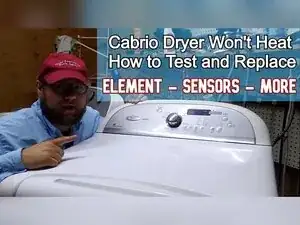
If a Whirlpool Cabrio-style electric dryer runs but won’t heat, the problem is often a loss of 240 V power, a failed heater component (thermal cutoff, thermostat, thermistor, thermal fuse, or heating element), or restricted airflow from lint buildup. This guide shows how to open the dryer, test the heater circuit with a multimeter, clean common lint choke points, and replace the heating element assembly used on this front-accessible Cabrio-style design.
Ferramentas


Peças
-
-
Use a multimeter to verify the dryer is receiving about 240 V at the terminal block at the back of the dryer.
-
Reset the breaker, and inspect the receptacle and dryer cord if the voltage is incorrect.
-
-
-
Use a Phillips screwdriver to remove the two long screws that secure the console, with one screw on each side.
-
Push the console forward and up to release it from the cabinet and expose the control board area.
-
Use a 1/4 inch hex driver to remove the screw securing the interface board housing.
-
Press the plastic tab in the middle of the metal housing to release and remove the board.
-
Depress the six plastic tabs around the board cover to open it and inspect the underside near the relays for burn marks or failed solder joints.
-
-
-
Open the door and slide a putty knife under the top seam to press the clips on the left and right sides.
-
Lift the top panel to access the drum area.
-
-
-
Use a 5/16 inch or 1/4 inch hex driver to remove the two screws securing the front panel area.
-
Disconnect the door switch wire harness, using a putty knife to help release the connector if space is tight.
-
Roll the door panel forward, then lift it up and away to remove it.
-
-
-
Unclip the moisture sensor connector in the lower right corner before removing the bulkhead.
-
Remove the six bulkhead screws, with four on the bulkhead and two at the very bottom near the blower housing.
-
-
-
Push the idler pulley toward the casing to create slack and slip the belt off the motor spindle.
-
Use the belt to lift the drum up and out through the cabinet slots.
-
-
-
Pull the wires off the thermal fuse terminals.
-
Set the multimeter to continuity mode and touch the probes to the fuse terminals.
-
Replace the thermal fuse if you don’t get continuity.
-
-
-
Pull the wires off the thermistor terminals.
-
Set the multimeter to resistance mode and measure the thermistor’s resistance.
-
Compare your reading to the value chart in the technician’s manual, and aim for about ±5% at your room temperature.
-
If you replace the thermistor, remove its two mounting screws and move the wires to the new part in the same positions.
-
-
-
Inspect the blower housing opening for packed lint and debris while the front is open.
-
Remove all lint and debris from the blower housing area before reassembly.
-
-
-
Locate the heater can assembly and identify the heating element, the thermostat with multiple wires, and the thermal cutoff.
-
Set the multimeter to continuity mode to test each heater component for an open circuit.
-
-
-
Remove one heating element wire and test continuity across the element’s two terminals.
-
Test for a grounded element by probing from an element spade terminal to the metal canister in multiple spots.
-
-
-
Remove one wire from the thermostat and use continuity mode to verify the thermostat is closed.
-
Test the thermal cutoff the same way by removing either wire and checking for continuity.
-
Replace any heater component that doesn’t show continuity in this test.
-
If you replace heater sensors, remove the top and bottom mounting screws and transfer the wires so the routing stays correct.
-
-
-
Use a 1/4 inch driver or socket to remove the single screw that secures the heater canister to the dryer.
-
Pull the heater canister straight out after removing the screw.
-
-
-
Remove the clamshell perimeter screws, with four on one side and two on the other side.
-
Open the clamshell housing and lift the heating element out.
-
Use small pliers to bend back the tiny retaining tabs at the element’s spade connector area if they block removal.
-
Install the new element in the same position, close the clamshell, and reinstall all screws.
-
-
-
Remove the single screw that retains the heating element inside the canister.
-
Pull the element out of the canister, using a ratchet extension if you need more leverage.
-
Slide the new element into the canister and secure it with the retaining screw.
-
-
-
Use the multimeter to check continuity through suspect wiring if you’ve tested the heater parts and still have no heat.
-
Consider professional service if you suspect a motor switch, a centrifugal switch, or a control output problem.
-
-
-
Set the drum back onto the rear rollers and route the belt around the idler pulley.
-
Turn the drum slightly as needed to help it align while reinstalling the bulkhead.
-
Set the front door panel onto the lower catches, align the lower corners carefully, and reinstall the two top screws.
-
Lower the top panel until the clips latch, and reinstall the console if removed.
-
Restore power and run a timed heat cycle to confirm the element heats. If the dryer heats but drying is still poor, recheck the blower housing area and the entire vent run for restriction because airflow problems can cause repeated overheating and heater safety devices to open.

Um comentário
Explains very well even for inexperienced ppl. Thank you