Introdução
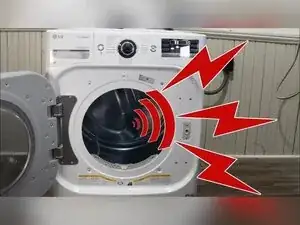
If an LG dryer is making a squeal, squeak, thumping, or bumping noise, worn drum rollers (roller wheels), a noisy idler pulley, or debris in the blower wheel area are common causes. This guide shows how to open the dryer, remove the drum, inspect the likely noise sources, and replace the drum rollers and idler pulley if needed.
Ferramentas

Peças
-
-
Use a Phillips screwdriver to remove the three screws at the bottom of the metal bracket.
-
Remove the top panel to expose the drum and the housing.
-
-
-
Remove the screws that secure the control interface area on your model.
-
If the dryer has a steam drawer, remove the water tray, and pull up the hidden tab at the bottom of the plastic housing to remove the tray.
-
Unplug the wire harnesses running from the control interface to the main board at the back of the dryer.
-
Remove the two Phillips screws from the front of the steam tray area if your model uses them.
-
Lift the top of the interface, and roll it away from the bulkhead.
-
-
-
Unplug the door switch harness (white) and the light harness (red).
-
Move the wires away from the bulkhead, typically toward the rear of the dryer.
-
-
-
Use a Phillips screwdriver to remove the two screws at the top of the door opening.
-
Remove the four screws inside the door opening, one in each corner.
-
Slide the top of the door housing forward, and lift it up off the metal feet at the bottom.
-
-
-
Remove the screws holding the metal plate that the interface mounts to, and lift the plate off.
-
-
-
Remove the screws holding the control board and the crossbars, including the ground screw from the steam system to the crossbar.
-
Disconnect the rubber hose going to the steam system from the dryer.
-
Slide the steam system housing toward the rear to release its plastic arms from the metal slots, and remove it.
-
-
-
Use a Phillips screwdriver to remove the four bulkhead screws, one in each corner.
-
Remove the single screw at the bottom of the blower housing that secures the bulkhead.
-
Unclip the moisture sensor in the lower right corner of the dryer.
-
Lift up on the bulkhead to release it from its tabs, and pull it away from the drum.
-
-
-
Reach into the gap between the drum and blower housing, and feel around for the idler pulley.
-
Push the idler pulley to relieve belt tension, and slip the belt off the motor spindle.
-
Use the belt as a handle to lift the drum, and pull the drum out of the dryer.
-
-
-
Inspect the drum for visible damage or anything that looks out of place.
-
Spin each roller wheel by hand, and replace the rollers if they don’t spin freely or have flat spots or damage.
-
Spin the idler pulley by hand, and replace it if it won’t rotate smoothly or has notches, worn areas, or flat spots.
-
-
-
Rotate the blower wheel by hand, and check for binding, obstructions, or noise.
-
If the blower wheel binds or is noisy, remove the screws on the front of the blower assembly and clean the housing.
-
Check the area under the filter for debris that could feed into the blower housing.
-
Inspect the rear bulkhead for wear from damaged drum felt that could cause metal-on-metal contact.
-
-
-
Use a screwdriver to remove about nine screws from the back of the dryer to free the rear bulkhead.
-
Disconnect the heating element wires from the wire trunk.
-
Use a Phillips screwdriver to remove the two screws holding the heating element in place.
-
Pivot the heating element up at the front, and lift it out of the rear housing attached to the bulkhead.
-
Disconnect any steam tubing or hoses that prevent the bulkhead from coming out, if your model has them.
-
Gently lift up on the rear bulkhead to pull it out of the housing.
-
-
-
Use a 14 mm wrench and a 10 mm socket to remove each roller shaft from the bulkhead.
-
Use extra leverage on the ratchet if needed to break the shaft and nut loose.
-
Unscrew the shaft and remove the roller assembly once the nut breaks free.
-
Replace all the rollers as a matched set if any roller is worn or damaged.
-
Install each new roller by holding the nut on the back of the bulkhead, then tightening the shaft into the nut.
-
-
-
Set the rear bulkhead onto its two small support slots in the dryer frame.
-
Reconnect the steam hose to the bulkhead if your dryer has one.
-
Reinstall the nine rear bulkhead screws.
-
Reinstall the heating element and secure it with the two Phillips screws so the housing can’t move.
-
-
-
Check whether the rear bulkhead has a gap that allows roller replacement without removing the bulkhead.
-
-
-
Use a 10 mm socket to remove the single bolt holding the idler pulley assembly.
-
Remove the idler pulley, noting the slot on the motor assembly for the pulley and the slots for the idler spring.
-
Place the idler spring in the housing first, then slot the idler assembly into place.
-
Reinstall and tighten the 10 mm bolt so the idler moves freely, but the bolt won’t back out.
-
-
-
Set the drum back into the dryer with the belt still around the drum.
-
Shift the drum until it sits between the rear bulkhead and the roller assemblies, then confirm the drum turns smoothly.
-
Reach between the drum and blower housing and thread the belt onto the motor pulley, then onto the idler pulley to apply tension.
-
Turn the drum by hand to confirm the belt spins the motor, idler, and blower fan without major noise or binding.
-
Install the belt at the same marker position on the drum where its imprint was previously.
-
-
-
Hook the front bulkhead onto the four small fingers on the dryer frame.
-
Roll the drum while gently pushing the bulkhead into position so the front of the drum rests between the rollers and the bulkhead frame.
-
Reconnect and clip in the moisture sensor in the lower right corner.
-
Use a Phillips screwdriver to reinstall the four bulkhead corner screws.
-
-
-
Reinstall the crossbars, and start the rear crossbar screws loosely.
-
Install the metal bracket that holds the interface by fitting it into its metal slots, then reinstall its screws.
-
Reinstall the steam system housing by slotting it into the sidewall and pushing it forward to lock it in place.
-
Reposition the control board, reconnect the steam hose into the steam housing, and reinstall the required screws.
-
Route the wire harnesses to the front of the dryer and through the metal bracket correctly.
-
-
-
Reconnect the light harness.
-
Set the front door cover onto the two bottom fingers, then pivot and rock it toward the dryer to seat it.
-
Use a Phillips screwdriver to reinstall the six screws holding the door cover, with two at the top and four around the door opening.
-
-
-
Seat the control interface into the metal bracket, and press it in place.
-
Route and reconnect the three control interface wire harnesses at the rear of the dryer.
-
Reinstall the interface screws used by your model to secure the interface to the bracket.
-
Test the dryer operation before reinstalling the steam tray and top panel.
-
-
-
Reinstall the steam tray and water tray if your model has them.
-
Reinstall the top panel and any screws or brackets removed to take it off.
-
If the drum turns smoothly by hand and the motor, idler pulley, and blower wheel rotate together without scraping or squealing, the noise source is usually resolved. If noise persists after replacing rollers and the idler pulley, the video notes less common causes such as a noisy motor, a misshapen drum, or drum felt and bulkhead wear.
