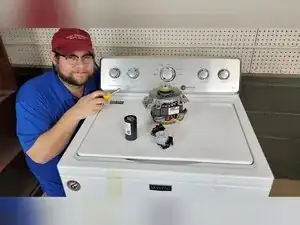
Introdução
If a Maytag Centennial top-loading washer fills and washes but won’t spin, the problem is usually a mechanical drive part, the lid lock (lid switch), or the shift system that changes between agitate and spin. This guide shows how to pull the service sheet, read spin-related error codes, run a manual spin test, inspect the hub (washplate hub), and check common underneath components like the splutch and belt, motor, shift actuator (shifter), gearcase, and motor capacitor.
Ferramentas


Peças
-
-
Move the washer so you can access the rear of the unit.
-
Use a 1/4-inch nut driver to remove the three screws securing the top to the chassis, and remove the metal harness plate.
-
Move the washer back into position, and place a support behind it so the top can rest safely when opened.
-
Pull the top toward the front, lift it up, and push it back to unhook it from the retaining tabs and pivot it upward onto its hooks.
-
Push the tub toward the back and reach in to pull the service sheet from the hidden compartment.
-
Lower the top back into place when you’re done referencing the service sheet.
-
-
-
Plug the washer in and make sure no indicator lights or modes are lit on the console.
-
Turn the cycle selector knob counterclockwise until it points straight up.
-
Turn the knob three clicks clockwise, one click counterclockwise, and one click clockwise to enter diagnostics.
-
Confirm diagnostics mode by checking that all the lights flash.
-
Turn the knob one click clockwise, press Start, and confirm the lights flash to show you are in error code mode.
-
Turn the knob one click clockwise to start the flash-code sequence.
-
-
-
Watch which green lights illuminate during the flash sequence, and use the service sheet to translate the pattern into an error code.
-
If the first green light is on, you are reading an F-code, and the other lights add up to the number.
-
If the first green light is off but other lights are on, you are reading an E-code, and the other lights add up to the number.
-
Turn the knob clockwise four times to view additional stored codes, and hold Start when all lights flash in order to clear the codes.
-
-
-
Open the lid and make sure the tub is empty, and leave the washer turned off for this check.
-
Spin the washplate at the bottom of the tub by hand.
-
Replace the washplate hub if the washplate spins by itself without moving the tub and basket with it.
-
-
-
Use a Torx driver to remove the lid striker from the lid.
-
Insert the striker into the lid lock so the washer can lock and attempt spin while you can observe the basket.
-
-
-
Reset the control knob to 12 o’clock and enter diagnostics using the same knob sequence used for error codes.
-
Turn the knob counterclockwise three clicks until the Spin and Done lights are on, and press Start to enter the manual component test mode.
-
Press Start and confirm the lid lock turns on, since a lid lock that won’t engage usually needs replacement.
-
Turn the dial nine clicks to select the low spin test shown in the service sheet, since the lid lock must be engaged for spin to run.
-
Hold Start for three seconds to exit diagnostics.
-
-
-
Lock the top down by pulling it toward the front, pushing it down, and pushing it back into the retaining tabs.
-
Tape the lid shut with masking tape to keep it from opening while the washer is tilted.
-
Lean the washer back about 45 degrees to work underneath, or lay it fully on its back if you need maximum visibility.
-
-
-
Use a 5/16-inch nut driver to remove the screws securing the lower cover, and remove the cover.
-
Look for green or blackened transmission oil before and after removing the cover.
-
-
-
Locate the shift actuator, the drive motor, the belt, the splutch assembly, and the motor capacitor under the washer.
-
-
-
Spin the splutch pulley by hand and check for a loose retention nut or excessive play in the splutch.
-
Inspect the belt for damage or for slipping off the pulleys, since a bad or missing belt can stop spin and agitate.
-
Tighten the splutch nut if it’s loose, and replace the belt or splutch assembly if either is damaged.
-
Remove the belt by pulling it away from the washer while rotating the splutch pulley.
-
Check splutch play again with the belt off, and tighten the nut or replace the splutch if play is still excessive.
-
-
-
Set a multimeter to ohms resistance and test the motor while it is mounted, if the connector is accessible.
-
Measure resistance between the second and fourth motor wires, which are typically white and red, and look for about 3–5 Ω.
-
Measure resistance between the third and fourth motor wires, which are typically yellow and red, and look for about 6–9 Ω.
-
-
-
Inspect the shift actuator housing for dirt or contaminants, since that can indicate actuator failure.
-
Set a multimeter to ohms resistance and test the fifth and sixth pins on the shift actuator connector.
-
Look for a resistance value of about 2,000–3,500 Ω, and replace the actuator if it reads far outside that range.
-
-
-
Inspect the capacitor for obvious physical damage or warping, since visible deformation often indicates failure.
-
Set a multimeter to ohms resistance and test across the capacitor terminals, since resistance typically rises until it returns to OL.
-
Test with both lead orientations to confirm the result when using the basic ohms method.
-
-
-
With the washer plugged in and idle, enter diagnostics using the knob sequence of three clicks right, one click left, and one click right.
-
Turn the knob four clicks to the right until the Rinse indicator is lit, and press Start to begin recalibration.
-
Let the recalibration run for about 3–4 minutes while lights flash sequentially, since the washer will operate the pump, lid lock, and drive system.
-
Clear stored error codes, run the manual low-spin test, and inspect the hub, lid lock, actuator, belt, and splutch before suspecting major parts like the motor or gearcase. Recalibrate the washer after installing any part, and consider professional service if you can’t find a clear fault after completing these checks.
