Introdução
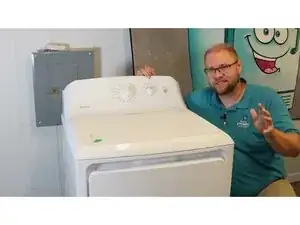
Use this guide to open your Hotpoint dryer, locate the source of grinding, thumping, or screeching sounds, and inspect the common wear points that create noise. By isolating the drum, idler, blower, and door bearings you can determine which part needs service before it causes more serious damage.


-
-
Open the dryer door and look where the plastic inner bearing meets the metal door frame.
-
Check for cracks, wear, or gaps in the plastic top bearing and lower felt.
-
Look for any sharp metal edges where the drum may have cut through the door frame.
-
Replace the entire door assembly if metal is exposed or sharp.
-
-
-
Remove the two quarter-inch hex screws driven vertically into the console rear corners.
-
Tap the top of the console toward the rear to disengage it from the top panel.
-
Pivot the console upward to expose two long Phillips screws.
-
Remove these screws completely.
-
Swing the console back down into its plastic slots and tap it forward to lock.
-
-
-
Locate and remove the two short Phillips screws under the door opening that fasten the top panel.
-
Pull the top panel forward, lift it up, and rest it against the wall for access.
-
-
-
Disconnect the door-light harness on the left side by pressing the latch and separating the connector.
-
Remove the quarter-inch hex screw on each inner cabinet side that secures the front door panel.
-
-
-
Lift the door assembly straight up to clear the three lower chassis fingers.
-
Slide the plastic harness cover aside, press the tab, and unplug the short door-switch harness.
-
Move the door away from the work area.
-
-
-
Grip the drum rim, raise slightly, and rotate it by hand with the door removed.
-
Watch the blower wheel through the opening and clear any visible lint or debris.
-
-
-
Reach your right hand behind the blower housing and pull the idler pulley toward the motor to slacken the belt.
-
Slip the belt off the idler and motor pulleys and let it hang free.
-
-
-
Using the loose belt as a handle, lift the drum slightly and pull it straight out of the cabinet grooves.
-
-
-
Inspect the rear drum shaft for rust, scoring, or pitting.
-
Check the bearing cup in the rear panel for wear or metal shavings.
-
Apply a light coat of lithium or bearing grease to the shaft if it appears dry.
-
-
-
Pull the door harness bundle out of the square hole in the blower housing front.
-
Remove the eleven quarter-inch screws securing the metal front plate to the housing.
-
Remove the single bottom and two long top Phillips screws from the housing front.
-
From behind the motor, remove the three quarter-inch screws securing the motor plate.
-
Lift the idler pulley assembly straight up and set it aside.
-
Remove the hidden ground screw near the belt switch on the motor bracket.
-
Push the motor assembly toward the rear, then slide the blower cover forward and to the right to disengage its plastic fingers.
-
Vacuum lint and debris from the blower wheel and housing.
-
-
-
Seat the blower cover on the housing and install two screws to hold it.
-
Push the motor and housing forward until the plate fingers lock into the chassis slots.
-
Reinstall the idler pulley by dropping the front tab into the motor housing slot and seating the rear arm hole.
-
Secure the motor plate with three screws and reinstall the ground screw.
-
Install the two long Phillips screws at the top, the single Phillips screw at the bottom, and the remaining eleven short screws.
-
-
-
Examine each of the four upper plastic glides for wear, cracks, or missing pieces.
-
Inspect the top and lower felt strips for looseness or tears.
-
Replace the bearing housing if the drum has cut into the plastic frame.
-
Spin the idler pulley and ensure it turns freely and has lubrication on its shaft.
-
Look for flat spots on the pulley and fraying on the belt; replace if damaged.
-
-
-
Pull the idler arm toward the motor and rest it on the motor tab to keep tension released.
-
Slide the drum into the cabinet, guiding the rear bearing straight into the bearing cup.
-
Position the belt in the rear groove where the previous belt mark is visible.
-
Route the belt over the motor pulley and under the idler pulley, then release the idler arm.
-
Rotate the drum one full turn to confirm smooth travel and correct belt tracking.
-
-
-
Set the door panel onto the three bottom chassis fingers and pivot it toward the drum.
-
Support the door and reconnect the door-switch harness, then snap the plastic cover back.
-
Ensure the front bearing seats against the drum rim and the side tabs align with the cabinet.
-
Install the two quarter-inch screws at the upper left and right to secure the door.
-
-
-
Pull the top panel forward and press down to engage its front clips.
-
Install the two long Phillips screws inside the door opening to lock the top to the front panel.
-
Insert the two rear screws through the console into the top panel.
-
Align the console fingers with the top slots, pivot it down, and tap its rear edge to lock.
-
Drive the final two quarter-inch screws downward through the console into the top.
-
Plug the dryer in and run it briefly to confirm the noise has been eliminated.
-
Your Hotpoint dryer is reassembled and should now operate quietly. If any noise remains, revisit the bearings, idler pulley, or blower for overlooked wear and replace the affected component before regular use.
