Introdução

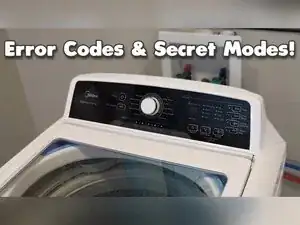
Use test mode (diagnostics) to quickly check whether major washer functions are working, including the user interface lights, agitation, spin, water inlet, and auto sensing (pressure switch). These steps also apply to some Midea-built sub-brands, including the Insignia and Criterion models, but the button labels and layout may look slightly different.

    • WARNING: Keep hands, hair, and loose clothing away from the tub during agitation and spin tests.

    • Caution: Keep the floor dry, and watch for water when running inlet tests.

    • Press the Power button to confirm the washer can turn on, then press Power again to turn it off.

    • If the washer won’t power on, suspect a power supply issue or a failed user interface or control board.

    • Press Power, Soak, and Extra Rinse at the same time to enter diagnostics.

    • Confirm all the UI lights turn on together and the UI flashes to show the light test is running.

    • Start any other test within about 5–6 seconds or the washer will exit diagnostics and you won’t be able to run more tests.

    • Use the same three-button press (Power + Soak + Extra Rinse) every time you want to start a different test.

    • Press Power, Soak, and Extra Rinse at the same time.

    • Quickly press the Soil Level button while the control lights are flashing.

    • If all the lights turn off, restart the button sequence from the beginning.

    • Look for a 3 on the display to confirm the forced agitation test started.

    • Let the washer agitate for about 3 minutes, or press Power to stop the test early.

    • If agitation won’t start, suspect the belt, the shift actuator, the motor, or the lid lock if the lid didn’t lock.

    • After the test ends, the washer should stop and unlock.

    • Note whether the lid lock and drain pump operate during testing, because many tests depend on them.

    • Press Power, Soak, and Extra Rinse at the same time.

    • Press the Temp button to start the spin test.

    • Confirm the lights change to a number on the display that represents a target spin speed.

    • Watch for the tub to spin for about 3 minutes and for the Spin light to illuminate.

    • Press Power to end the test early if it has done what you need.

    • If the washer won’t spin, suspect the motor, the shifter or shift actuator, the belt, or possibly the capacitor.

    • Press Power, Soak, and Extra Rinse at the same time.

    • Press the Fabric Softener option button or the Water Plus option button, depending on the model.

    • Confirm a software number appears on the UI.

    • Watch for the basket to fill with both hot and cold water.

    • To force only hot or only cold during this test, shut off the other water valve at the wall.

    • Press Power to stop the test when you’re done.

    • Press Power, Soak, and Extra Rinse at the same time.

    • Press the Delay Start button to start the auto sensing test.

    • Let the washer run and agitate until it finishes and displays a number on the UI.

    • Use this test to evaluate the pressure switch, but the manufacturer doesn’t provide a chart to confirm the number is in spec.

    • Press Power to stop the test early if needed.

    • If diagnostics won’t stay active, repeat the three-button entry and start the chosen test within about 5–6 seconds.

    • If the lights go out while trying to start a test, repeat the full button sequence from the beginning.

    • If the washer can’t power on, suspect a failed user interface, a failed control board, or missing power to the washer.

    • If forced agitation fails, focus on parts that drive agitation such as the belt, shift actuator, motor, and lid lock.

    • If the spin test fails, focus on the motor, shifter or shift actuator, belt, and possibly the capacitor.

    • If multiple tests act strangely, pay close attention to whether the lid lock and drain pump operate, because many test routines rely on them.

    • Be aware that the washer may show error codes for some problems, but some failures won’t trigger an error code.

Conclusão

Press the Power button at any time to exit a running test or to turn the washer off. If a test consistently fails, the parts tied to that test are a strong place to start your troubleshooting, especially the lid lock and drain pump when multiple functions won’t run.

Ben Schlichter

Membro desde: 21/01/25

6447 Reputação

0 comentários