Introdução

Use this guide to restore a dried out Marking Pen.

Note: You may have to repeat the procedure a few times depending on how dry your Marking Pen is.

  1. yr2q3BpX3f2QDulX
    yr2q3BpX3f2QDulX
    tS6jBTehYULhfj4K
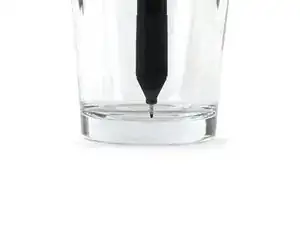
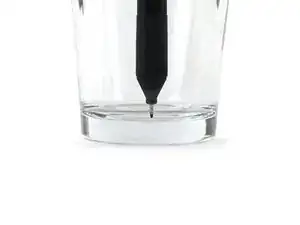
    • Fill a cup with enough isopropyl alcohol for the marking pen's tip to be fully submerged.

    • Place the pen into the cup with the tip side down.

    • Keep the pen as upright as possible to prevent the alcohol from going around the side of the pen nib.

    • Wait 15 minutes for the alcohol to soak into the pen tip.

  2. T21GCq3rCYYOAuZP
    T21GCq3rCYYOAuZP
    g36HQRmXHMFmS52P
    LJQbKJXEeOMDOYZ3
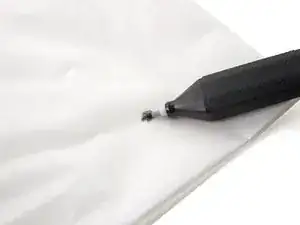
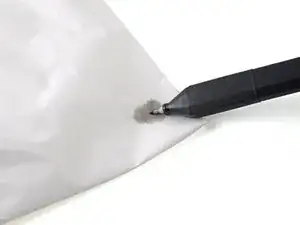
    • Remove the pen from the cup and wipe off any remaining alcohol from the pen tip.

    • On your FixMat, or another dry-erasable surface, draw the pen back and forth until you see alcohol leaving the pen nib.

    • Rotate the pen while drawing to ensure all sides of the pen nib are exercised.

    • If no alcohol is coming out of the pen nib, repeat the previous step.

  3. DsLEZgfVg2DLs3br
    DsLEZgfVg2DLs3br
    1NthaJSNYJUhxgdA
    • Fill a cup with enough water for the marking pen's tip to be fully submerged.

    • Place the pen into the cup with the tip side down.

    • Keep the pen as upright as possible to prevent the water from going around the side of the pen nib.

    • Wait 30 minutes for the water to soak into the pen tip.

  4. d4eNIeNXPf5QMRvh
    d4eNIeNXPf5QMRvh
    H2aPGHAeE1vG4qkc
    KuNf3yS4xUlVnHLQ
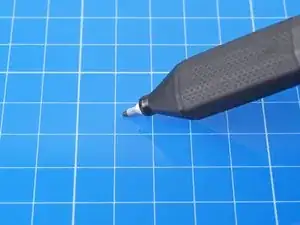
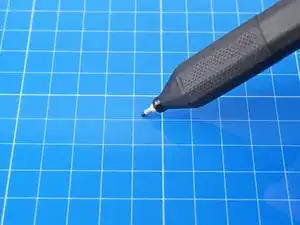
    • Remove the pen from the cup and wipe off any remaining water from the pen tip.

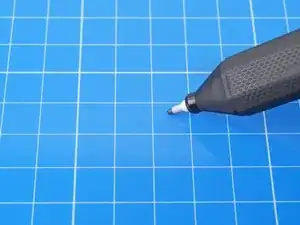
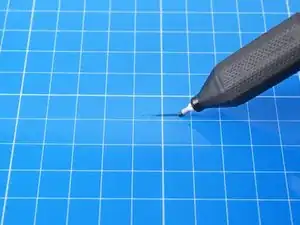
    • On your FixMat, or another dry-erasable surface, draw the pen back and forth until you see ink forming in solid lines.

    • Rotate the pen while drawing to ensure all sides of the pen tip are releasing ink.

    • If no ink is coming out of the pen nib, repeat the previous step.

  5. jwJXTH1bIH3cpZKC
    • Congratulations! Your pen has been revived.

    Brand new pen turned up dry and this fix didn't work.

    Paul Nevin -

    My pen has been iffy for quite a while—not dried out, but writing poorly. One round each of isopropyl and water have got it working beautifully.

    Brad Compton -

    Also mine brand new, tried the steps several steps over many times and pen is not working at all, really poor given that it was straight out of the packaging brand new

    ben.melchior89 -

Conclusão

For more electronics skills guides, click here.

Alex Diaz-Kokaisl

Membro desde: 16/01/22

227430 Reputação

11 comentários

Unfortunately this did not help for me.

Sven Alleblas -

This is such a great pen I wish I could find replacements.

lupinm -

Apparently this pen that comes with the FixMat cannot be purchased, but is covered by the lifetime warranty. Send an email to support@ifixit.com to get replacement pens.

P.S. It's called the iFixit Marking Pen

Andrew Chen -

Same for me, I repeated the guide 3 times, it didn't helped, I wish I could just open it and use a replacement, it's cheap to buy but I feel bad of throwing everything, and also the pen dries super fast I think I need to buy another one and just glue some metal plate to use with the I fix it magnetic mat

thematho -

See my reply above

Andrew Chen -

Echoing the consensus that this did not work for me - will be seeking warranty replacement.

Fevix -

Seems to have done the trick, thanks. It was a brand new pen and must've dried out on the shelf.

Further tip:

If you wrap a pair of tweezers around it, and lay the tweezers across the top of a glass, it's pretty easy to stand the pen perfectly upright, even if it's a short+wide glass.

Sam L. -

Update: the fix only lasted a few days. It's dried out again. The cap may have been slightly loose though (friction fit, not clicked into position).

Sam L. -

I received a replacement from ifixit wich is great but I ended up having the dame problem and this guide also using comments suggestions didn't work, I'm not going to request more replacement because I think it's a product fault, and I don't want to generate more waste If they make a new oen and sell separate I'll be happy to purchase

thematho -

This worked for a few seconds, but then It just stopped, and wouldn't work afterwards. I attempted this fix 3 more times, to no avail. Will attempt to get a replacement.

AdamG -

These pens are complete garbage. I bought the project mat and got the pen along with it. It worked great the first time, then returning the next day for another project it was completely dead.

I spent a long time looking for a replacement, and finally found them on the iFixit store. It is called the IFixit Marking Pen, and it can be bought by itself from a "related items" link off to the side when viewing the project mat on the iFixit store.

However, after purchasing a new one, it was the same problem. The first time, I thought "Maybe I didn't secure the top fully". However, I ensured I clicked it full on with the second one. The second one stopped working as of the second day.

There are ultra fine tip dry erase pens on Amazon, but they don't have the built-in eraser (which is nice). I also like the "contractor pencil" shape of the pen. It is such a shame that these were made with such defects. Seeing how many people are experiencing the same issue - its obvious.

Garbage.

Richard Winters -