Introdução
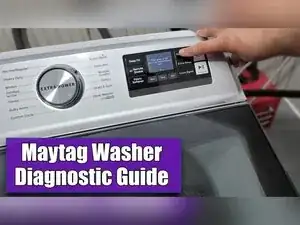
If your Maytag top-load washer isn’t behaving normally, or you’ve replaced parts and the machine needs to relearn how to run, you can perform a reset by running the DLMS calibration cycle in Technician/Service Diagnostic Mode. This procedure is especially useful after installing new parts, because the washer uses this calibration to recognize and adapt to component changes.
-
-
Choose any three control panel keys and remember their order as 1-2-3.
-
Press the three chosen keys in this sequence: 1-2-3, 1-2-3, 1-2-3.
-
Confirm entry when the service technician screen appears.
-
Press the Deep Fill key to exit this screen without entering diagnostics.
-
Press the Delay Start key to enter the diagnostic menu from this screen.
-
-
-
Press the Delay Start key to begin menu navigation when prompted.
-
Press the Left and Right keys to scroll through available modes.
-
Press the Enter key to select the highlighted mode.
-
Press the Exit or Cancel key to go back.
-
-
-
From the first diagnostic screen, locate the DLMS calibration cycle option.
-
Select the DLMS calibration cycle to recalibrate and reset the washer.
-
Follow the on-screen instructions for starting and completing the DLMS calibration cycle.
-
Press the back function shown on the interface to stop or leave the mode if you selected the wrong option.
-
-
-
Use the Exit selection in the diagnostic menu and press the Delay Start key to exit the service system.
-
Press the Power button to turn the washer off if you want to leave diagnostics immediately.
-
After exiting Service Diagnostic Mode, run a normal cycle to confirm the washer operates correctly. If problems continue, re-enter diagnostics to review stored fault history and continue troubleshooting.
