Introdução
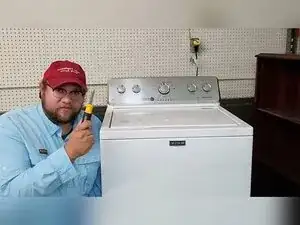
If your Maytag Centennial top-loading washer won’t spin, won’t start, or acts unpredictably, the built-in diagnostics can tell you what the control thinks is wrong. This guide shows how to safely open the washer to find the hidden technical sheet, enter diagnostic mode, read and clear stored error codes, run basic test modes, and perform a control reset and recalibration.
Ferramentas

Peças
-
-
Unplug the washer from the wall outlet.
-
Wait 15 seconds before plugging it back in if you’re doing a control reset.
-
-
-
Open the lid.
-
Use a screwdriver to remove the three screws along the back edge of the washer top.
-
Remove the two screws on the pivoting fingers.
-
Remove the screw on the metal wire harness cover.
-
-
-
Pull the washer top toward the front of the washer.
-
Lift the washer top up, then pull it back toward the rear of the machine to unhook it.
-
Carefully lift the washer top and rest it against the back wall.
-
-
-
Push the wash tub toward the back to access the hidden compartment.
-
Pull the service manual or technical sheet out of the compartment.
-
Lower the top back onto the washer for diagnostics.
-
-
-
Make sure the washer is not turned on and no cycle is selected.
-
Unplug the washer, wait 15 seconds, and plug it back in.
-
-
-
Turn the cycle dial counterclockwise one full rotation until it points straight up.
-
Turn the dial right three clicks, left one click, and right one click.
-
Confirm diagnostic mode by looking for flashing lights on the console, usually all but the lid lock light.
-
-
-
Turn the dial clockwise one click to select the error code mode.
-
Set the dial to the four o’clock position with the Done light illuminated.
-
Press the start button to enter the official diagnostics display.
-
Confirm you’re in the error code display when all the console lights flash.
-
-
-
Rotate the dial clockwise to recall up to the last four stored error codes.
-
Keep rotating the dial to view any additional stored codes.
-
Rotate to the fifth selection where all lights flash to select the clear-codes function.
-
Press and hold the start button for about five seconds to wipe all stored codes.
-
-
-
Watch the two-part light sequence the washer uses to display each code.
-
Read the first letter from the Sensing green light, with green meaning F and off meaning E.
-
Add up the remaining lit indicators to determine the number for that letter.
-
-
-
For an F5 lid lock-related code, inspect the lid lock and lid striker, and replace the lid lock if it won’t reliably lock or report locked status.
-
For an F7 motor-related code, inspect wiring to the motor, and consider other causes such as a capacitor or a mechanical problem at the washplate.
-
For F7E1 or F7E5, focus on the shift actuator as a major failure point.
-
-
-
Select the automatic test mode from the diagnostic menu and press the start button to begin the test procedure.
-
To keep the lid open, use a Torx T8 or T10 screwdriver to remove the two screws holding the lid striker to the lid.
-
Slide the lid striker off the lid and insert it into the lid lock to trick the washer into thinking the lid is closed.
-
Let the test run for about three minutes and watch for any component or action that fails during the sequence.
-
-
-
Select the manual test mode, press start to enter it, and rotate the dial to the function you want to test.
-
Press start to start the selected action, and press start again to stop it.
-
Press and hold start for about three to four seconds to cancel manual test mode and return the washer to Off.
-
-
-
Select the recalibration mode from the diagnostic menu.
-
Press the start button to run the calibration cycle.
-
Let the washer run for one to two minutes until it returns to the Off state.
-
Use the technical sheet as the primary reference for your exact model’s full error-code definitions and diagnostic selections. If you removed the lid striker to bypass the lid lock for testing, reinstall it before normal use. Clearing codes or exiting test modes returns the washer to Off, so re-enter diagnostic mode if you need to keep troubleshooting.
