Introdução

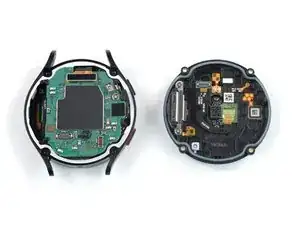
Use this guide to remove the back cover of your Samsung Galaxy Watch5.

  1. HhqpdWtC22cGfXNQ
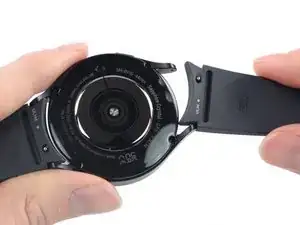
    • Take your watch off the charger and power it down.

    • Remove the watch band.

  2. aBVqG1GMCDhFNfnU
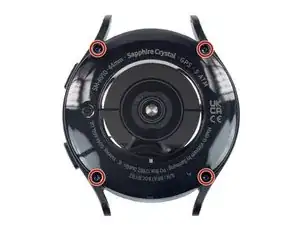
    • Use a Tri-point Y00 screwdriver to remove the four 4.1 mm-long screws securing the back cover.

    I think the tri-point #000 driver is likely a bit on the small side. I used a #00 tri-tip driver I had on hand and it fit the screws well with no ratcheting. Another person in a later comment mentioned the #000 driver is too small.

    Philip Reich -

    i used a Y00 (1.5mm) and it didnt work. is there a difference between tripoint & triwing? theres another video which said to use triwing

    GCAnt -

  3. aYikQSoPEP5en5D4
    aYikQSoPEP5en5D4
    COyTAwOEoosAs32x
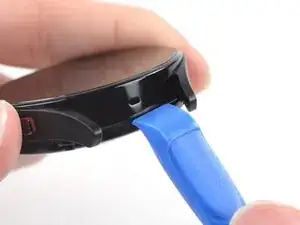
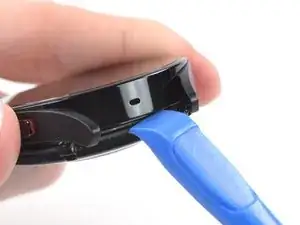
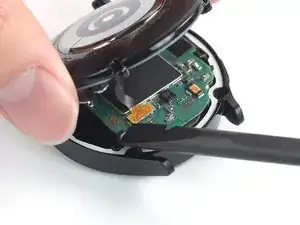
    • Insert an opening tool into the seam between the back cover and the metal housing.

    • Twist the opening tool to loosen the gasket and create a gap.

    • Don't try to remove the back cover all the way yet. The sensor flex cable is still connected to the motherboard.

    Could NOT get any opening tool (plastic or metal) to get between my Watch5 Pro's back and body. But ... undoing the screws and then doing them back up fixed my issue with the vibration not working. Which is what I was going to try to look at. No clue why.

    StephenG -

  4. T52kI3KJQRATuLgm
    T52kI3KJQRATuLgm
    4OFPrlEBJED3UO6s
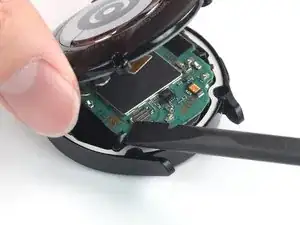
    • Lay the watch screen-side down.

    • Carefully swing open the back cover at the gap you just created.

    • Use a spudger to disconnect the sensor flex cable from the motherboard by prying the press connector straight up from its socket.

    • During reassembly, this is a good point to turn on your device and test your repair before resealing it.

  5. WYIWaRTLQm1knwkg
    WYIWaRTLQm1knwkg
    MPmLsw1Y3t1xlWvf
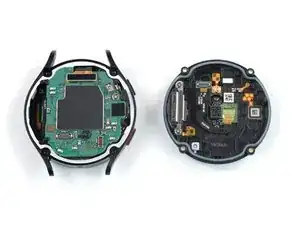
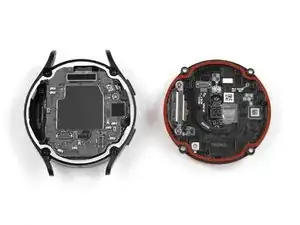
    • Remove the back cover.

    • During reassembly:

    • Make sure the rubber gasket (marked in red) is undamaged. If damaged, replace it with a new one to maintain water resistance.

    I could not open my watch with Y000 screwdriver. Instead I used Y1.5 (Y00).

    Mechanicfruit -

Conclusão

To reassemble your device, follow these instructions in reverse order.

Repair didn’t go as planned? Try some basic troubleshooting, or ask our Answers community for help.

Manuel Haeussermann

Membro desde: 13/07/22

23923 Reputação

0 comentários