Introdução

  1. 2UeR6BBPGlFPOAGh
    2UeR6BBPGlFPOAGh
    X6dNBtSKFmsJE2AC
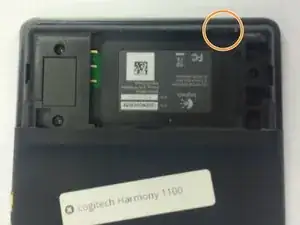
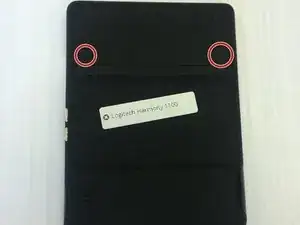
    • Remove the battery cover by pushing down on the circled areas and pushing outward.

    • Remove the battery by lifting up the battery on the corner exposed by the indent in the case

  2. Oan2KC4VDiVoT1Nd
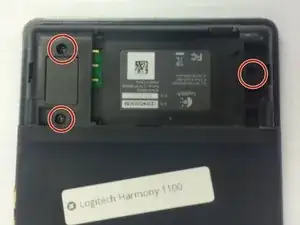
    • Use a J0 screwdriver head

    • Remove the 3 screws from battery compartment

  3. nWJNgdUGgR5EvYxA
    nWJNgdUGgR5EvYxA
    eaaSUZr6cZBqXrTN
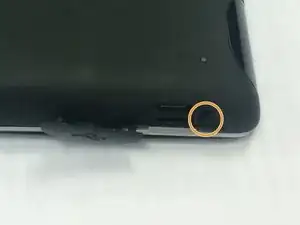
    • Open the connector port on the side.

    • Remove screw with a PH00 screwdriver head.

  4. oiDtymU3TfG6GgmK
    oiDtymU3TfG6GgmK
    TvfKuTGrGvy6r1uk
    quDGv6cvsML5ZRnV
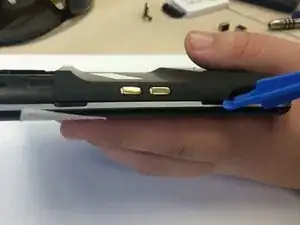
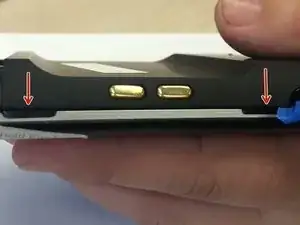
    • Use plastic opening tool to pry at the open slits on the side.

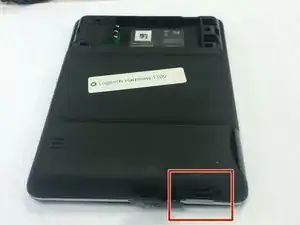
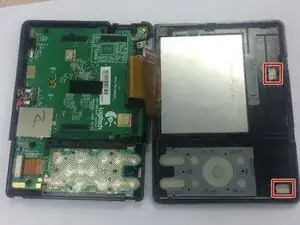
    • One or two silver foam cubes may pop out of the device. These belong in the slots shown in the third picture. They do not need to go back until reassembly.

    • The plastic connector door will fall off. It will need to be put back upon reassembly.

Conclusão

To reassemble your device, follow these instructions in reverse order.

Keegan Williams

Membro desde: 19/02/16

216 Reputação

Um comentário

Will changing the battery reset the settings within the remote?

wiboman AT gmail DOT com

Wibo Lammerts -