Introdução
Introduction
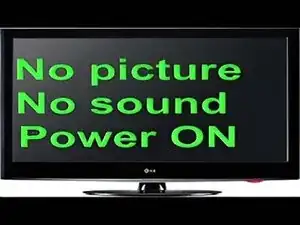
If your LG TV turns on but doesn't display any picture, it might be due to backlight issues, T-Con board problems, or loose internal cables. In this guide, we'll show you how to diagnose and fix the issue safely.
Disclaimer: This guide is for educational purposes only. If you're not comfortable working with electronics, consider contacting a professional technician.
Tools You'll Need
- Phillips screwdriver
- Plastic prying tools
- Multimeter (optional but recommended)
Step 1: Power Cycle the TV
Unplug the TV from the wall and wait 2–5 minutes. Then plug it back in and check if the issue is resolved. Sometimes this simple reset works.
Step 2: Flashlight Test
Shine a flashlight on the screen while the TV is on. If you see a faint image, the backlight is likely the problem.
Step 3: Remove Back Cover
- Lay the TV face-down on a soft surface.
- Use a Phillips screwdriver to remove all back cover screws.
- Carefully lift off the back cover.
Step 4: Check LED Backlight Strip
- Find the backlight driver board (connected to LED strips).
- Use a multimeter to test output voltage.
- If there's no output, the board or LED strips are faulty and need replacement.
Step 5: Inspect T-Con Board
The T-Con board controls image processing. Check cables for damage or looseness. Try reseating the cable connectors. If that doesn't help, you may need to replace the board.
Step 6: Final Test
After repairing or replacing faulty components, reassemble the TV and power it on. You should now see a picture if everything was done correctly.
Additional Help
If you're located in Iran and need professional help fixing your LG or any other brand of television, visit:
👉 https://www.tamirniaziranian.net
Our certified technicians provide expert repair services across Tehran and other cities
To reassemble your device, follow these instructions in reverse order.