Introdução

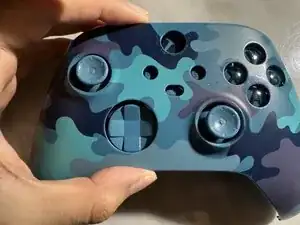
Is your Xbox controller analog stick moving on its own? This common issue, known as "stick drift," is often caused by dirt, wear and tear, or physical damage.

The first step is always to clean around the analog stick. If the drift persists, this guide will show you how to replace the internal potentiometer—the sensor that detects stick movement—without requiring any soldering.

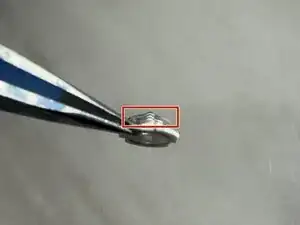
This video provides detailed information about the components of the trimmer potentiometer sensor, including the wiper.

In this guide, the model of the Xbox Series controller used was model 1914, but this process also works for previous models.

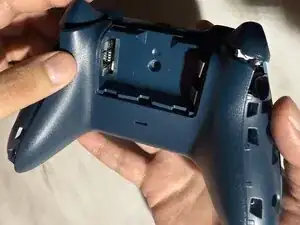
Before you begin this repair, make sure the controller is off and remove the batteries from the back of the device.

  1. YCTFrcYEfDfUEkVs
    YCTFrcYEfDfUEkVs
    PU26DB3S2tKTWln2
    DvDwnS1UQYDt6qVE
    • Before you begin, remove the two double-A (AA) batteries from the back of the controller.

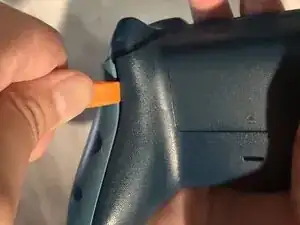
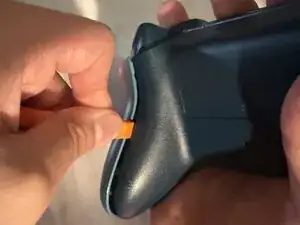
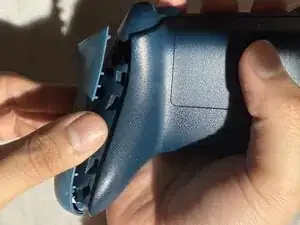
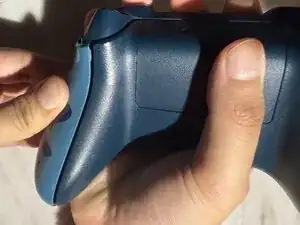
    • Wedge your spudger into the seam between the back and side panels.

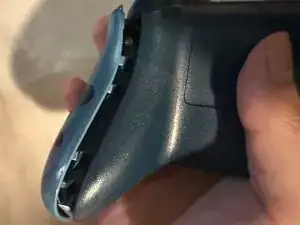
    • Grip the controller firmly and pry the side panel away by moving the spudger back and forth. Work your way around the entire seam using this motion.

  2. udNGRDVBUWYmbfAL
    udNGRDVBUWYmbfAL
    6Qq5medB6Zne1lAZ
    SZaxW6BRLNZpN6Lb
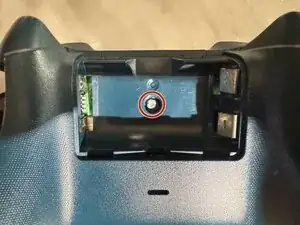
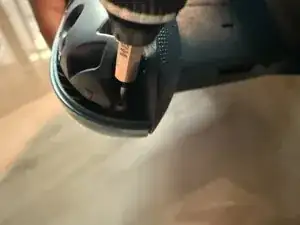
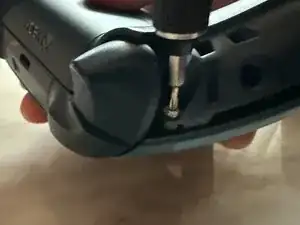
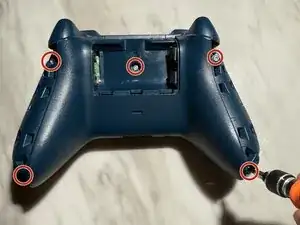
    • One of the five 2.4 mm screws is located in the middle of the battery container.

    • You can either peel the sticker or punch a hole through the center to access the 2.4 mm screw.

    • Remove the screw in the middle using the TR8 Torx screwdriver. Also, remove the two 2.4 mm screws on both sides of the controller.

  3. MxoVgalIejQXDyOl
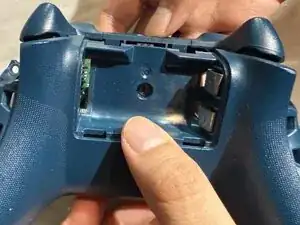
    • Remove the back panel.

  4. aENZTfajJyQy3aEi
    aENZTfajJyQy3aEi
    mgh2FZVeONrEHN2J
    NJFZ3wswrCZLxWrk
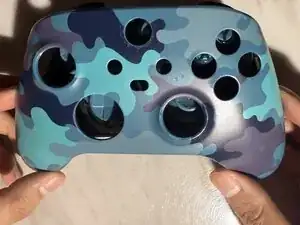
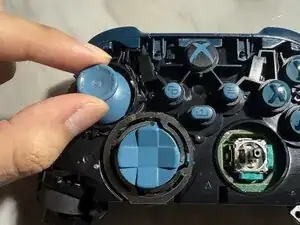
    • Turn the controller over and remove the front panel.

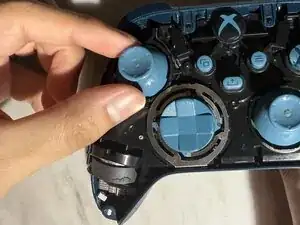
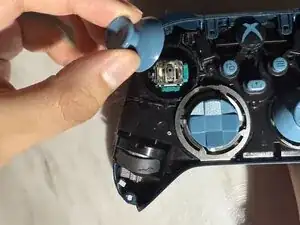
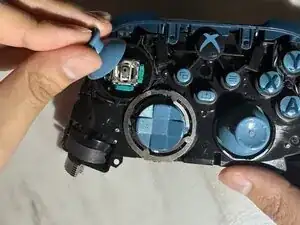
    • Remove both thumb sticks by pulling them up.

  5. VUVQQXIrUNZRPI4R
    VUVQQXIrUNZRPI4R
    sPcSZIfqixNUOExh
    b3NH5mklLoAsOYHC
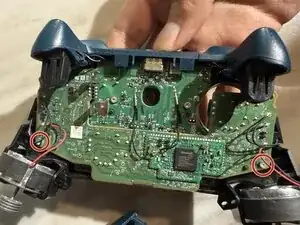
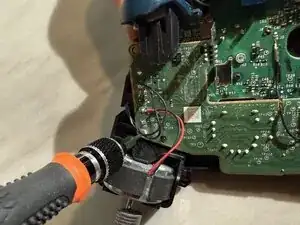
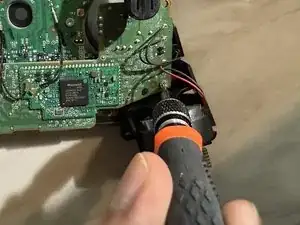
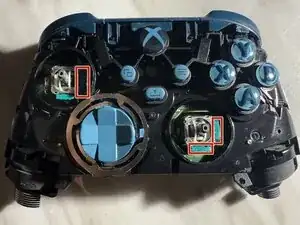
    • Turn the controller over and remove the two 1.75 mm screws using the T6 Torx screwdriver.

    This step is unnecessary.

    Jan -

  6. UAoDSpl6Dd1apjxR
    UAoDSpl6Dd1apjxR
    Hb4VDbHGcy4YdoKS
    SKTqRfnRj6ZgKRjU
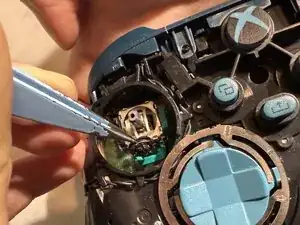
    • Do not use excessive force when you pry open the sensor housing since it can damage it.

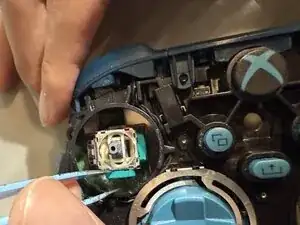
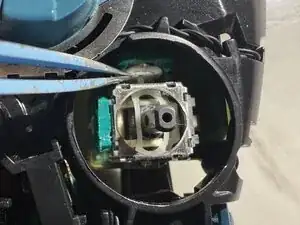
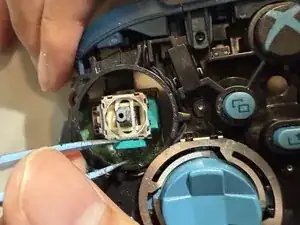
    • Face the controller up, and with your tweezer, open the sensor housing by gently pushing away from the analog stick sensor.

    • Pull the old sensor wheel out of the sensor housing.

  7. 6WaUXpLTo4qEDCcC
    6WaUXpLTo4qEDCcC
    2ESoKShfhGbITvVR
    cCKc51SlAZmjEpRs
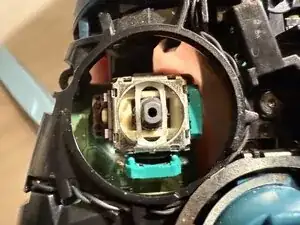
    • Align the sensor wheel so that the sensor arms are facing upwards.

    • Insert the sensor wheel into the sensor housing.

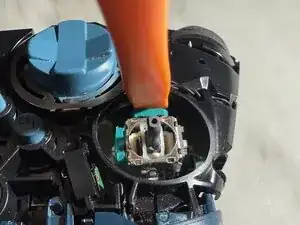
    • Push the sensor housing back in using the spudger to close it back in.

  8. UYrxYlZFEPoqDFUY
    • You will repeat steps 6 and 7 for the other three sensor wheels.

  9. IrpqlYD4MCwQ5KKu
    IrpqlYD4MCwQ5KKu
    GcRYixPKGS2VNODO
    • Push the analog sticks back into the analog stick sensors.

  10. km33WLTXFinlRuZM
    km33WLTXFinlRuZM
    LM1PJIVZOacOlCF4
    • Screw back in the 1.75 mm screws using the T6 Torx screwdriver.

  11. xhXMqX3G21iQ1INx
    xhXMqX3G21iQ1INx
    GlSOOf1VUpODBBic
    E5jQKjOQOVJWdHnT
    • Flip the controller over and place the front panel back.

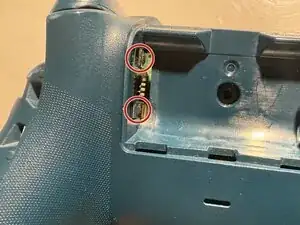
    • Turn it around and align the back panel so that the two battery terminal contacts are outside.

  12. PVOIPcrQlBT1NDsC
    • Screw back the 2.4 mm screws using the TR8 Torx screwdriver.

  13. pMdWNCG3MemsJSTA
    pMdWNCG3MemsJSTA
    nsLWT1wlYACAYeP6
    • Push the side panels back in place.

    Thank you for the guide, the photos, and the disassembly instructions.
    However, I’d like to point out that this type of procedure is absolutely useless, since the wiper is the last component to get damaged in a trimmer.
    Much more prone to wear is the circular resistive film on which the wiper slides — this film gradually thins out until it cracks, and that’s when drifting issues begin to appear. These can only be resolved by replacing the entire trimmer, which this guide does not explain.
    I’d suggest that you include, either in this guide or in a future one, a section showing the complete replacement of one of the trimmers.

    germanoabram -

    @germanoabram I think there are guides for replacing the trimmer already.

    Using this guide here, I managed to fix two special edition controllers in a few minutes as a total beginner, so thanks a lot! I had hoped I could avoid buying expensive soldering gear - and I did!

    (Only one of the steps was unnecessary. Unscrewing the board is not needed to replace the sensors, and it also makes the audio port fall out, which caused a small heart attack.)

    Jan -

Conclusão

I hope this guide has been helpful!

Gelver Maldonado

Membro desde: 09/04/25

280 Reputação

Um comentário

Es no funciona ya que directamente los contactos de carbono de los potecimetros son los que están ya desgastados debido a la friccion de funcionamiento, directamente se debe de reemplazar los potecimetros completos, no únicamente el sensor de contacto.

JCBrokeS995 -