Introdução
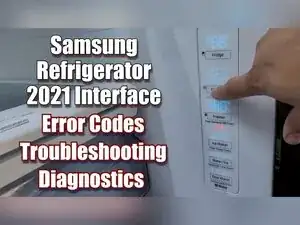
If your 2021 Samsung French Door refrigerator is showing an error code, isn’t cooling, or won’t let you use the controls normally, the internal control interface can run diagnostics and clear persistent error messages. This guide shows how to enter forced run/forced defrost modes, run self-diagnosis, clear stored error codes from the display, and what a code means.
-
-
Open the refrigerator door and locate the control interface inside the refrigerator on the right side.
-
-
-
Press and hold the Fridge and Flex Zone buttons for eight seconds, until the display flashes.
-
Release both buttons when the display starts flashing.
-
Press the Flex Zone button to enter the forced mode selection screen.
-
Confirm that "FF" appears on the display.
-
-
-
Press the Flex Zone button again to show "OFR" on the display.
-
Press the Flex Zone button again to show "RD" on the display.
-
Use RD to constantly defrost the upper cabinet, which is the refrigerator section.
-
-
-
Press the Flex Zone button again to show "FD" on the display.
-
Use FD to defrost the fresh food section, the freezer, and the ice maker (if installed).
-
Press the Flex Zone button again until the display goes blank.
-
Wait eight seconds with a blank display to cancel forced modes and return to standard operation.
-
-
-
If an error code is staying on the display, press and hold the Fridge and Flex Zone buttons for 10 seconds with no other inputs.
-
Release the buttons to start the process that wipes the displayed codes from the interface.
-
-
-
If no error codes are currently displayed, press and hold the Fridge and Flex Zone buttons for 10 seconds.
-
Wait while the interface turns off and checks for errors for about 30 seconds.
-
Let the refrigerator return to normal operation when the self-check ends.
-
-
-
Write down the exact code shown on the display so you can look it up before it clears.
-
Use the video or Samsung technician code chart for your model to match the code to its problem area.
-
-
-
Press and hold the Fridge and Flex Zone buttons for about six seconds, until the UI flashes.
-
Press the Door Alarm button immediately while the UI is still flashing.
-
Look for "off" on two segments of the display to confirm demo mode is active.
-
Repeat the same button sequence in the same order to deactivate demo mode.
-
-
-
Use a Samsung technician cheat sheet for additional diagnostic details tied to each error code.
-
If an error code clears but returns after a power cycle, the refrigerator is re-detecting the same underlying problem. Record the code, run self-diagnosis again if needed, and use the service manual or technician code chart for your exact model to identify the affected system and the recommended checks.
