Introdução
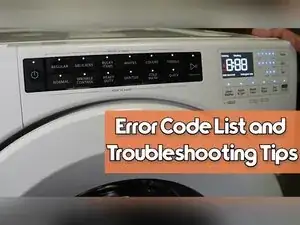
If your Whirlpool front load washer isn’t working right, the built-in diagnostic mode can show stored error codes and run test routines to help narrow down the problem. This guide shows how to enter diagnostics, read and clear error codes, run the available test modes, and exit safely. Button layouts can vary slightly between models, but the same approach usually applies. Featured model WFW5620HW.
-
-
Choose any three buttons on the control panel that aren’t the Power button.
-
Press the three chosen buttons in the same order three times within eight seconds.
-
Confirm diagnostic mode by checking that the full user interface lights up.
-
-
-
Label the three buttons you picked as button one, button two, and button three based on the order you pressed them.
-
Use the Power button to exit diagnostics at any time and return the washer to standby mode.
-
-
-
Watch the display after entering diagnostics, because the first stored error code may flash automatically.
-
-
-
Press button three to enter the error code mode.
-
Press button three repeatedly to cycle through all stored error codes.
-
-
-
Press and hold button three for five seconds to delete all stored error codes.
-
Press the Power button to exit if needed, because the manual lists Power as the way to back out of the code display.
-
-
-
Match each displayed code to the error code list for the WFW5620 model to find its meaning and recommended checks.
-
-
-
From the initial diagnostic screen, press button two to show a three-digit test number.
-
Press the Soil button to increase the test number.
-
Press the Temperature button to decrease the test number.
-
-
-
Press the Start button on the black row of buttons to begin the selected test.
-
Let the washer run the test until it times out, because tests run for a set number of minutes.
-
-
-
Set the test number to 012 and start it to run the quick test cycle.
-
Wait for the quick test cycle to finish and return to the initial diagnostic screen.
-
-
-
Press button one to start the human machine interface test and light up all available indicators.
-
Press the other buttons to confirm they register and respond.
-
Press and hold button one for five seconds to exit the HMI test.
-
Press the Power button to return to standby mode if you prefer.
-
-
-
Use the service troubleshooting guide for your model to follow the suggested checks for the specific code and any failed test behavior you observed.
-
Press the Power button to exit diagnostics any time and return to standby. Write down any error codes before clearing them, because they often come back if the underlying problem isn’t fixed.
