Introdução

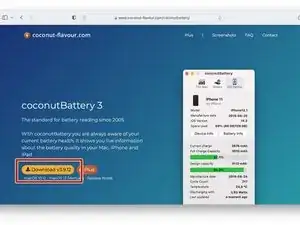
This guide shows you how to check the battery of an iOS device using a software called CoconutBattery.

Note: The guide uses a Mac with MacOS to use the program "CoconutBattery". A guide for Windows and Linux users hasn't been made yet.

  1. 3EVrr2HwYVDBLfkH
  2. LhZEndZGuCyu1RKC
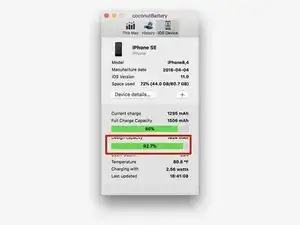
    • Check the battery heath

    • The red bar shows how much battery charge it can hold now. If it is under 80%, you should get it replaced

  3. F6Dw1BVdQZ5s1PYw
    • You are done!

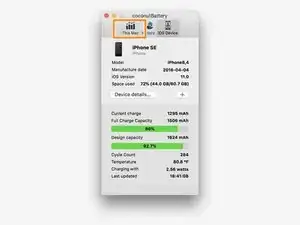
    • You can use this same way to check the health of your MacBook’s battery by clicking on This Mac at the top of the app.

    It seems most unlikely to me that the OP and the 12 other people who contributed to this article could be mistaken, but from all I confirmed what a person ought to look at and what should be circled (rectangled?) in red is the full charge capacity not the design capacity! The design capacity is what the battery came as new, what the person is looking for here is the current full charge capacity. I don't know how this happened as this is the one thing this article is supposed to be teaching, but I went over this multiple times and ascertained that this instruction is telling you to look at the wrong thing.

    Isaac -

Conclusão

You are done!

You now have a way to check the battery health of your IOS device.

Javen

Membro desde: 04/04/20

1104 Reputação

Um comentário

I was hoping that this was an IOS app.

☹️

miscstuffforsale -