Introdução

Use this guide to replace the adhesive underneath the power button board or replace a power button board altogether in your Kobo Clara eReader, Colour or BW edition, models N365 or N367.

  1. uaLbTjGnGwd2cKEB
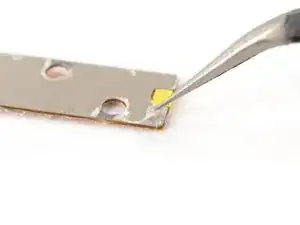
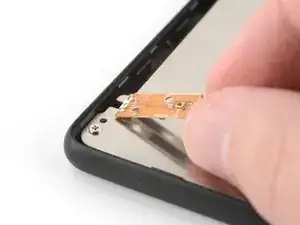
    • If you're transferring your power button board to a new screen, follow the next three steps. Otherwise, skip to this step to install a new power button board.

    • Use tweezers, or your fingers, to remove any remaining adhesive on the bottom of your power button board.

    • Make sure the board is as clean as possible so the replacement adhesive sits evenly on the frame.

  2. Pgk5y11GBxyP4UyF
    Pgk5y11GBxyP4UyF
    wmUaWsHQrudeoTYV
    OaVrbUsJLt1PRZaW
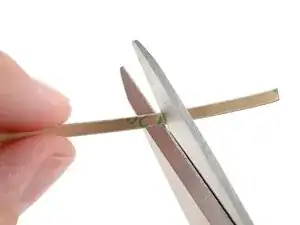
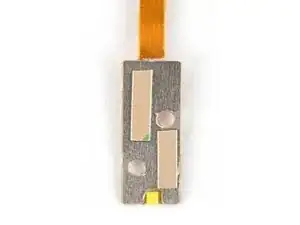
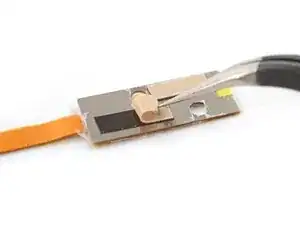
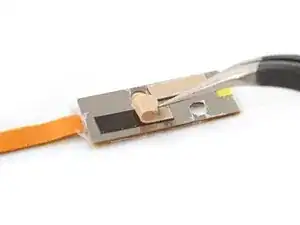
    • Measure and cut a few strips of a thin double-sided tape, like Tesa tape, and apply it to the bottom of the power button board.

    • Peel off the liners from the strips to expose the adhesive.

  3. OteXjsrPOicBBVcp
    OteXjsrPOicBBVcp
    eVIV5U6KOdpWJvdB
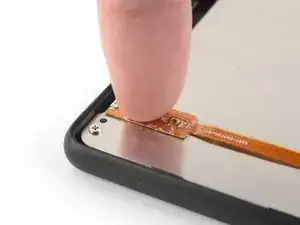
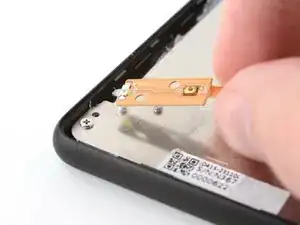
    • Place the power button board on its spot on the frame, making sure it's aligned with its two pegs.

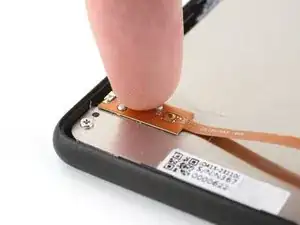
    • Press down on the power button board to adhere it.

  4. QVukEZ5ptINNosIW
    QVukEZ5ptINNosIW
    naNRgeRdgWsnf2gq
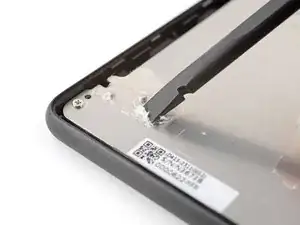
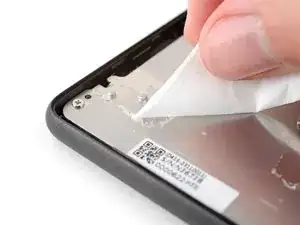
    • Use a spudger, or your fingers, to remove the remaining adhesive at the power button board's spot on the frame.

    • Apply a few drops of isopropyl alcohol (>90%) to the power button board's spot on the frame.

    • Use a coffee filter or a lint-free cloth to wipe off any remaining adhesive residue.

    • Make sure the spot is as clean as possible so the replacement adhesive sits evenly on the frame.

  5. 4lLcLBxiUAhdR2JB
    4lLcLBxiUAhdR2JB
    Bgr1PDcWJfgBl4dU
    3ka4fPchPjGDnKrG
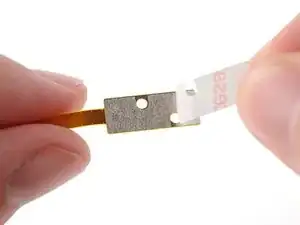
    • Peel off the liner on the bottom of the new power button board to expose the adhesive.

    • Place the power button board on its spot on the frame, making its aligned with its two pegs.

    • Press down on the power button board to adhere it.

Conclusão

Repair didn’t go as planned? Try some basic troubleshooting, or ask our Answers Community for help.

Carsten Frauenheim

Membro desde: 10/03/20

160455 Reputação

0 comentários