Introdução
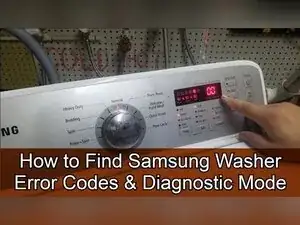
Use this guide to enter service mode and quick test mode on a 2013-era Samsung washing machine with an LCD display and Temp, Spin, and Soil Level buttons. You can pull up stored error codes, run a quick spin test, and test the drain pump, water valves, lid lock, and motor.
Codes covered near the end of the video:
- Samsung Washer DC Code
- Samsung Washer nF Code
- Samsung Washer 1E Code
- Samsung Washer 3E Code
- Samsung Washer nd Code
- Samsung Washer AE Code
- Samsung Washer E2 Code
- Samsung Washer ds Code
- Samsung Washer LE Code
- Samsung Washer 0E Code (Samsung Washer OE Code)
-
-
Press and hold Delay Start and Extra Rinse at the same time for three seconds.
-
Listen for three distinct beeps to confirm service mode is active.
-
Press Power to turn the washer off and on if you need to reset and exit service mode.
-
-
-
Press the Spin button to open the error code display.
-
Turn the jog dial to scroll through multiple stored error codes, if more than one is present.
-
Select an error code, and press and hold Start/Pause to display how many cycles have run since that error occurred.
-
Press the Spin button again to exit the error code display and return to the service diagnostic menu.
-
-
-
Press the Soil Level button to display the software revision.
-
Press the Soil Level button again to cycle back out to service mode.
-
-
-
Press and hold Start/Pause to try to hold the RPM at a specific speed during the quick spin test.
-
Press the Power button to stop the quick spin test if the button combo doesn’t turn it off.
-
-
-
Turn the washer off.
-
Press and hold Spin, Soil Level, and Power at the same time for three seconds.
-
Wait for the display to briefly show the software version, clear the EEPROM, and then show the model information.
-
Turn the dial while the version is displayed to view version modes used for testing.
-
-
-
Press the Spin button to turn the drain pump on.
-
Press the Spin button again to turn the drain pump off.
-
-
-
Press the Temp button to cycle through the water valve circuit test.
-
Press the Spin button to run the drain pump briefly if you need to remove water added during testing.
-
-
-
Press the Soil Level button to toggle the door lock on.
-
Press the Soil Level button again to unlock the door.
-
-
-
Turn the dial to the SP mode setting to access the motor test.
-
Press Start/Pause to start the motor test for clockwise and counterclockwise movement.
-
Press Start/Pause to end the motor test.
-
Service mode lets you pull stored error codes and view diagnostic information, and quick test mode lets you actively test key components like the drain pump, water valves, lid lock, and motor.
