Introdução
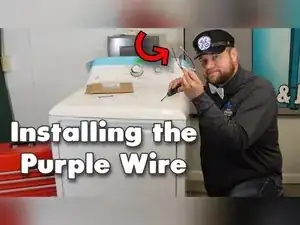
If your Hotpoint dryer tumbles but never heats, the factory purple heater wire is a common failure point. Heat, vibration, and a loose terminal can burn the wire open and leave the element without power. Replacing the wire with the WE49X37037 kit restores reliable heat and prevents damage to other parts. This guide shows you how to open the cabinet, remove the damaged wire, install the new one, and put the dryer back together using ordinary hand tools while avoiding the many sharp sheet-metal edges inside the machine.


-
-
Move the dryer so the rear panel is accessible.
-
Remove the two quarter-inch hex screws located at the lower corners of the back panel.
-
-
-
Push the console top rearward at both corners with firm hand taps to release the clips.
-
Rotate the console upward until it rests flat on the dryer top.
-
-
-
Remove the two Phillips screws from the back edge of the top panel, one at each side.
-
Engage the console tabs with the lid slots, roll the lid downward, and tap the console forward to lock it.
-
-
-
Open the dryer door.
-
Remove the two Phillips screws hidden under the front lip of the lid.
-
Tilt the lid toward the wall and let it rest against the console or a stable surface.
-
-
-
Remove the two quarter-inch hex screws securing the front panel, one on each side.
-
Press the latch and disconnect the door-light harness if your model has one.
-
Lift the front panel off the three lower locating fingers while keeping the short door-lock harness slack.
-
Slide the plastic cover aside, depress the latch, unplug the door-lock harness, and set the front panel aside.
-
-
-
Reach to the right of the blower housing and pull the idler pulley to the right, parking its arm on the motor-mount tab.
-
Slip the belt off the motor pulley and idler assembly.
-
Grasp the drum by the belt, lift slightly, and pull it straight out of the cabinet.
-
-
-
Pull the damaged purple wire straight off the heater pan terminal.
-
Inspect the wire for burning or separation to confirm the failure point.
-
-
-
Cut or pry off the plastic cable tie anchoring the purple wire to the chassis.
-
Cut the additional cable tie on the left harness branch, being careful not to nick nearby wires.
-
Peel away the two or three wraps of electrical tape to free the purple wire from the main harness.
-
-
-
Press the locking tabs and unplug the motor wire harness from the motor.
-
Insert a small flat screwdriver from the wire side, press the retention tab, and pull the purple terminal out of the connector.
-
If the terminal will not budge, cut it off and pull the wire free.
-
-
-
Slide the new purple terminal fully onto the heater pan spade until it bottoms out.
-
Press the grommet into the chassis hole to secure the wire routing.
-
Crimp the terminal gently with needle-nose pliers to guarantee a tight connection.
-
-
-
Bundle the new wire with the main harness and secure it using a high-temperature cable tie or fresh tape.
-
Wrap new electrical tape around the harness where the original wraps were removed.
-
Push the new terminal into the motor connector until a distinct click is heard.
-
-
-
Park the idler pulley on the motor-mount tab to simplify belt routing.
-
Set the drum in place with the belt in the rear groove and the bearing seated in the back panel socket.
-
Loop the belt around the motor pulley, release the idler pulley, and ensure the belt tracks correctly.
-
Rotate the drum by hand to verify smooth movement and blower engagement.
-
-
-
Rest the front panel on the three lower locating fingers and pivot it toward the cabinet.
-
Reconnect the door-lock harness and snap the plastic cover into position.
-
Align the small metal tabs on the panel and cabinet to seat the assembly squarely.
-
Reinstall the two quarter-inch hex screws at the upper corners of the panel.
-
-
-
Lower the lid and press it until the front clips engage.
-
Install the two long Phillips screws under the lid lip to secure it to the front panel.
-
Slot the console fingers into their holes, pivot forward, and tap until fully seated.
-
Install the two quarter-inch hex screws through the console into the top panel.
-
Plug the dryer in and run a heat cycle to confirm proper operation.
-
Your Hotpoint dryer should now tumble and heat normally with a solid, cool-running purple heater wire. If the element still does not energize, revisit the heater pan terminal for damage or check that the new wire is fully seated in the motor connector. Keep an eye on the repair during the first full load to ensure the connection stays cool and secure.
