Introdução
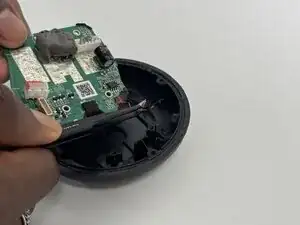
This guide will show you how to replace or repair the circuit board located at the top of the device. The circuit board controls the device's volume, power (on and off), and audio playback functions. It is connected to the device via wires, which can sometimes become loose and cause volume issues. Simply reconnecting these wires can often fix the problem. However, in some cases, the circuit board itself may be faulty. This guide will walk you through how to handle both situations.


-
-
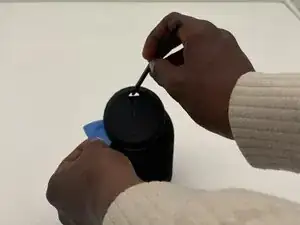
At the top of the speaker, insert an opening pick to create a gap.
-
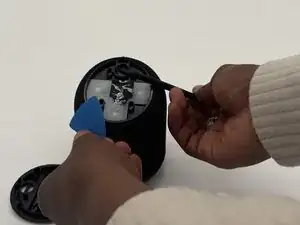
Insert a spudger into the gap and lift upwards until the top comes off.
-
-
-
Using your fingers, gently remove the rubbery white button cover.
-
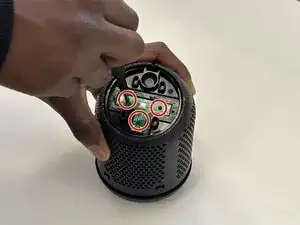
Remove the three 6 mm-long Philips #1 screws securing the I/O board.
-
-
-
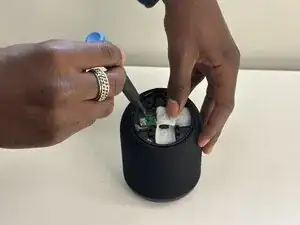
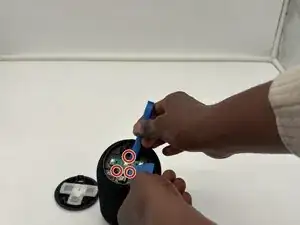
Insert opening tools on the edges of the circuit board to create leverage (indicated by the red circles).
-
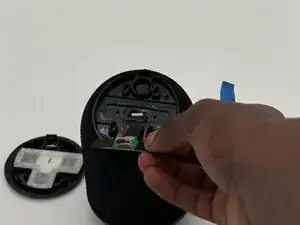
Pry up the I/O board.
-
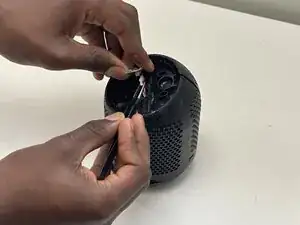
Use tweezers to gently disconnect the I/O board connector.
-
To reassemble your device, follow the above steps in reverse order.
Take your e-waste to an R2 or e-Stewards certified recycler.
Repair didn’t go as planned? Try some basic troubleshooting or ask our Answers community for help.