Introdução

Replacing the stand on the HP IQ506.

The part number for the stand this system uses is the HP 507866-001 stand. Note: This part does not include screws. You will need to get the diameter with a digital caliper if you do not have the screws. I DO NOT have this information to hand right now.

  1. o6v5FPSqssQpGHxe
    o6v5FPSqssQpGHxe
    AAWrCJsOOHhkkP5M
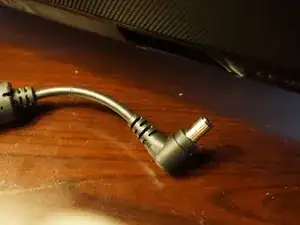
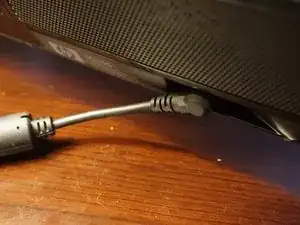
    • Unplug the power supply from the system.

  2. b4X2RKqOBSq1u2gJ
    b4X2RKqOBSq1u2gJ
    X4rWyfZpx1UiBIBB
    wlt1N4kpDemKTQTl
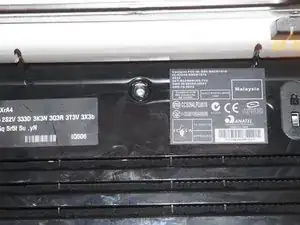
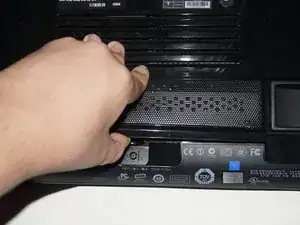
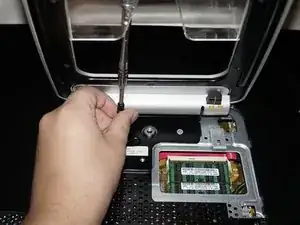
    • Unscrew the RAM door from the system. Use a Phillips #1 screwdriver. Once you do this, unclip it from the bottom and pull forward.

  3. RsZe5KsFxoHFATu5
    • THIS STEP ONLY APPLIES FOR LEGACY iFixit 54-BIT DRIVER KIT USERS.

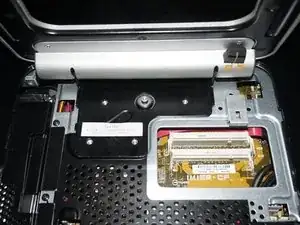
    • When usjng the legacy driver handle, the top hinge screws can be difficult to get to. If you have the legacy 54-bit iFixit driver kit, lock the stand upright and slide it under the stand from the rear to access the top screws. This should be less of an issue with a standalone driver or modern driver kits like the 64-bit/Manta kit.

  4. Lj3IsQWSERJMSZIJ
    Lj3IsQWSERJMSZIJ
    YyAtvmfDHRYdkeoe
    TxssrFqDeXh6mhjh
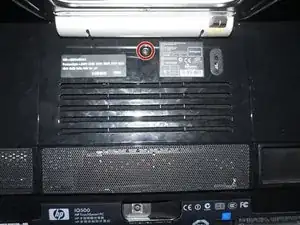
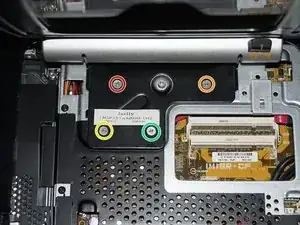
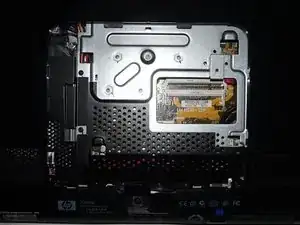
    • Remove the stand from the system. Use a Phillips #1 screwdriver to loosen the 4 screws. The stand will be loose and easily removed.

Conclusão

To reassemble your device, follow these instructions in reverse order.

Nick

Membro desde: 11/11/09

100750 Reputação

0 comentários