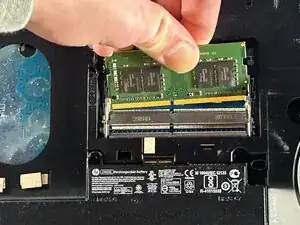
Introdução
This guide will show you how to remove, replace, or reinsert the RAM modules in your HP ProBook 640 G3. You may need to perform this replacement if your device is crashing quite often, corrupting files, freezing, rebooting unusually often, or having problems running multiple programs. Bad memory can be the root of these kinds of problems. The repair is rated as Easy and is estimated to take about 5 minutes.
A critical safety caution before beginning: ensure the device is completely powered down and not connected to any charging sources. If the laptop was recently used, also ensure it is not still hot before proceeding. The tools you will need include a Phillips #00 Screwdriver, Plastic prying tools, and an Opening Pick. Note that the steps for removing the battery are a prerequisite and it is helpful to separate your screws into groups to aid in reassembly.


-
-
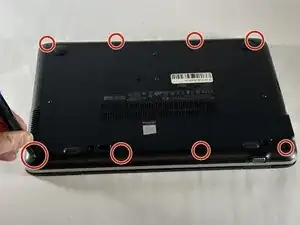
Remove the eight 6 mm-long Phillips screws securing the lower case.
-
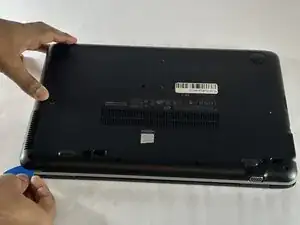
Insert an opening pick into the seam between the lower case and chassis.
-
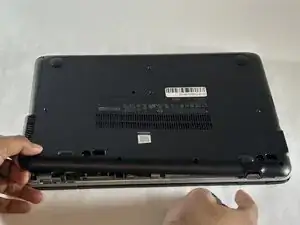
Slide the pick around the entire perimeter of the device until the lower case releases.
-
Remove the lower case.
-
-
-
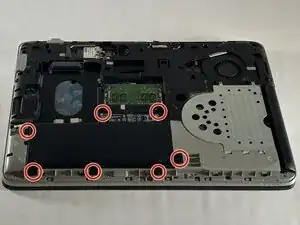
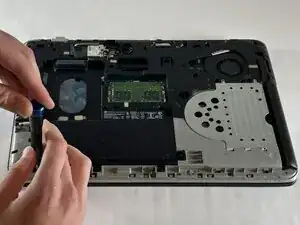
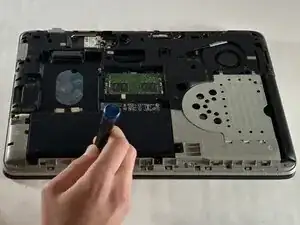
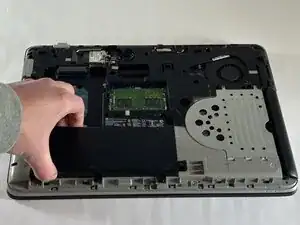
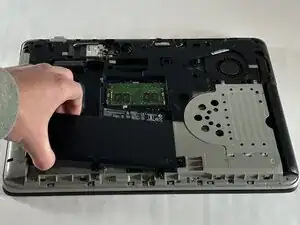
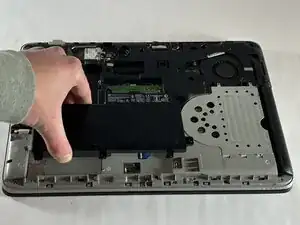
Use a Phillips screwdriver to loosen the seven 6 mm-long captive screws securing the battery.
-
-
-
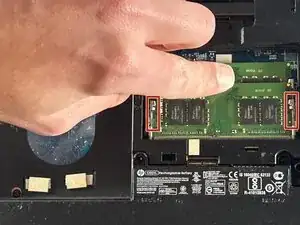
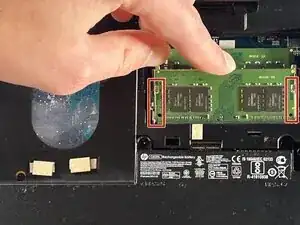
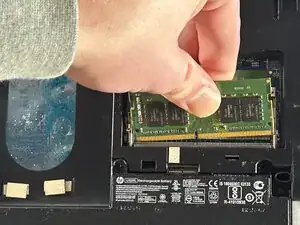
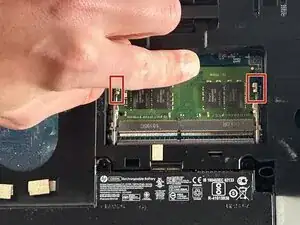
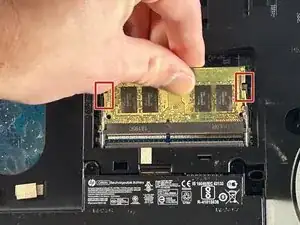
Two clips secure each RAM module in place, one on each side. Using your fingers, spread the clips away from the RAM module.
-
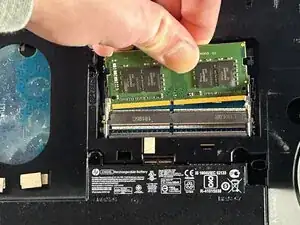
Gently remove the memory from its housing by pulling it out and up.
-
To reassemble your device, follow the above steps in reverse order.
Take your e-waste to an R2 or e-Stewards certified recycler.
Repair didn’t go as planned? Try some basic troubleshooting or ask our Answers community for help.