Introdução
This guide will walk you through the process of replacing the RAM (Random Access Memory) for your HP ProBook 640 G1 laptop. If you notice your computer running slowly, or you notice it has a hard time running multiple tasks at once, it may be time to upgrade your RAM.
Ferramentas

-
-
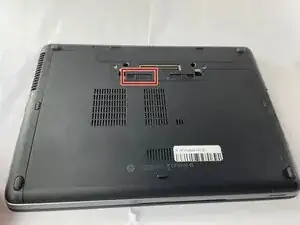
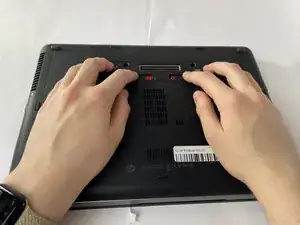
Slide the battery slider all the way to the left, towards the battery symbol.
-
You may also need to slide the other slider to the right of the battery slider, as shown in the picture.
-
-
-
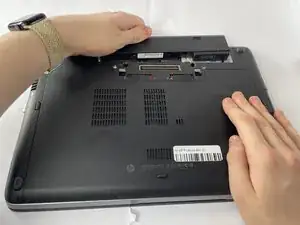
Remove the battery by sliding it away from the laptop while holding the battery locker.
-
The battery should slide out with ease.
-
-
-
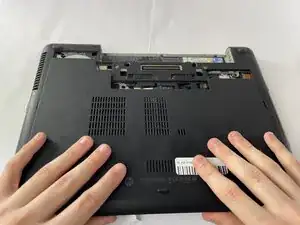
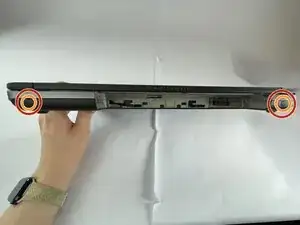
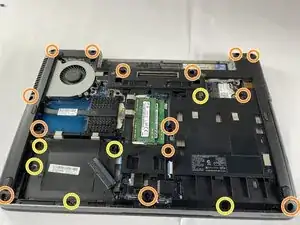
Remove the eight rubber screw plugs from the bottom and the two rubber screw plugs from the sides of the laptop using a paperclip.
-
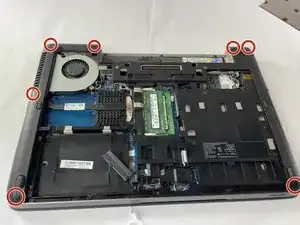
Remove the fourteen 6 mm screws from the bottom of the laptop and the two 6 mm screws from the sides using a T8 Torx screwdriver.
-
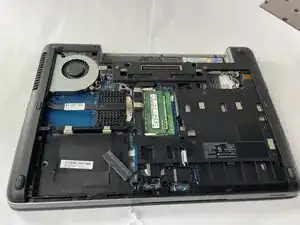
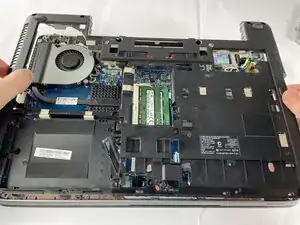
Remove the six 4 mm screws that secure the midframe using a T8 Torx screwdriver.
-
-
-
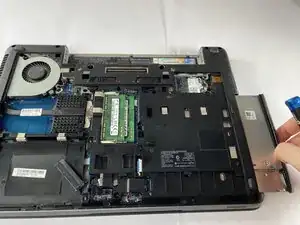
Remove the disk drive by gently pulling it out.
-
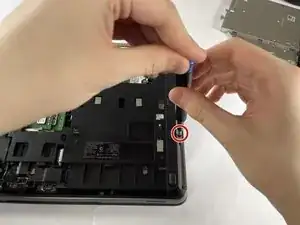
Remove the two 3 mm screws using a Phillips #1 screwdriver.
-
-
-
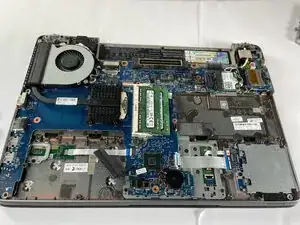
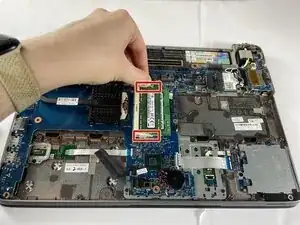
Gently push the clasps securing the RAM outwards and down to free the RAM.
-
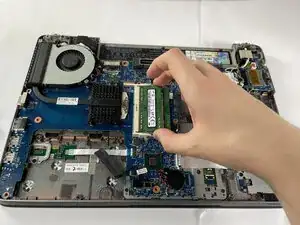
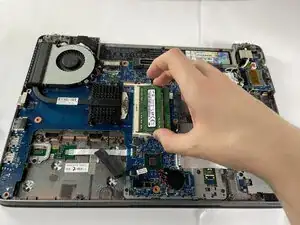
Gently grab the sides of the RAM stick and remove it from its socket by pulling it to the right.
-
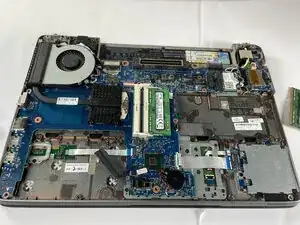
Repeat this process for the second RAM stick located underneath the first.
-
To reassemble your device, follow these instructions in reverse order.